
Our verdict
This MacroFactor review covers a paid nutrition app that does something most calorie counters do not: instead of guessing how many calories you burn from a formula, it works it out from your own logged food and weight trend, then adjusts your targets every week. MacroFactor is made by Stronger By Science Technologies, the team behind a well-known evidence-focused strength training publication, and it shows in both the maths and the tone. The app is fast to log in, free of ads, and deliberately avoids shaming you for missing a target.
That combination earns MacroFactor its place near the top of our meal tracking ranking, especially for people who lift weights and run deliberate phases of losing fat, maintaining or gaining muscle. The catch is that the coaching only works if you feed it data: regular weigh-ins and consistent food logging. There is no free plan, and for someone who only wants to glance at calories now and then, it is more app than they need.
NerdBible did not run a diet in MacroFactor for this review. It is an editorial assessment based on MacroFactor's own pages explaining its algorithm and design philosophy, its App Store listing, guidance from the National Institute of Mental Health, and reviews from Garage Gym Reviews, Outlift and Amy Food Journal. This is not nutritional or medical advice. Speak to a doctor or a registered dietitian before making significant changes to how you eat, particularly if you have a health condition.
What is MacroFactor and who is it for?
MacroFactor is a macro and calorie tracking app with a built-in coaching engine. Its homepage describes two apps: MacroFactor for nutrition, which this review covers, and a separate MacroFactor Workouts app for resistance training programmes. The App Store listing names Stronger By Science Technologies LLC as the developer and shows a high average rating from many thousands of users.
It suits:
- Lifters and athletes running structured fat loss, maintenance or muscle gain phases who want targets that adapt.
- Experienced trackers who already log food and want the app to do the arithmetic of adjusting targets.
- People who stalled on other apps because fixed formulas overestimated or underestimated their needs.
- Anyone put off by red numbers and warnings, given MacroFactor's no-judgement design.
How does MacroFactor's algorithm work?
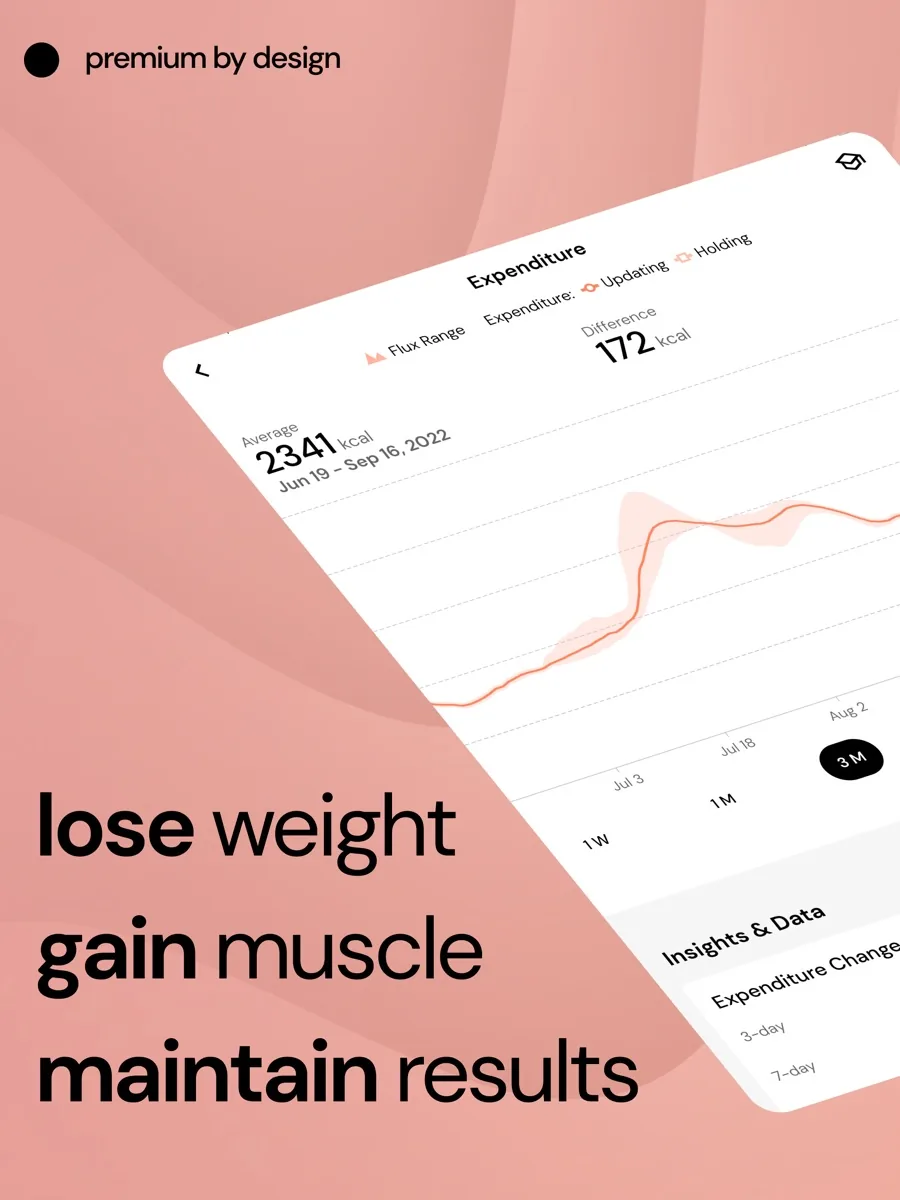
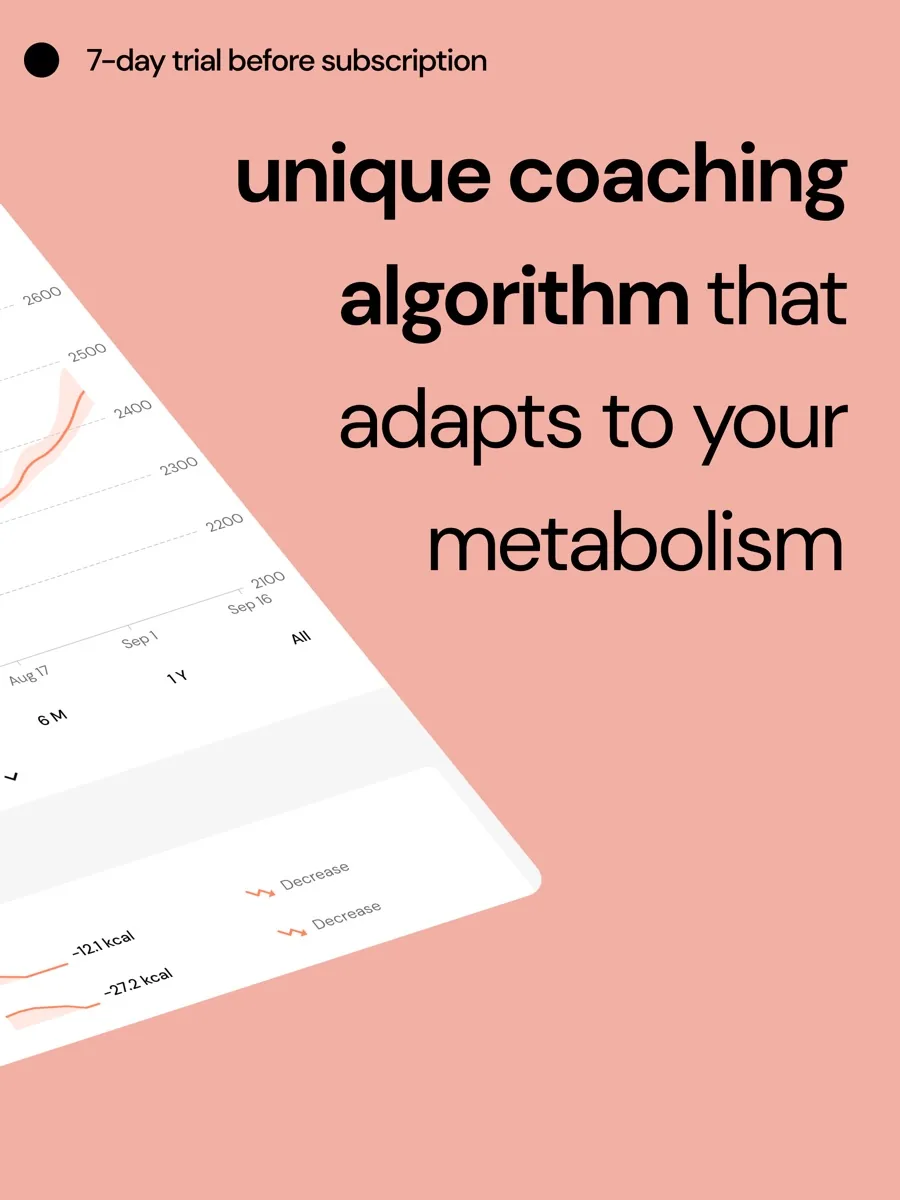
MacroFactor explains its approach in detail on its algorithms and core philosophy page. At the start it estimates your energy expenditure from equations that take body composition and activity into account. Once you have logged weight and food for a few weeks, it switches to calculating expenditure from your own data: if you know what you ate and how your stored body mass changed, the energy you used is what is left over.
Daily weigh-ins jump around because of water, salt and digestion, so the app smooths them into a weight trend that gives more weight to recent days without overreacting to one. Each week is treated as its own unit. At a weekly check-in, the app compares what you actually ate and how your trend moved, and sets next week's calories and macros accordingly. If you ate more than your target and still lost weight at the rate you wanted, it raises your target rather than scolding you.
MacroFactor is open about where this breaks down. Its page says persistent weight shifts unrelated to energy balance, such as starting creatine or a big change in fibre, and long unusual bursts of activity can confuse the estimate. Its suggested fix is to skip a check-in or two until the data settles.
Key features
Three coaching styles
Garage Gym Reviews describes three programme types: coached, where the app sets calories and macros; collaborative, where you set macros and the app adjusts calories; and a manual option where you set everything yourself. MacroFactor's own page sets out how the coached mode prioritises fat, then protein, then carbohydrates when calories are tight.
Fast logging
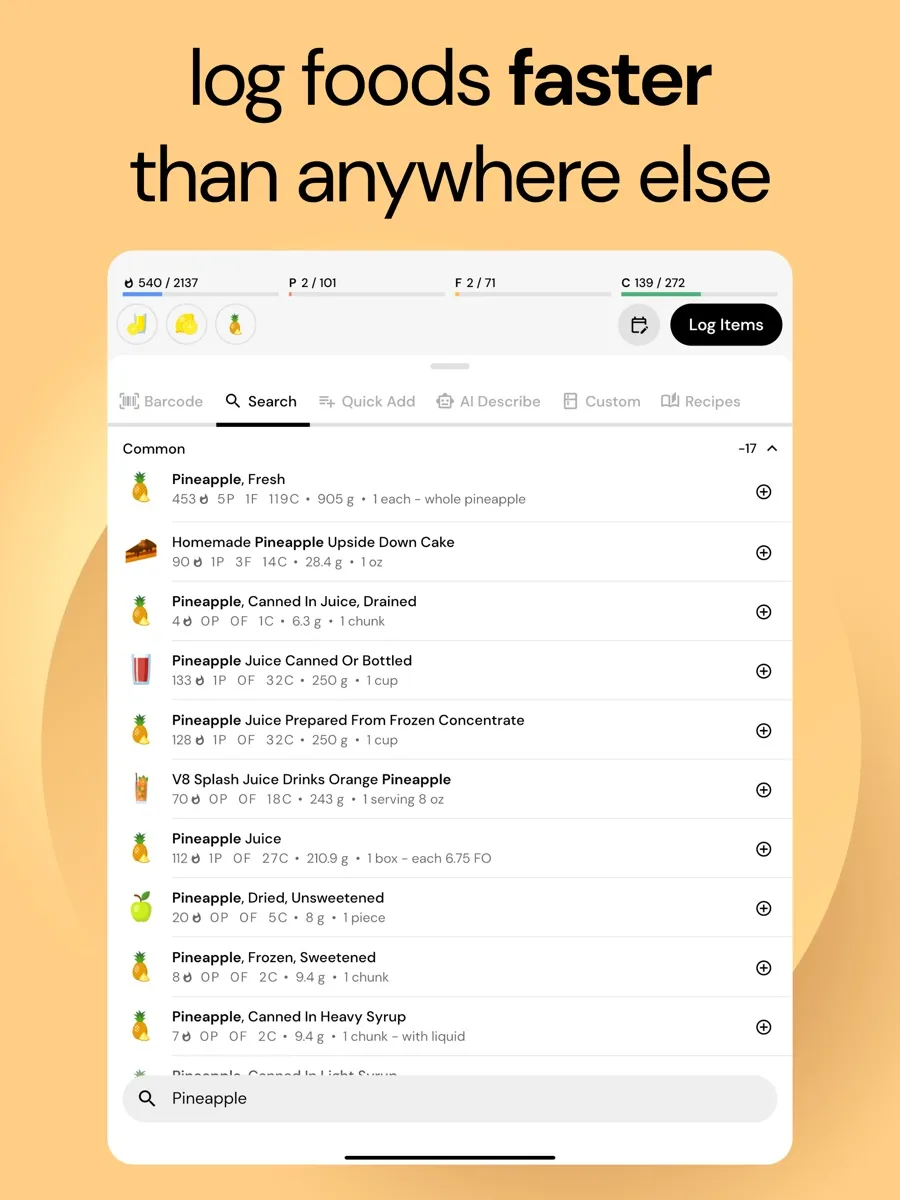
Logging is the part you touch every day, and reviewers consistently say MacroFactor needs fewer taps than rivals. The homepage lists barcode scanning, a nutrition label scanner and AI photo logging, and Amy Food Journal describes logging by typing or speaking a description of the meal. The App Store listing mentions a timeline-style log, copy and paste between days, and custom foods.
Verified food database and micronutrients
The App Store listing describes a verified database with screened entries, and detailed micronutrient breakdowns alongside macros. Outlift notes that micronutrient data can be thin for some packaged foods.
Adherence-neutral design
MacroFactor's adherence-neutral page explains that the app avoids red numbers, warning pop-ups and good or bad food labels, and that the coaching works the same whether or not you hit your targets. The company argues that shame-based messages tend to make adherence worse, not better.
Integrations and extras
The App Store listing mentions Apple Health integration, a habit tracker, a period tracker and weight trend analysis. The app is ad-free.
How much does MacroFactor cost?
Our product card shows current prices from our data. In structure, MacroFactor has no free plan. The App Store listing shows a 7-day free trial, then a choice of monthly, six-month or annual subscriptions, with the annual plan cheapest per month. Garage Gym Reviews called it the most expensive calorie counter it compared on a monthly basis, while Outlift found the annual plan cheaper than some well-known rivals' premium tiers. The Workouts app is a separate product.
Privacy and data
MacroFactor handles sensitive information: your weight, body measurements, food intake and, if you use it, menstrual cycle data. The App Store privacy label lists health and fitness data, contact details, purchases, identifiers, usage data and diagnostics as data linked to your identity. If you sync with Apple Health, you control which categories flow in each direction from the Health app's settings.
Is MacroFactor safe for everyone?
Detailed food and weight tracking is a useful tool for many people and a harmful one for some. The National Institute of Mental Health describes eating disorders as serious, sometimes life-threatening illnesses involving severe disturbances in eating behaviour and preoccupation with weight and shape, and says reaching out to a health care provider is an important first step. MacroFactor's non-judgemental design is thoughtful, but no tracking app is a substitute for care. If you have a history of disordered eating, or tracking makes you anxious, talk to a doctor, therapist or registered dietitian before using any calorie counter. People who are pregnant, under 18 or managing a medical condition should also get professional guidance on targets.
What could be better
- No free tier. After the trial you pay, and the monthly option is pricey.
- It demands consistency. The coaching needs regular weigh-ins and near-daily logging; sporadic users pay for an engine they do not run.
- AI logging is an estimate. Photo and description logging still involves guessing portions.
- No social features. Outlift points out there is no community or friends feed inside the app.
- Some edge cases confuse the algorithm, as MacroFactor itself acknowledges.
Who should choose something else
If you want free calorie counting, a free tracker or your phone's built-in health app will do the basics. If you are new to tracking and still building the habit, a simpler app may be less overwhelming; MacroFactor rewards people who already log reliably. If you want a social, community-driven experience, look elsewhere. And if you need a plan for a medical condition, a registered dietitian is the right starting point, not an algorithm.
What other reviewers found
- Garage Gym Reviews named MacroFactor its best calorie counter with a barcode scanner, gave it top marks for ease of use and features, and marked it down only on price.
- Outlift, which discloses that it is a MacroFactor affiliate, called it the best calorie tracker its team uses, praising the adaptive targets and verified database while noting AI estimates are imperfect and there is no social side.
- Amy Food Journal described MacroFactor as excellent coaching that demands serious commitment, recommending it for lifters and consistent loggers and suggesting beginners and sporadic users skip it.
- The App Store shows a high average rating from many thousands of users, with reviewers often comparing its logging speed favourably with older apps.
Where the reviewers agree and disagree
The reviewers agree that MacroFactor's adaptive expenditure engine is the best reason to choose it, that logging is fast, and that the lack of a free plan is the main barrier. They differ mainly on value: Garage Gym Reviews treats the monthly price as a drawback, while Outlift sees the annual plan as good value next to rivals. Amy Food Journal adds the most important caveat, that the app only pays off for people who log consistently. For a buyer, the free trial is too short to see the algorithm fully calibrate, so judge the trial on whether you enjoy logging in it; if you do, the coaching will follow.
Is MacroFactor worth it? Bottom line
MacroFactor is the most thoughtful nutrition coaching app we know of for people who are serious about body composition and willing to track consistently. It is fast, ad-free, transparent about how its maths works and refreshingly free of guilt. It is not free, it is not for casual trackers, and it is not a substitute for a doctor or dietitian. If you lift, log and weigh in regularly, it is an easy recommendation; if you are not sure tracking is good for you, talk to a professional first.
Frequently asked questions
Does MacroFactor have a free version?
No. MacroFactor has no free plan. The App Store listing shows a 7-day free trial, after which you choose a monthly, six-month or annual subscription, with the annual plan working out cheapest per month. Reviewers including Garage Gym Reviews count the lack of a free tier as the app's main drawback, while praising its features and ease of use.
How does MacroFactor calculate my calories?
MacroFactor starts with an estimate based on equations, then calculates your energy expenditure from your own logged food and a smoothed weight trend once it has a few weeks of data. At weekly check-ins it adjusts your calorie and macro targets based on what you actually ate and how your weight moved, rather than relying on a fixed formula.
Do I need to weigh myself every day for MacroFactor?
MacroFactor's algorithm works best with frequent weigh-ins and consistent food logging, and independent reviewers describe it as needing logging on most days and weight at least weekly, with daily entries preferred. The app smooths daily fluctuations into a trend. If frequent weighing makes you anxious, a different approach may suit you better; a health professional can help.
What does adherence neutral mean in MacroFactor?
MacroFactor uses the term to mean the app does not shame you for missing targets. There are no red numbers, warning pop-ups or good and bad food labels, and the coaching adjusts the same way whether or not you hit your goals. The company argues that guilt-based design tends to make sticking to a plan harder.
Is MacroFactor good for beginners?
It can be, but reviewers suggest it suits people who already log food reliably. The coaching only becomes useful with consistent data, so someone still building the habit may find a simpler app less overwhelming. Anyone with a history of disordered eating should speak to a doctor or registered dietitian before using any calorie tracking app.
Sources
- MacroFactor, MacroFactor
- MacroFactor's Algorithms and Core Philosophy, MacroFactor
- What do we mean when we call MacroFactor adherence neutral, MacroFactor
- MacroFactor Macro Tracker, App Store
- Eating disorders, National Institute of Mental Health
- The best calorie counter apps, Garage Gym Reviews
- A review of the MacroFactor macro-tracking app, Outlift
- MacroFactor review, Amy Food Journal