
NordPass review: our verdict
This NordPass review looks at the password manager from Nord Security, the company behind NordVPN, and asks a simple question: is it the right place to keep every password you own? For most people the answer is yes. NordPass combines a modern encryption design, passkey support, a clean interface across every major platform and a free tier that does not cap how many passwords you store. Its paid plans add the tools that make a password manager genuinely protective rather than just convenient: password health reports, a data breach scanner, email masking, secure sharing and emergency access.
It is not flawless. The free plan only lets you stay signed in on one device at a time, setup involves two separate passwords, and business admins who need fine-grained team controls will find more depth elsewhere. But for individuals and families who want something secure that they will actually keep using, NordPass is one of the strongest options in the category, which is why it sits near the top of our ranking.
NerdBible did not run its own hands-on trial for this review. It is an editorial assessment based on NordPass's own plans, security and feature pages, and on the published findings of independent review outlets, which we credit and link below.
What is NordPass and who is it for?
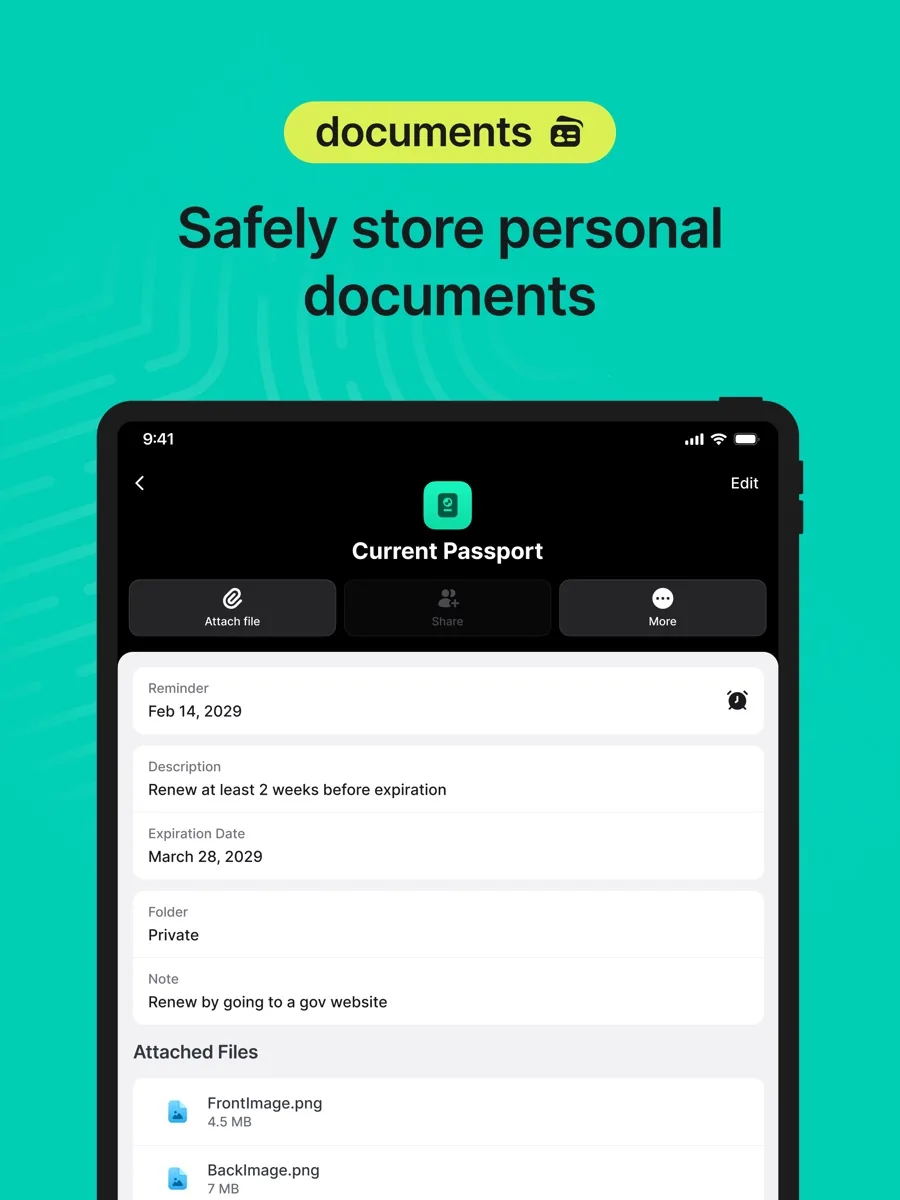
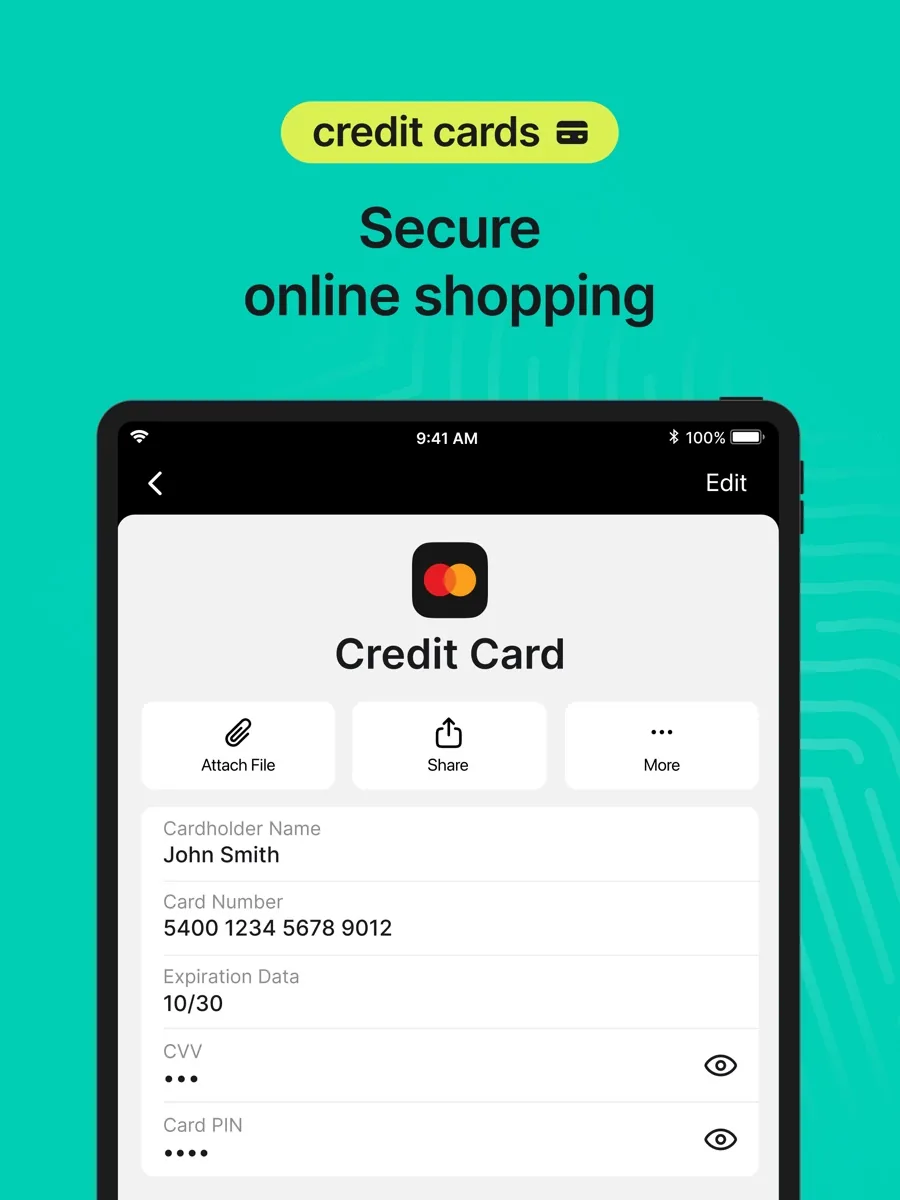
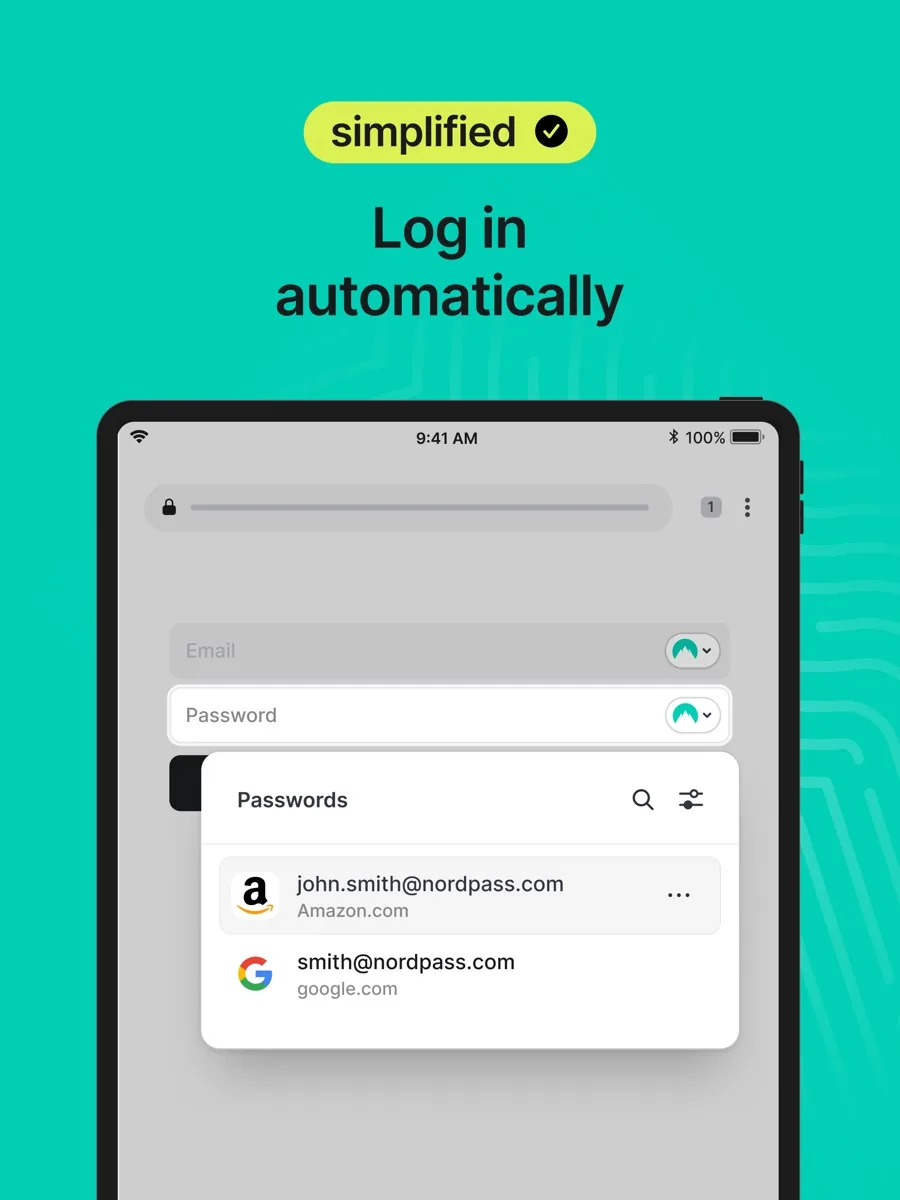
NordPass is a cloud-synced password manager. You keep logins, passkeys, credit cards, secure notes and personal details in an encrypted vault, and the apps and browser extensions fill them in for you when you sign in or check out. According to the NordPass download and free plan page, there are apps for Windows, macOS, Linux, Android and iOS, plus browser extensions for Chrome, Firefox, Edge and Safari.
It suits three groups especially well:
- People moving off browser-saved passwords. The interface is simple, importing from browsers and other managers is supported, and the free tier lets you store everything before you decide to pay.
- Households. The Family plan gives six separate encrypted vaults, so each person keeps their own logins private while still being able to share the ones that matter.
- Existing Nord customers. NordPass uses the same Nord Account sign-in as the company's other services, and it is often bundled with them.
It is a less natural fit for people who switch between a phone and a laptop all day but refuse to pay anything, and for IT teams who need deep policy controls across hundreds of users.
Key features
Unlimited storage, autosave and autofill
The NordPass plans page says the free plan already includes unlimited password storage, automatic sync, autosave and autofill, and that you can turn on multi-factor authentication for the account. That is more generous than several rivals, whose free tiers cap the number of items.
Passkeys
NordPass can create, store and use passkeys, the FIDO-standard sign-in method that replaces a password with a cryptographic key pair tied to your device. Its passkeys page explains that the private key stays confidential and that passkeys resist phishing because there is nothing for a fake site to steal. Keeping passkeys in a password manager rather than in one phone's ecosystem means they follow you across platforms.
Password Health and Data Breach Scanner
On Premium, Password Health flags weak, old and reused passwords, and the Data Breach Scanner checks whether your email addresses or payment cards appear in known breaches. ZDNET describes how each alert explains what was exposed and lets you mark it resolved once you have changed the affected password.
Email Masking
Email Masking creates forwarding addresses you can hand to shops and newsletters instead of your real inbox. The email masking page says you can switch forwarding off or delete a mask once it starts attracting spam, which limits how far a leaked address can travel.
Sharing, emergency access and the built-in authenticator
Premium and Family users can share items and folders with other NordPass users. Emergency access lets a trusted contact request entry to your vault; ZDNET reports that the request is granted automatically if you do not respond within seven days. The plans page also lists a built-in NordPass Authenticator for one-time codes on paid tiers, so you do not need a separate two-factor app for every site.
How much does NordPass cost? Plans and pricing structure
Current prices for your region appear in our comparison above. Here is how the plans are structured, according to the NordPass plans page:
- Free: unlimited passwords, sync, autosave, autofill and multi-factor authentication. You can only be logged in on one device at a time, and premium tools such as Password Health, the breach scanner, sharing and the authenticator are not included.
- Premium: one user, signed in on multiple devices at once, with the full set of security tools.
- Family: six user accounts, each with its own vault and all Premium features.
- Business tiers: a Teams plan for up to ten users, plus Business and Enterprise plans with an admin panel, policies, activity monitoring and provisioning through Entra ID and Okta. Business plans can be billed monthly and come with a 14-day trial.
Personal plans are sold on one-year and two-year terms. The plans page advertises a 30-day free Premium trial alongside the free plan, and a 30-day money-back guarantee on purchases. As with most subscription software, introductory rates on long plans renew at a higher standard price, so check the renewal figure before you commit.
Is NordPass safe? Privacy and security
Security is where NordPass is most distinctive. Its security overview sets out the design in some detail:
- Zero-knowledge, local encryption. Data is encrypted on your device before it is uploaded, so NordPass says it cannot see what you store.
- XChaCha20. Vault contents are encrypted with XChaCha20, a modern cipher that NordPass says it is the only major password manager to use. Most rivals use AES-256, which is also considered secure; the choice is a design preference rather than a weakness on either side.
- Argon2id key derivation. Your master password is turned into a key with Argon2id and a random salt, which makes brute-force guessing far more expensive.
- Public-key architecture. Each user has a key pair, which is what makes sharing and business account recovery possible without exposing plain-text data.
- Audits and certifications. NordPass says it undergoes independent third-party security audits, runs a bug bounty programme, and holds ISO 27001 and SOC 2 Type 2 certification.
- Hosting. Encrypted vault data is stored on Amazon Web Services in separate data centres in the US and EU.
Two practical points matter as much as the cryptography. First, NordPass is zero-knowledge, which means that if you forget your master password and have not saved a recovery code, your data cannot be recovered for you, so generate a recovery code in the app's settings and keep it offline. Second, the security of the vault depends on the account protecting it, so turn on multi-factor authentication for your Nord Account on day one.
What could be better
- The free plan's one-device rule. Several outlets note that logging in on a phone signs you out on your computer, and switching back means typing your passwords again. That makes the free tier fine for someone who lives on one device and tedious for everyone else.
- Two passwords at setup. You create a Nord Account and then a separate master password for the vault. Tom's Guide calls the process clunky, and newcomers can find it confusing.
- Business admin depth. TechRadar wanted more team management settings. The business plans cover the essentials, but organisations with complex access policies may prefer a manager built around enterprise administration.
- Free tier extras. PCMag points out that some rivals include sharing or breach monitoring for free, while NordPass keeps those for paying users.
Who should choose something else?
If you never want to pay and use more than one device daily, a free manager without a session limit will be less frustrating. If you are an IT administrator who needs granular role-based policies, detailed reporting and long audit trails, compare dedicated business password managers before choosing. And if you only use Apple devices and are happy with the built-in Passwords app, you may not need a third-party manager at all; what NordPass adds is cross-platform reach, breach scanning, email masks and easier sharing with people on other platforms.
Is NordPass worth it? Bottom line
NordPass gets the fundamentals right: strong, well-documented encryption, a zero-knowledge model, passkey support and apps that are pleasant to use on every major platform. Its paid tiers add protective tools that ordinary users will actually benefit from, and the Family plan is a sensible way to get a whole household onto proper password hygiene. The free tier is a fair way to try it, as long as you accept the one-device limit. For most individuals and families, it is an easy recommendation.
What other reviewers found
- PCMag praised NordPass for flexible sharing, breach scans covering both email addresses and payment cards, emergency access and email masking, but judged the free plan limited.
- TechRadar was impressed by its security features and platform coverage, while listing weaker customer support and a lack of team management settings as drawbacks.
- Tom's Guide called the free plan solid and liked the consistent design across devices, but found the two-account setup awkward.
- CNET rated it highly for value, smooth setup and family sharing for up to six people, and found live chat support quick to answer during its review.
- ZDNET named it "one of the best password managers for beginners with a free tier", while warning that free users must sign in again every time they switch devices.
Where the outlets agree and disagree
The consensus is clear on three points: NordPass is easy to use, its security design is strong, and the paid tiers are good value. Every outlet that covered the free plan mentions the single active session, so treat that as a real limitation rather than an edge case. The disagreements are about support and trials. TechRadar found support wanting while CNET found it responsive, which suggests experiences vary. PCMag said personal plans lacked a premium trial, whereas the NordPass plans page currently advertises a 30-day Premium trial, a reminder that terms change and the vendor's page is the place to confirm them. For a buyer, the practical takeaway is to start on the free tier or the trial, check that autofill works on the sites you use most, and upgrade once you want sharing, breach alerts or more than one device.
Frequently asked questions
Is NordPass really free?
Yes. The NordPass free plan stores an unlimited number of passwords and includes sync, autosave, autofill and multi-factor authentication. The catch is that you can only be logged in on one device at a time, so moving between phone and computer means signing in again. Sharing, Password Health, the Data Breach Scanner and the authenticator are reserved for paid plans.
Is NordPass safe to use?
NordPass uses zero-knowledge encryption, so your vault is encrypted on your device with XChaCha20 before it reaches NordPass servers, and your master password is processed with Argon2id. The company says it holds ISO 27001 and SOC 2 Type 2 certification, commissions independent audits and runs a bug bounty. As with any manager, enable multi-factor authentication and choose a strong master password.
Does NordPass support passkeys?
Yes. NordPass can create, save and sign in with passkeys, the FIDO-standard replacement for passwords. Storing them in NordPass rather than on a single phone means you can use the same passkey on Windows, macOS, Linux, Android and iOS through the NordPass apps and extensions. Not every website supports passkeys yet, so you will keep using passwords for some accounts.
What is the difference between NordPass Premium and Family?
Premium covers one person with all paid features, including simultaneous login on multiple devices, sharing, Password Health, breach scanning and email masking. Family includes the same features for six separate accounts, each with its own private vault. The plan owner decides who receives the other five vaults, and family members can still share selected items with each other.
What happens if I forget my NordPass master password?
Because NordPass is built on a zero-knowledge model, the company cannot see or reset your master password. Reviewers including ZDNET point out that you can generate a recovery code from the app's settings, and keeping that code somewhere safe and offline is the way back in. Without it, the encrypted vault cannot be decrypted, so store the code before you move all your passwords across.
Sources
- NordPass Pricing: Personal and Business Plans, NordPass
- NordPass security explained, NordPass
- Password Manager App for Personal and Business Use, NordPass
- Passkeys, NordPass
- Email Masking, NordPass
- NordPass Review, PCMag
- NordPass review, TechRadar
- NordPass password manager review, Tom's Guide
- NordPass Review, CNET
- NordPass review, ZDNET