
Our verdict
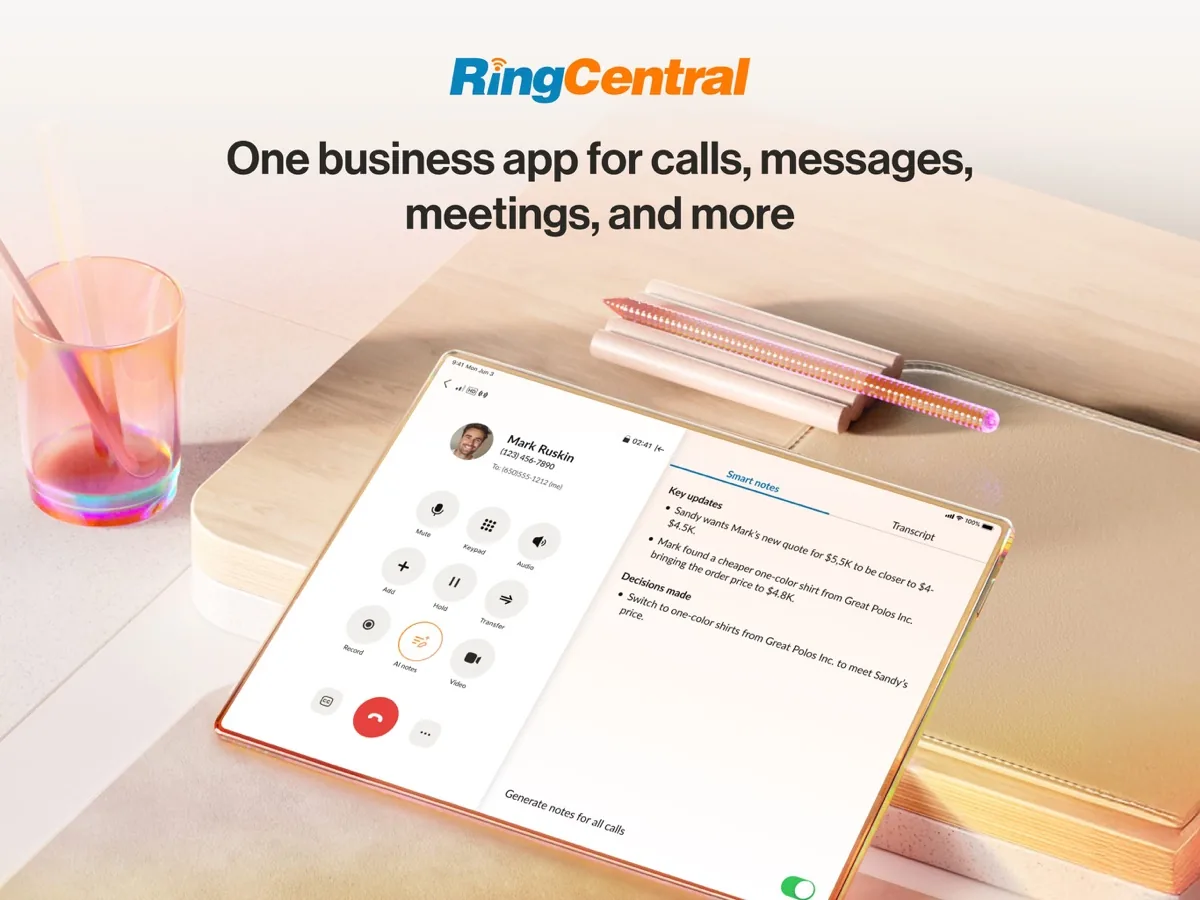
This RingCentral review looks at RingEX, the company's business phone system, and explains why it sits at the top of our VoIP ranking. RingEX puts calling, video meetings, team messaging, business texting and online fax into one app that runs on desktop computers, phones and desk handsets, and RingCentral backs the phone service with a 99.999% uptime commitment. Around that core sits a deep bench of call routing features, a very large integration catalogue and a security and compliance programme built for regulated industries. Gartner has named RingCentral a Leader in its Magic Quadrant for Unified Communications as a Service for twelve consecutive editions, according to the company, and independent trade press confirms it kept that position in the latest report.
It is not the cheapest way to get a business number, and its feature list can be more than a very small team needs. Companies that want a phone system they will not outgrow will find it hard to beat; a one-person business that just needs a second line can spend less elsewhere.
What is RingCentral and who is it for?
RingCentral is a cloud communications company. Its main business phone product, RingEX, replaces an office phone system (a PBX) with a hosted service: you get local, toll-free or vanity numbers, and calls ring on the RingCentral app, on supported desk phones, or both. The company also sells a contact centre product (RingCX), webinar and events tools, conference room software, push to talk for frontline workers, and a growing range of AI products such as an AI Receptionist.
It suits:
- Small and mid-sized businesses that want calling, meetings and messaging from one vendor with one bill.
- Multi-site and remote teams that need extensions, call queues and routing to work the same way in every location.
- Sales and support teams that want calls logged in a CRM such as Salesforce, HubSpot or Zendesk.
- Regulated industries such as healthcare and financial services that need documented security and compliance controls.
- Microsoft Teams organisations that want a full phone system inside Teams.
It is built for businesses. It also works as an app-based line for a home office, and it appears in our residential ranking for exactly that reason: no adapter, just an app on the phone and computer you already own. People who only want a cheap landline replacement for the kitchen, though, will usually be better served by a dedicated home phone service.
Key features
Calling and call handling
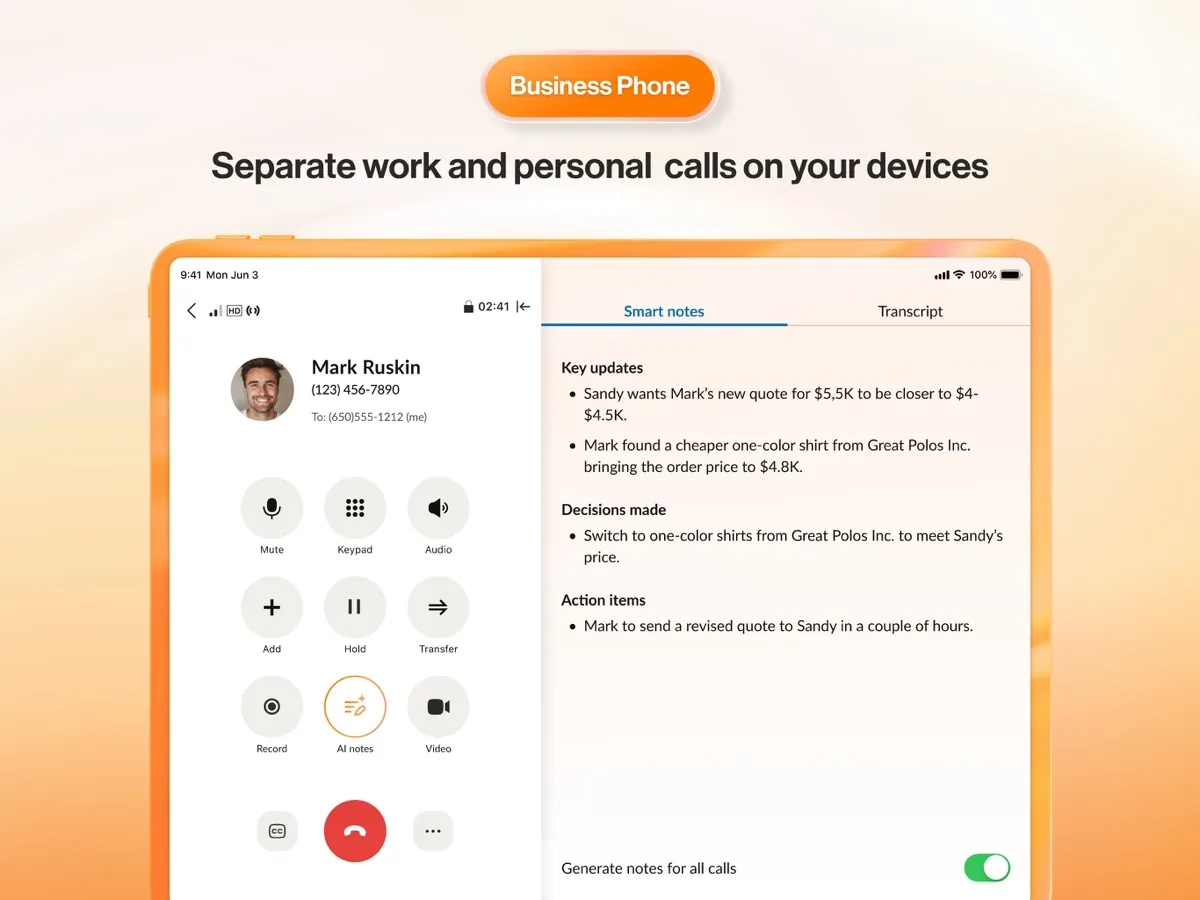
Every RingEX plan includes unlimited domestic calling in the US and Canada, plus calls between users in your own organisation. RingCentral's feature list covers what a growing business needs: auto attendant and multi-level IVR menus, call forwarding to any extension or number either at the same time or in sequence, call park for up to 50 calls at once, shared lines, call delegation for assistants and executives, hot desking, presence for up to 100 colleagues, answering rules by time of day, and voicemail transcription sent by email or text. Background noise reduction, on-demand call recording and conference calling are included. International calling is charged separately at published rates.
Meetings, messaging, SMS and fax
The same app handles video meetings, team chat and business texting from your company number. RingCentral's pricing page lists HD meetings for up to 300 participants on its entry plan, and the Trust Center lists waiting rooms, authenticated-only attendance, screen sharing controls and end-to-end encryption that can be switched on before or during a meeting. Business SMS comes with a monthly allowance per user that grows with the plan, and online fax works from email or the app. Team messaging adds tasks, notes, file sharing and a whiteboard.
Integrations and Microsoft Teams
RingCentral's pricing FAQ says it offers more than 330 integrations across more than 200 companies, and its announcement of the latest Gartner report puts the marketplace at close to 600 prebuilt integrations; the difference is likely down to how integrations are counted, and either way the catalogue is among the largest in the category. It also publishes APIs for voice, SMS, team messaging, video and fax, and offers a direct integration that brings RingCentral calling into Microsoft Teams.
AI features
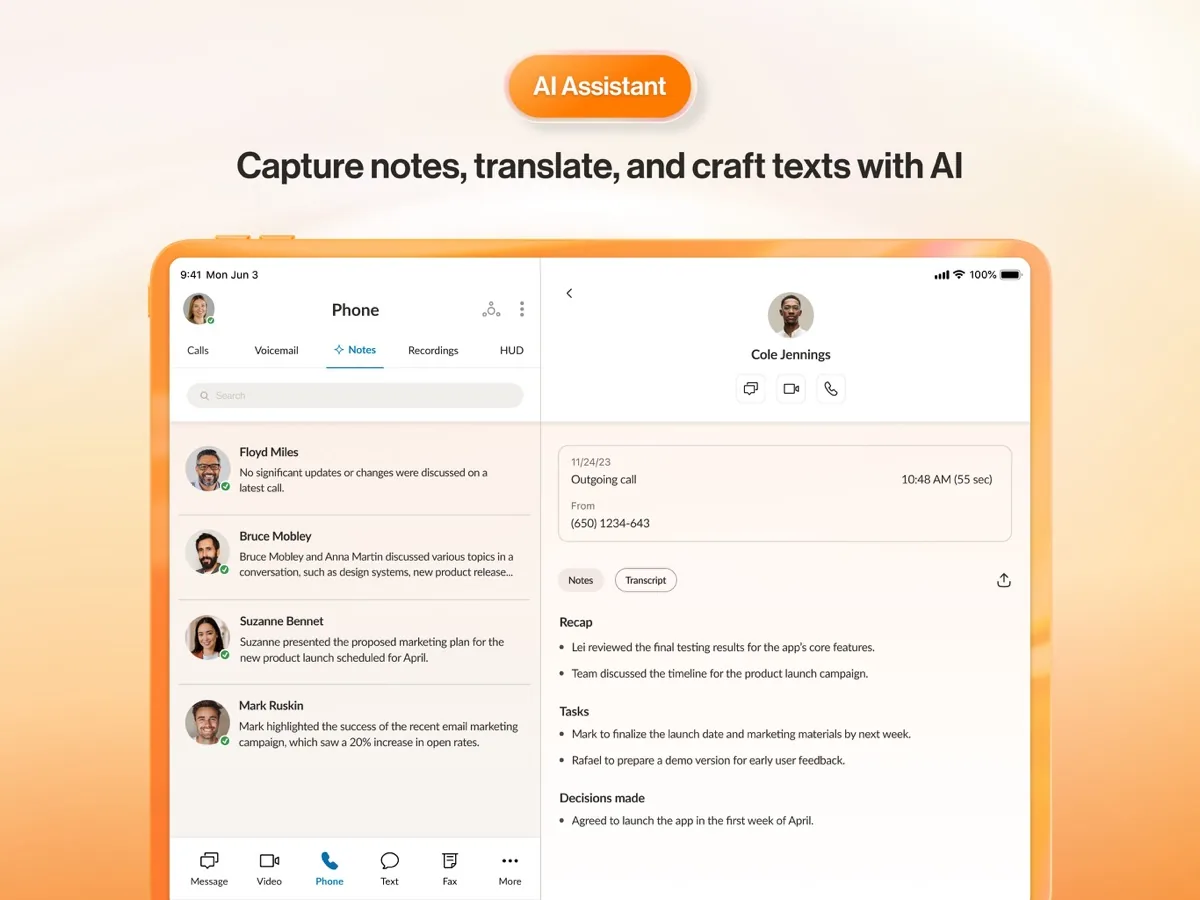
All plans include the RingCentral AI Assistant, which RingCentral says handles transcription, summaries and action items, drafting and polishing messages, translation of texts and chats, and highlights of recorded meetings, with different skills by tier. The entry plan also lists LLM plugins and MCP connectors. RingCentral sells an AI Receptionist that answers and routes calls and a Conversational Intelligence product that analyses sales calls, either as add-ons or inside its Customer Engagement bundles. The company publishes an AI transparency whitepaper in its Trust Center. As with any AI tool that handles customer calls, test how it behaves with your own callers before you rely on it.
Spam protection and emergency calling
The Trust Center lists AI-based spam blocking, number blocking and robocall mitigation using the STIR/SHAKEN caller ID authentication standards, as well as emergency response locations for E911 calls and compliance with Kari's Law and RAY BAUM'S Act, the US rules on 911 calling from multi-line phone systems.
How much does RingCentral cost?
Current prices are shown on this page from our own data. RingEX is billed per user per month, and the per-user rate depends on two things: whether you pay monthly or annually (RingCentral advertises savings of up to a third for annual billing), and how many users you have, with separate rate bands for one to five users, six to 100 users and more than 100.
- Core is the entry plan: unlimited domestic calling, on-demand call recording, a toll-free minute allowance, a small monthly SMS allowance per user, HD meetings and the AI Virtual Assistant.
- Advanced adds CRM integrations, multi-site management, core reporting and larger toll-free and SMS allowances.
- Customer Engagement bundles, priced on request, add the AI Receptionist, webinars, historical and real-time insights, unlimited storage and boosters for call queues and business texting. A higher bundle adds RingCentral's AI Conversation Expert for call scoring and coaching. RingCentral's FAQ also still refers to an Ultra tier for larger multi-site organisations.
Add-ons include extra local, toll-free, vanity and international numbers, push to talk, conference rooms, webinars and high-volume SMS. A 14-day free trial is open to new subscribers. Be aware that RingCentral's own pricing page describes the trial limits in two ways: the FAQ mentions support for up to 20 phone lines, while the small print limits the trial to five users and two desk phones. Plan on the stricter figure. SMS is not available during the trial, and RingCentral says trial hardware must be returned within 21 days of cancelling to avoid charges. Desk phones are optional, since the app turns any computer or smartphone into an extension.
Is RingCentral safe and secure?
RingCentral's Trust Center sets out the controls available across voice, video and messaging:
- Voice traffic is protected with TLS and SRTP encryption.
- Admins can enforce single sign-on and multi-factor authentication, block numbers and review an audit trail of changes.
- Meetings support waiting rooms, authenticated-only attendance, screen sharing restrictions and end-to-end encryption that can be switched on before or during a meeting. End-to-end encrypted calls and team chats are listed as available in closed beta only.
- Message archiving is listed against SEC and FINRA rule 17a-4, which matters to financial firms with record-keeping duties.
The pricing page also lists support for HITRUST, GDPR, PCI and HIPAA requirements. RingCentral publishes law enforcement resources, a security addendum and an AI transparency whitepaper. For an organisation going through a vendor security review, that level of documentation saves time.
What could be better
- Price for very small teams. The lowest per-user rates go to annual billing and larger accounts. A business with one or two users pays more per person than a larger customer, and Gartner, as reported by UC Today, now says plainly that RingCentral's pricing for typical office users sits above the market average.
- Features spread across plans and add-ons. CRM integrations sit on Advanced, and the AI Receptionist and call queue boosters are add-ons or bundle features. Map your must-haves to a plan before you buy.
- A lot to learn. The admin portal is powerful, and the breadth of options means setup takes longer than with a simple virtual number app.
- SMS limits. Business texting comes with a per-user monthly allowance, marketing or automated texts cost extra, US carrier registration fees may apply, and texting is not available during the free trial.
- Some security features are still in beta, notably end-to-end encrypted calls and chats.
- Trial terms are unclear. The pricing page gives two different limits for the same free trial.
Who should choose something else
- Solo professionals who only want a second number on their mobile: a lightweight virtual number app is cheaper and simpler.
- Households looking for a landline replacement on a home phone handset: a dedicated residential VoIP service is built and priced for that job.
- Teams that already have calling in their collaboration suite and rarely use the phone: they may not need a separate platform at all.
- Businesses that call abroad constantly: RingEX has no unlimited international calling, so compare international bundles carefully.
- Contact centres with complex outbound needs: compare RingCentral's separate contact centre product with specialists rather than relying on RingEX alone.
What other reviewers found
- TechRadar called it one of the most feature-rich cloud phone services available and liked the clean desktop app, but felt the sheer number of options made some advanced settings, such as call screening, hard to find.
- TechRepublic praised call quality, the IVR included on every plan and the collaboration tools, but named the price, rigid contracts and a demanding implementation as the main drawbacks for smaller firms.
- Business.com picked RingEX as its choice for team collaboration, singling out shared meeting notes, whiteboards and AI translation, but said a sales rep told its reviewers that some AI features shown as standard needed a paid upgrade.
- Business.com also pointed to cancellation complaints from customers, although its own trial was cancelled smoothly in the app.
- UC Today, summarising Gartner's latest Magic Quadrant, reported that Gartner credited the integration marketplace but cautioned that pricing is above average and that several advanced features sit behind paid add-ons.
Where they agree: every outlet places RingCentral among the most complete business phone platforms, with strong call handling, a large integration catalogue and AI tools spread across the plans. They also agree on the cost: it is rarely the cheapest option, and the most useful extras often need a higher plan or an add-on.
Where they disagree: on ease of use. TechRadar found the app easy to pick up while TechRepublic described implementation as difficult for small businesses. The two views fit together once you separate the user app, which is simple, from the admin setup, which has a lot of options. Older reviews also quote lower meeting caps than the 300 participants RingCentral now lists on its entry plan, a reminder that plan details change and that the vendor's current pricing page is the one to trust.
What it means for a buyer: RingCentral earns its place when you will actually use the routing, integrations and collaboration tools. Before signing, ask for the plan and add-on list in writing, confirm which AI features your plan includes, and read the cancellation terms of any annual contract.
Is RingCentral worth it?
RingCentral is the business phone system we would recommend first to a company that wants one platform for calls, meetings, messaging and fax, with routing, integrations and security that will still fit when the team is several times its current size. Its reliability commitment, long record as a Gartner Leader and well documented security programme back up its position at the top of our list. Use the free trial to set up your real call flow, choose between Core and Advanced based on whether you need CRM integration and multi-site features, and check the per-user rate for your team size and billing term before you commit.
Frequently asked questions
Is RingCentral good for small businesses?
Yes, if the business will use more than basic calling. Every plan includes unlimited domestic calling, video meetings, team chat and an AI assistant, so a small team gets a complete system from day one. The trade-off is cost: per-user rates are highest for accounts of one to five users on monthly billing. A solo operator who only needs a second number can usually spend less with a simpler virtual number app.
Does RingCentral have a free trial?
RingCentral offers a 14-day free trial to new subscribers. The pricing page FAQ mentions support for up to 20 phone lines, while the small print limits the trial to five users and two desk phones, so plan around the smaller figure. Calling, the auto attendant, meetings, team messaging and fax are available during the trial, but business texting is not. Trial hardware must be returned within 21 days of cancelling.
Can I keep my existing business number?
Yes. RingCentral supports porting existing local and toll-free numbers, and reviewers highlight how it limits disruption when switching providers. You can also add new local, toll-free, vanity and international numbers as add-ons. Porting depends on your current carrier releasing the number, so start the request early and keep the old service active until RingCentral confirms the transfer is complete.
Does RingCentral work with Microsoft Teams?
Yes. RingCentral offers a direct integration that puts its phone system inside Microsoft Teams, so staff can make and take business calls from the Teams interface while RingCentral handles numbers, routing and call features. Business.com reports that the Teams integration is available without an extra licence on the entry plan. Organisations standardised on Teams use it to get a fuller phone system than they would otherwise have.
Is RingCentral HIPAA compliant?
RingCentral's pricing page lists support for HIPAA, HITRUST, GDPR and PCI requirements, and its Trust Center describes encryption, single sign-on, multi-factor authentication and audit trails. Compliance also depends on how you configure and use the service, so a healthcare provider should ask RingCentral for its business associate agreement and security documentation and review them with its own compliance lead before going live.
Sources
- RingEX Plans and Pricing, RingCentral
- RingCentral Trust Center, RingCentral
- RingEX business phone features, RingCentral
- RingCentral named a Gartner Magic Quadrant Leader for the 12th consecutive year, RingCentral Blog
- RingCentral Phone review, TechRadar
- RingCentral Review: Is It Right For Your Business?, TechRepublic
- RingEX Review and Pricing, Business.com
- Who Are Gartner's UCaaS Magic Quadrant Leaders, and Who Just Got Cut?, UC Today