
This Shopify review covers the hosted commerce platform that most new online stores are measured against. Shopify gives you a storefront, checkout, payments, inventory, shipping, point of sale and an AI assistant in one account, with hosting and security handled for you. We rank it first among ecommerce website builders. This is an editorial assessment based on Shopify's own pages and help centre and on independent reviews; NerdBible did not run its own test store for this article.
Our verdict
Shopify is the best choice for anyone whose website exists mainly to sell. Its checkout, order management and payment tools are mature, its app store covers almost any need, and it scales from a single-product shop to an enterprise brand on the same platform. Independent reviewers at TechRadar, Cybernews and Website Builder Expert all rate it as the leading ecommerce builder.
The costs need watching. Many useful features come from paid apps, premium themes cost extra, the jump between plans is steep, and using a payment provider other than Shopify Payments adds a transaction fee. Shopify is also less suited to content-led sites where the shop is secondary. For a business that sells online as its main activity, though, it is the platform to beat.
What it is and who it is for
Shopify describes itself on its pricing page as an all-in-one commerce platform for building an online store, accepting payments and selling on social channels, marketplaces and in person from one dashboard. It is fully hosted: Shopify runs the servers, includes unlimited bandwidth and issues SSL certificates for your domains.
The platform serves first-time sellers, growing direct-to-consumer brands, shops with a physical location that want one inventory, and large merchants on Shopify Plus. It suits anyone who expects most of their site's value to come from sales. It suits less well bloggers, portfolio owners or service businesses that only need an occasional payment button.
Key features
Storefront and themes
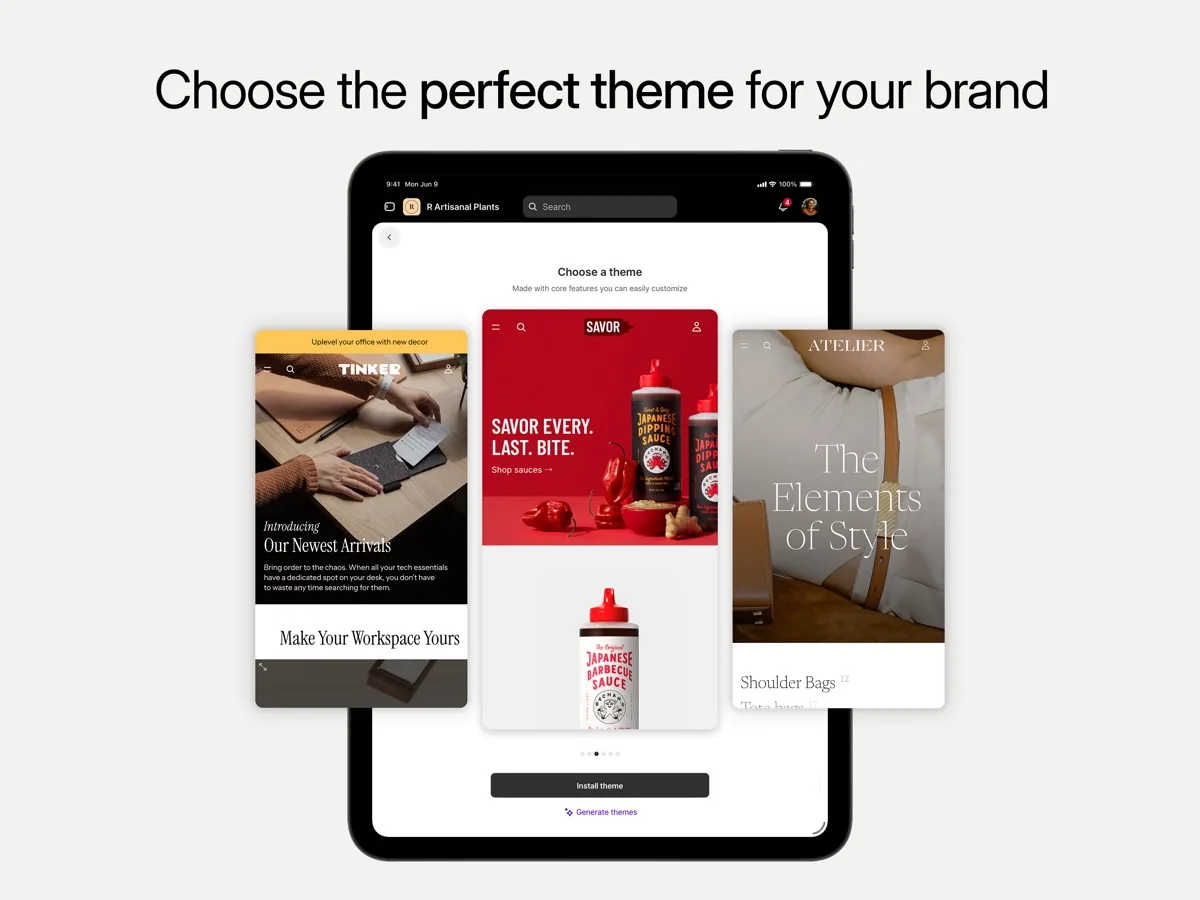
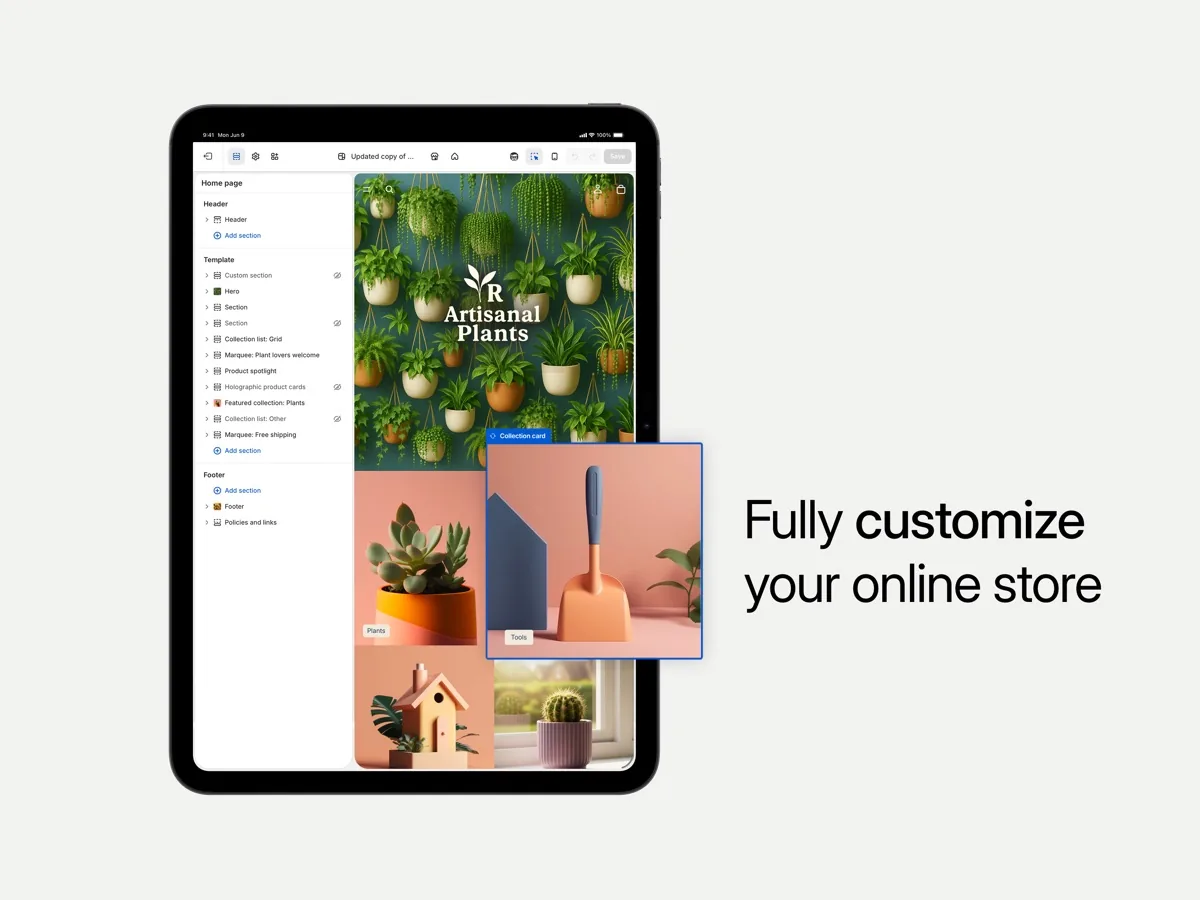
Stores are built from themes and edited section by section. TechRadar's reviewer found the theme editor straightforward for rearranging sections, changing colours and adding a logo without code. Website Builder Expert noted that the section-based editor limits creative freedom and that the choice of free themes is small, so many serious stores buy a premium theme.
Checkout and payments
Shopify's checkout is one of its strongest assets. Shopify Payments lets you take cards without a separate processor, and the pricing page lists built-in fraud analysis with it. Shopify Payments is available only in certain countries, which its help centre lists; elsewhere you use a third-party provider, and Shopify then charges its own transaction fee on top, lower on higher plans.
Selling everywhere
The same product catalogue feeds the online store, social channels, marketplaces and Shopify's point of sale. A POS Pro add-on extends in-person features for brick-and-mortar retailers.
Sidekick and AI tools
Shopify's Sidekick page presents an AI assistant that helps with store design, product photos, product copy, setup and marketing, with prompts for tasks such as writing SEO product descriptions or reviewing pricing. TechRadar's reviewer found the AI layout builder quick and the generated descriptions useful as drafts that still needed refining.
Apps
Website Builder Expert counted over eight thousand apps in the Shopify App Store. That depth is a strength and a cost: reviewers agree that many features other platforms build in arrive on Shopify as separate, often paid apps.
Analytics, staff and operations
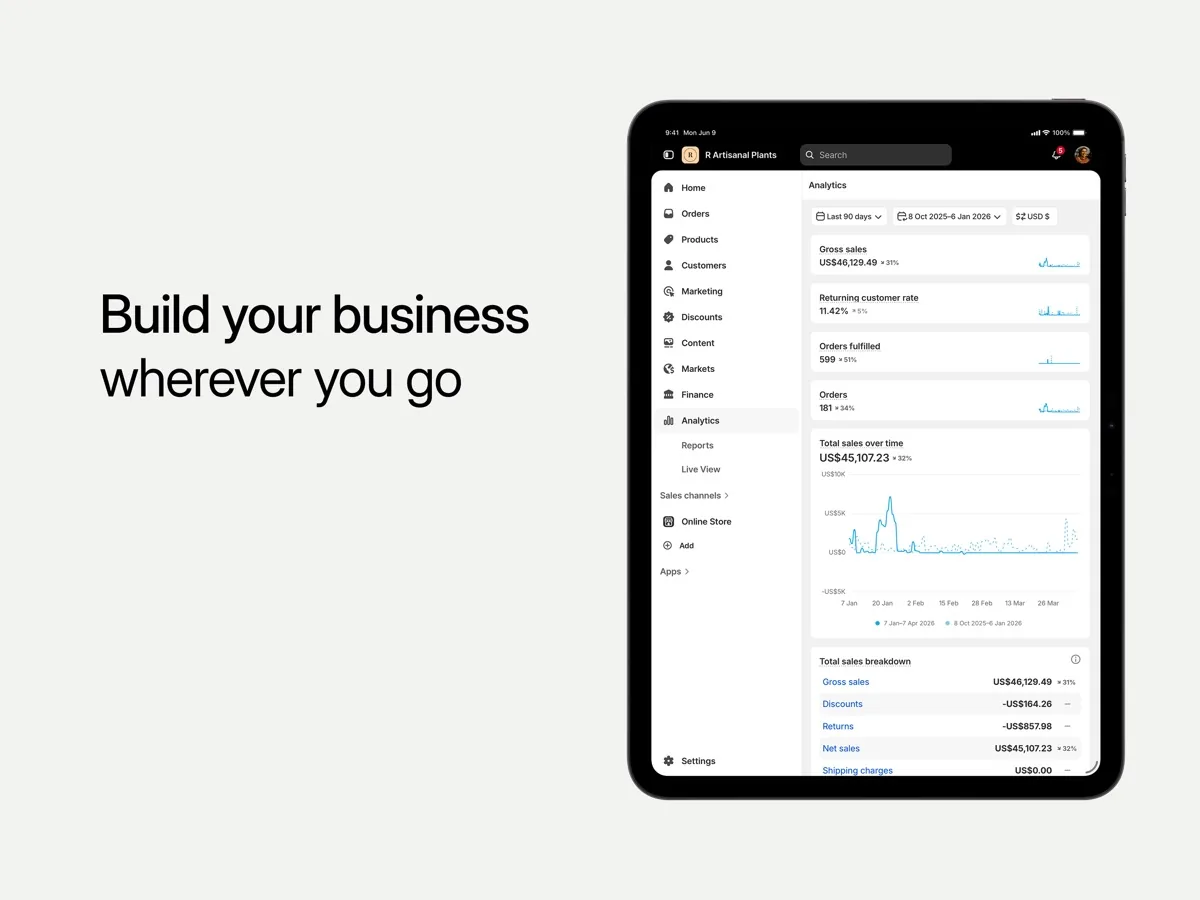
Plans include real-time reports, with more advanced analytics higher up. Staff accounts scale by plan, and the top plans add more inventory locations and checkout capacity.
How much does Shopify cost? Plans and pricing structure
Our page shows current prices from our data. The structure on Shopify's pricing page is:
- Basic: for solo sellers. TechRadar noted it includes no extra staff accounts.
- Grow: adds staff accounts and lower card rates.
- Advanced: more staff accounts, lower rates again and features for scaling stores.
- Plus: enterprise plan with unlimited staff accounts, a customisable checkout and B2B features, usually on a multi-year term.
Each plan can be paid monthly or yearly, and yearly costs less per month. Shopify offers a short free trial without a card, followed by an introductory offer on most plans. There are no setup fees. Card processing rates fall as you move up the plans, and a separate transaction fee applies only if you use a third-party payment provider. Budget for apps and a premium theme on top of the subscription.
Is Shopify safe? Security and reliability
Shopify's security page states it is certified Level 1 PCI DSS compliant and that it has been issued SOC 2 Type II and SOC 3 reports. Its PCI page explains that stores running on Shopify are PCI compliant by default, which removes a large compliance burden from small merchants who take cards. For enterprise merchants, Shopify's Plus page promotes fast servers and 99.99 percent uptime.
Your part of security is the account itself: use a strong password and two-step authentication, and limit staff permissions to what each person needs.
What other reviewers found
- TechRadar still rates Shopify its top builder for online stores, praising the clean interface, app ecosystem, scalability and 24/7 support. It counted transaction fees on third-party gateways, costly upgrades, few staff accounts on Basic and a complex pricing structure against it.
- Cybernews, after running two stores, judged Shopify easy to set up and strong on sales tools, but warned that app costs add up and that it makes most sense once a store has steady sales. It also found live chat support helpful but slower than promised, and noted that phone support is reserved for Plus.
- Website Builder Expert called its sales features the best on the market from the cheapest plan, while criticising the reliance on third-party apps, the limited free themes, a short free trial and prices above budget rivals.
- Trustpilot's page for Shopify carries a very low TrustScore, but most of those reviews come from shoppers unhappy with individual stores built on Shopify rather than from merchants rating the platform. It is a reminder that the platform does not vet every seller, and of little use for judging the software itself.
Where they agree: Shopify is the strongest platform for selling, the app store is unmatched, and the true monthly cost is higher than the plan price once apps, themes and fees are included. Where they differ: how much the editor's limits matter, with TechRadar more relaxed than Website Builder Expert. For a buyer, the practical step is to list the apps you will need and add their costs to the plan price before you choose a tier.
Getting started with Shopify
Because the free trial starts the day you sign up, prepare before you register. Have product names, descriptions, prices, stock levels and well-lit photos ready, ideally in a spreadsheet you can import by CSV, which TechRadar found a real time saver. Pick a free theme first and only buy a premium one once you know which features you miss. Set up Shopify Payments if your country supports it, then configure shipping zones and rates, and place a test order end to end. Add apps one at a time and remove any you stop using, since app subscriptions are where Shopify costs most often creep up. Finally, connect your domain and check the store on a phone, where most shoppers will see it.
Shopify compared with an all-purpose builder
Readers often ask whether a general website builder with a shop module would do. The independent reviews point to a simple test: if most of your revenue will come through the website's checkout, Shopify's order, inventory and payment tools justify its cost. If the shop is a side feature to a content or service site, a general builder is simpler and usually cheaper.
What could be better
- App costs. Features such as advanced reviews, subscriptions or some marketing tools often need paid apps.
- Third-party payment fees. Using a provider other than Shopify Payments adds a fee on every order.
- Plan jumps. The step from Grow to Advanced is large.
- Design limits on cheaper setups. The section editor and small free theme selection push many stores to a paid theme.
- Support depth. Chat support is available around the clock, but phone support is mainly for Plus.
- Short trial. The free trial is brief, though the introductory offer lowers the cost of a longer look.
Who should choose something else
If your website is mainly a blog, portfolio or service business with a handful of products, an all-purpose website builder with built-in selling will be simpler and usually cheaper. If you want full ownership of code and hosting and are comfortable maintaining it, a self-hosted store gives more control. If you sell only a few digital products or take occasional payments, a payment link or a lightweight checkout tool may be all you need. And if Shopify Payments is not available in your country, compare the total cost with the extra transaction fee included before committing.
Is Shopify worth it? Bottom line
For a business that sells online as its main activity, Shopify is worth it. It combines the best checkout and order tools in the category with an app store that solves almost any edge case and a path from first sale to enterprise. That is why we rank it first. Plan for the full cost, use Shopify Payments where you can, and add apps only when they earn their keep.
Frequently asked questions
Does Shopify include hosting?
Yes. Shopify's pricing page says every plan includes secure commerce hosting, so you do not buy hosting separately. Plans also include unlimited bandwidth and a free SSL certificate for domains you add. Shopify maintains the servers, software updates and security patches, which is a large part of why it suits merchants who would rather run their business than manage a server.
Is there a free trial of Shopify?
Yes. Shopify's pricing page describes a short free trial that does not require a card, followed by an introductory offer on most plans for the first few months before standard pricing applies. Shopify's help centre explains the trial starts when you sign up, not when you start building, so it pays to have your products and photos ready before you register.
Do I have to use Shopify Payments?
No, but it is usually cheaper. If you use a third-party payment provider instead, Shopify charges its own transaction fee on each order, on top of what the provider charges, with the fee lower on higher plans. Shopify Payments is available only in certain countries and business types, which the help centre lists, so check eligibility first.
Is Shopify PCI compliant?
Yes. Shopify states it is certified Level 1 PCI DSS compliant, the highest level, and that stores running on Shopify are PCI compliant by default. It also holds SOC 2 Type II and SOC 3 reports. Merchants still need to protect their own accounts with strong passwords, two-step authentication and sensible staff permissions.
Is Shopify good for beginners?
Yes, for beginners who want to sell. Cybernews and TechRadar both found setup quick and the dashboard easy to navigate, with a setup guide that walks you through the first steps. Beginners should watch costs, since apps and premium themes add up, and Cybernews suggests Shopify makes the most sense once a store has steady sales.
Sources
- Pricing, Shopify
- Security, Shopify
- PCI compliance, Shopify
- Enterprise ecommerce, Shopify Plus
- Sidekick, Shopify
- Shopify Payments supported countries, Shopify Help Center
- Trying Shopify with a free trial, Shopify Help Center
- Shopify review, TechRadar
- Shopify review, Cybernews
- Shopify review, Website Builder Expert
- Shopify reviews, Trustpilot