

Tidio review: our verdict
This Tidio review looks at a customer service platform that has grown from a simple live chat widget into a combined help desk, automation builder and AI agent called Lyro. For small and mid-sized businesses, and online stores in particular, Tidio is one of the easiest ways to put an AI agent in front of customers without a long project, a big contract or a dedicated administrator. Lyro answers from the content you give it, hands difficult conversations to a person, and sits in the same inbox your team already uses for chat, email and social messages. A real free plan and a no-card trial mean you can see it working on your own site before paying anything.
That is why Tidio sits at the top of our AI customer support ranking. It is not the deepest help desk on the market, and its usage-based pricing takes some reading before you can predict a monthly bill. Teams with complex routing, voice support or strict compliance requirements will outgrow it. But for the business that wants to answer routine questions automatically, around the clock, starting this week, it is the most practical place to start.
NerdBible did not run its own hands-on trial for this review. It is an editorial assessment built from Tidio's own pricing, product, security and help pages, its Shopify App Store listing, and the published findings of independent review outlets, all credited and linked below.
What is Tidio and who is it for?
Tidio describes itself as an AI customer service platform with three core products that can be bought together or separately: a customer service help desk (live chat, ticketing and a shared inbox), Flows (no-code automations that trigger on visitor behaviour), and the Lyro AI agent. The Tidio pricing page confirms that each of the three can be purchased on its own or bundled, and that Lyro can also be connected to another help desk such as Zendesk or Salesforce on the higher tiers.
Tidio suits these buyers best:
- Online stores. Tidio's Shopify integration lets Lyro look up orders and, according to the Tidio listing on the Shopify App Store, act on order status, refunds, cancellations and order edits within rules you set.
- Small teams without a support specialist. Setup is a matter of adding a widget and pointing Lyro at your help content.
- Businesses with lots of repetitive questions. Shipping times, returns, opening hours and account basics are exactly what an AI agent trained on your FAQ handles well.
It is a weaker fit for large contact centres that need phone support, skills-based routing across many departments, or a help desk that can be configured to the last detail.
Key features
Lyro, the AI agent
Lyro is the reason most buyers look at Tidio today. The Lyro product page says it is powered by Claude from Anthropic together with Tidio's in-house models, and that it answers using only the content and guidance you provide. You feed it your website, FAQ pages, uploaded files or imported help articles, and it replies in a conversational way. When a customer needs a human, or raises a topic you have marked as sensitive, Lyro hands over and alerts your team. Tidio claims an average resolution rate of 67 percent; treat that as the vendor's own figure rather than a guarantee for your business, because the result depends heavily on how complete your help content is.
Lyro can also take actions. Tidio's FAQ explains that it can be configured to call your systems through an API, so it can tell a customer where an order is or what their subscription status is. The Tidio FAQ also states that Lyro understands and replies in more than 45 languages.
Help desk and shared inbox
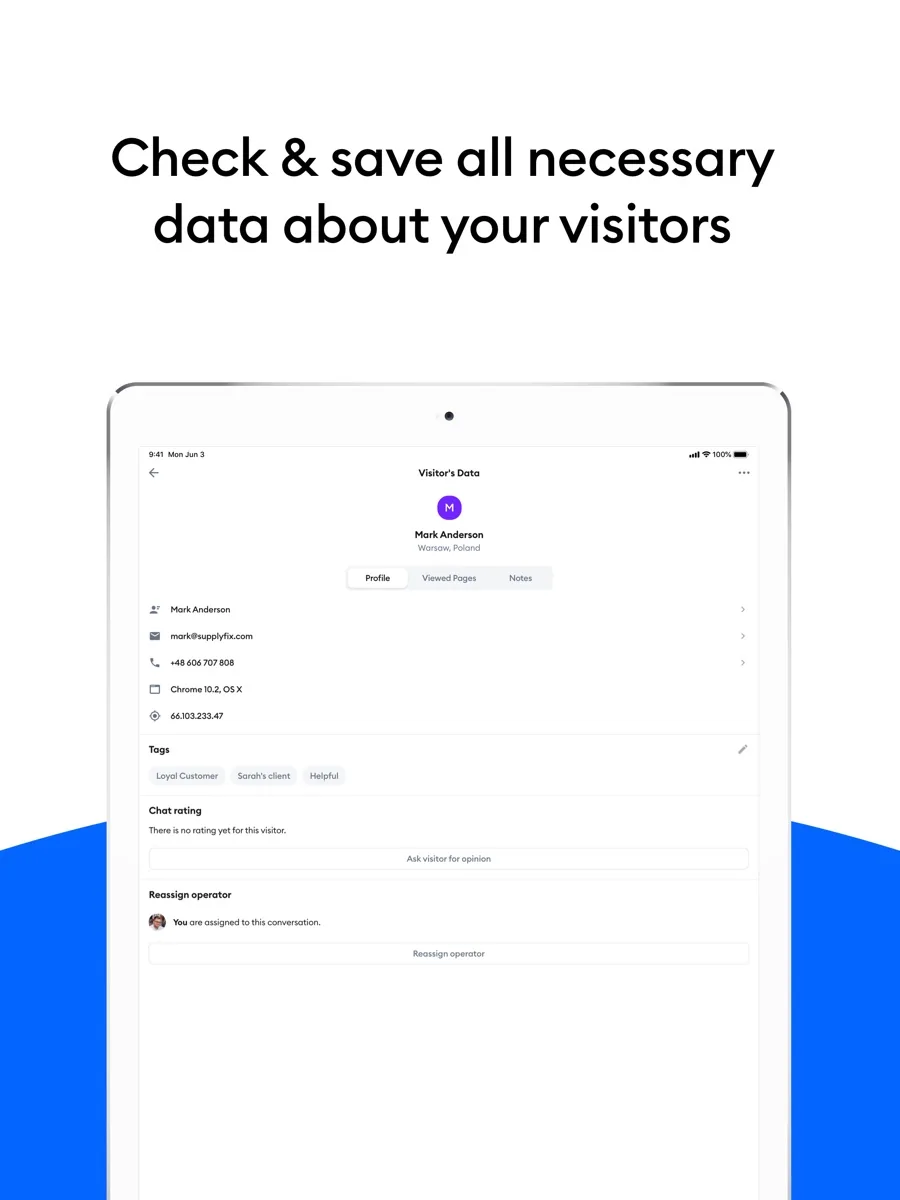
Live chat, email, Facebook Messenger, Instagram and WhatsApp conversations land in one inbox. Agents can turn conversations into tickets, assign them, add notes and tags, and use saved replies. The Growth plan adds automatic chat assignment, macros, permissions, a live typing preview and viewed-pages history. Apps are available for the browser, Android, iPhone, Windows and Mac.
Flows
Flows are rule-based automations built in a visual editor: a trigger (for example, a visitor lingering on a product page or abandoning a cart), followed by messages, conditions and actions. Tidio supplies templates for sales and support scenarios. Flows and Lyro are different tools. Flows follow scripts you design and can start conversations proactively, while Lyro reads free-text questions and answers from your content. Many businesses use both.
Copilot for agents
Tidio's plans list an AI reply assistant on every tier and a Copilot for agents on the paid plans, with an advanced version on Premium. These help human agents draft and polish replies rather than answering customers directly.
How much does Tidio cost?
We do not quote prices in our reviews; our own price box shows the current figures we hold. What matters for planning is the structure, which is usage-based rather than purely per seat:
- Free plan. A small monthly allowance of human-handled conversations, a one-off allowance of free Lyro conversations, a small monthly allowance of visitors reached by Flows, and basic live chat and ticketing.
- Starter and Growth. Self-serve plans priced mainly by the number of "billable conversations" your team handles each month, with up to ten seats. A billable conversation is one in which a human agent replies; unanswered spam, and replies from Lyro or Flows, do not count.
- Lyro and Flows quotas. Bought separately in tiers. A Lyro conversation counts once, however many replies Lyro sends within it.
- Plus and Premium. Sales-led plans with custom quotas, a dedicated success manager, departments, custom branding and, on Premium, single sign-on, pay-per-resolution billing and a guaranteed Lyro resolution rate.
All paid plans can be tried free for seven days without a payment card, after which the account drops back to the Free plan unless you upgrade. Annual billing is discounted. Removing the Tidio branding from the chat widget is a paid add-on on the self-serve plans. Tidio's FAQ says you can cancel at any time but that it does not refund the unused part of a billing period.
Is Tidio safe and private?
The Tidio security page lists TLS encryption for all connections, two-factor sign-in, role-based permissions and a completed SOC 2 examination. The FAQ adds that customer data is encrypted at rest, that Tidio runs on Amazon Web Services in data centres in the European Economic Area, and that it processes personal data under the EU GDPR and California's CCPA, with certification under the EU-US Data Privacy Framework.
One point to check if you work in healthcare: Tidio's FAQ says it does not currently provide official HIPAA documentation, while the Lyro page mentions HIPAA among the options for custom enterprise deployments. If you handle protected health information, get a written answer from Tidio's sales team before you put patient conversations through it.
What could be better
- Predicting the bill. Human conversations, Lyro conversations and Flows visitors are metered separately. Several outlets make the same point: the entry price looks low, but adding AI and automation raises it.
- Help desk depth. Routing, reporting and team management are adequate for small teams but lighter than in dedicated help desks such as Zendesk or Freshdesk.
- No native voice channel. Tidio covers chat, email and messaging apps, not phone support.
- Seat cap on self-serve plans. More than ten agents means talking to sales.
- Branding. A clean, unbranded widget costs extra on the lower plans.
Who should choose something else?
If your team lives in email and wants a calm, personal shared inbox rather than a chat-first tool, Help Scout fits better. If you run a larger support operation with service level agreements, phone queues and many departments, Zendesk or Freshdesk will serve you better. If you already have a help desk you like, you may not need Tidio's inbox at all: look at your current vendor's own AI agent first, or ask Tidio about connecting Lyro to your existing system on its higher tiers. And if you receive only a handful of questions a week, a well-written FAQ page and an email address may be all you need.
What other reviewers found
- TechRadar judged Tidio a strong blend of capability and ease of use, singling out its AI tools, multichannel inbox and help resources, but warned that the cost of the advanced features could be too high for smaller businesses. Its reviewer also wanted to see evidence of independent security audits.
- Tooltester called it one of the most user-friendly live chat tools it had looked at and liked that chatbots are available even on the free plan, but found its integrations and agent routing limited and felt it leaned more towards sales and lead capture than heavy-duty customer service.
- Chatimize, a chatbot specialist, recommended Tidio for small and medium businesses that want AI, scripted flows and live chat in one easy tool, and praised its Shopify integration, while noting that AI and Flows are priced as add-ons.
- The CX Lead rated it a solid all-in-one choice for first-time chatbot users thanks to quick setup, but said its AI is less advanced than some rivals and pointed to user reports of inconsistent support and billing complaints.
- Users on Capterra give Tidio a high average score across several hundred reviews, praising the fast setup and the Lyro agent; the negative reviews mostly concern price changes and features held back for higher plans.
Where the reviewers agree, and where they differ
The outlets agree on the essentials. Tidio is easy to set up, pleasant to use, and well suited to small businesses and online shops. Everyone also flags the same weakness: the pricing model. None of them says the product is poor value outright, but each warns, in its own way, that a bill can rise quickly once Lyro and Flows quotas are added.
They differ on how good the AI is. TechRadar and Chatimize treat Lyro as a real strength, while The CX Lead considers it less advanced than some competitors, and Tooltester's assessment of Tidio's automation largely predates Lyro's current form. Part of the gap is timing: Tidio has added actions, more languages and deeper Shopify integration since some of these reviews were written, and it now reports a completed SOC 2 examination, which answers TechRadar's earlier wish for independent security evidence.
For a buyer, the practical reading is simple. Use the free plan and the seven-day trial to load your real help content into Lyro and watch how it handles your actual questions. Then estimate your monthly human conversations and AI conversations separately before choosing a plan.
Is Tidio worth it?
For small and mid-sized businesses, and especially Shopify stores, yes. Tidio gives you a working AI agent, live chat and a shared inbox in one place, with a free way to prove it on your own site. It is the best-balanced option in our AI customer support ranking for teams that want automation quickly and without a heavyweight help desk. Choose a fuller help desk if you need phone support, complex routing or formal healthcare compliance.
Frequently asked questions
Is Tidio free to use?
Yes, there is a permanent Free plan. It includes basic live chat and ticketing, a small monthly allowance of conversations handled by your team, a one-off allowance of free Lyro AI conversations, and a small monthly number of visitors reached by automated Flows. Paid plans add higher limits and more features, and every paid plan can be tried for seven days without entering a payment card.
What AI model does Tidio's Lyro use?
Tidio says Lyro is powered by Claude, the large language model from Anthropic, combined with Tidio's own in-house models. Lyro is designed to answer only from the support content and guidance you give it, such as your website, FAQ pages and uploaded documents, and to pass a conversation to a human agent when it cannot answer or when a topic is marked as sensitive.
Does Tidio work with Shopify?
Yes. Tidio is available on the Shopify App Store, where it holds a high average rating. Its listing says Lyro can check order status and, within rules you set, handle refunds, cancellations and order edits, as well as recommend products on your storefront. Your team can see a customer's orders and cart from the Tidio inbox when they take over a conversation.
Is Tidio GDPR compliant?
Tidio says it processes personal data under the EU GDPR and California's CCPA, that its data is hosted on Amazon Web Services in data centres in the European Economic Area, and that it is certified under the EU-US Data Privacy Framework. It also reports a completed SOC 2 examination. Healthcare organisations should confirm HIPAA arrangements with Tidio directly before use.
How is Tidio priced?
Tidio prices mainly by usage rather than seats. The help desk plans are based on how many conversations your human agents handle each month, while Lyro AI conversations and Flows visitors are bought as separate quotas. Self-serve plans allow up to ten agents. Larger plans with custom limits, single sign-on and pay-per-resolution AI billing are sold through Tidio's sales team.
Sources
- Pricing, Tidio
- Lyro AI Agent, Tidio
- Security, Tidio
- FAQ: Features, Billing, Security and Integrations, Tidio
- Tidio Live Chat and AI Chatbot, Shopify App Store
- Tidio review, TechRadar
- Tidio Review, Tooltester
- Tidio Review: Features, Pros and Cons, Pricing, Chatimize
- Tidio Review: Pros, Cons, Features and Pricing, The CX Lead
- Tidio Reviews, Capterra