Our verdict
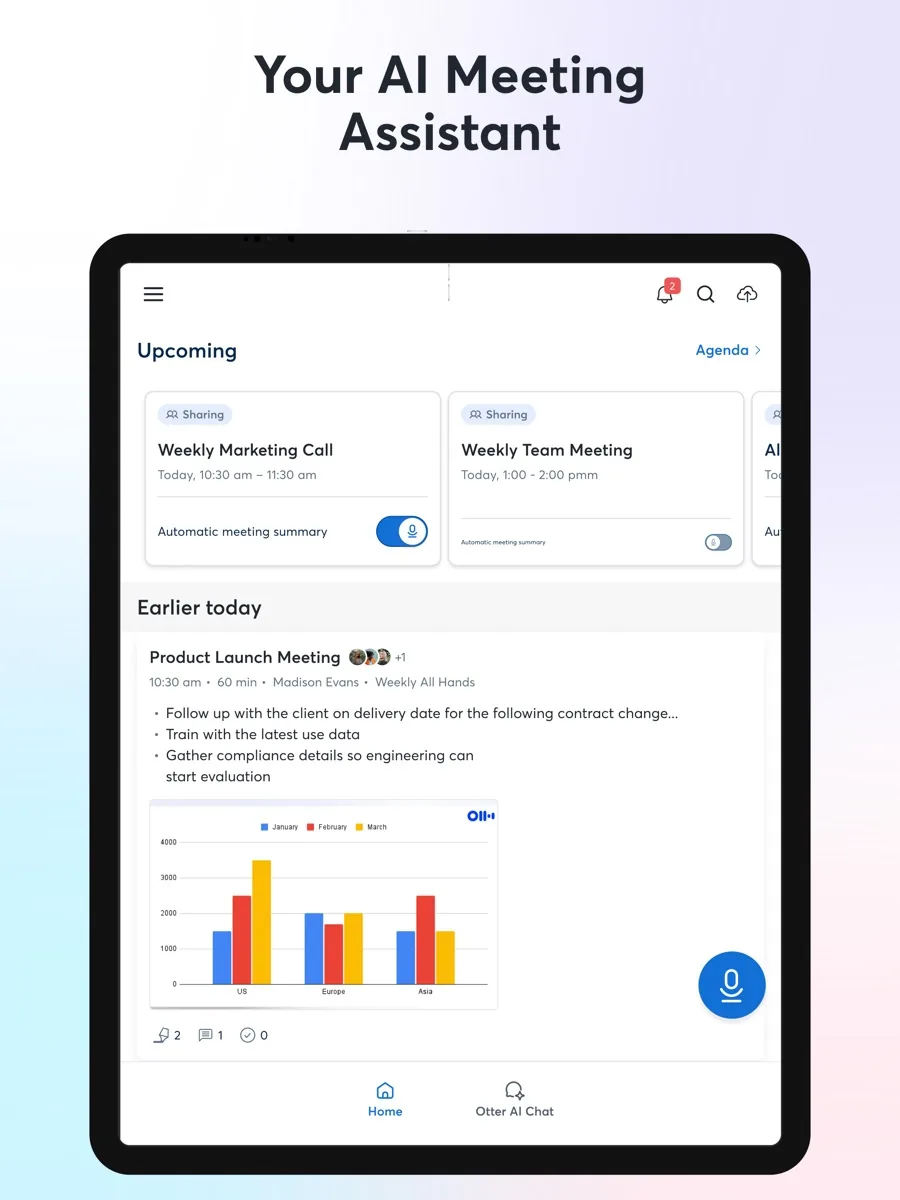
This Otter.ai review covers the meeting note taker most people have already met, usually as the Otter Notetaker that appears in a Zoom, Teams or Google Meet call. Otter records and transcribes conversations in real time, writes summaries and action items, answers questions about past meetings through Otter AI Chat, and pushes notes into the tools a team already uses. It ranks #1 on our AI note takers page because it combines a usable free plan, support for the three big meeting platforms, mobile and desktop apps, and the widest integration list we found in this category.
The trade-off is privacy and consent. A tool that joins meetings automatically and uses de-identified recordings to improve its AI asks a lot of trust, and Otter is defending a consolidated class action over exactly these points, in which a federal judge has allowed several claims to go forward. None of this makes Otter unusable, but it does mean you should configure it carefully. We explain how below.
What is Otter.ai and who is it for?
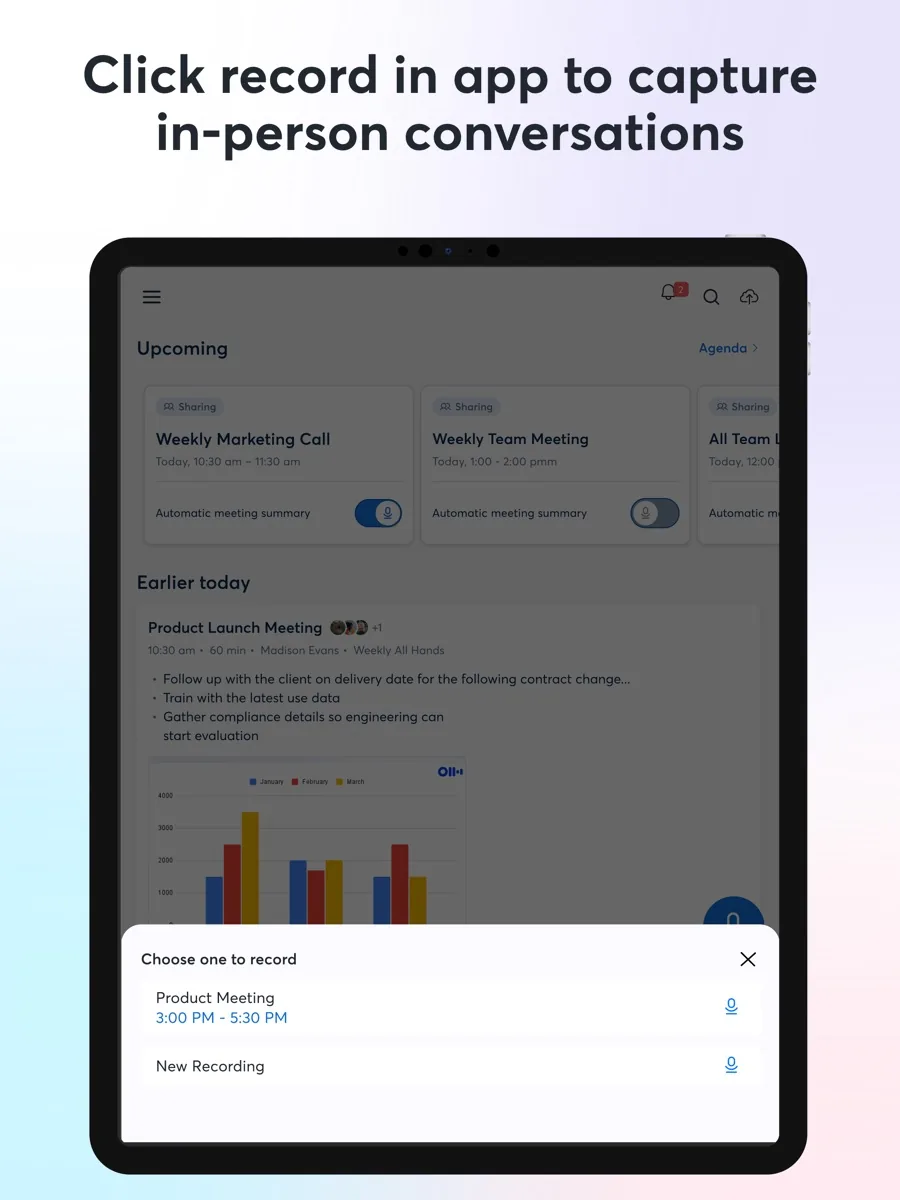
Otter works in two ways. You can record in person or on a call using the mobile, desktop or web apps, or you can connect your calendar and let Otter Notetaker join your online meetings as a named participant. Either way you get a searchable transcript with speaker labels, an automatic summary, and action items you can assign. The pricing page lists transcription in English, Spanish, French, German, Japanese and Chinese.
It suits:
- Professionals with back-to-back meetings who want to listen rather than type.
- Sales, recruiting and customer teams that need call notes logged in a CRM or applicant tracker.
- Students, journalists and researchers recording lectures and interviews on a phone.
- Teams spread across time zones who catch up on meetings they could not attend.
If you only need an occasional transcript and your meeting platform already offers one, the built-in feature may be enough.
Key features
Live transcription and summaries
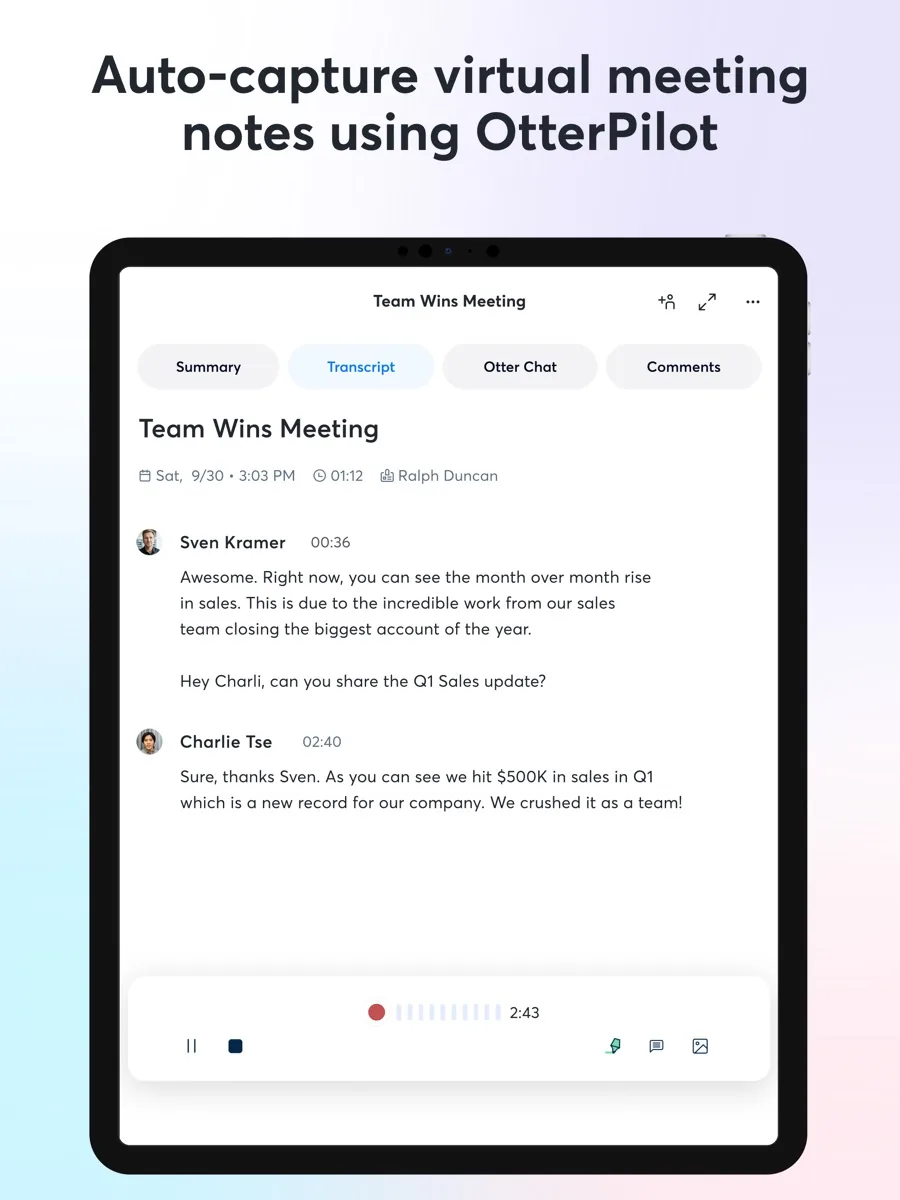
Transcripts appear as people speak, and participants can follow along through a link that Notetaker posts in the meeting chat. After the call Otter produces a summary with action items and an outline, and meeting templates shape the notes for different kinds of meetings. Otter also captures slides shown in virtual meetings and lets you highlight, comment and add images to a transcript. The quality of any transcript depends on audio: clear microphones and one speaker at a time matter more than any setting.
Otter AI Chat
Otter AI Chat lets you ask questions within one meeting or across many, such as what was agreed on a deadline or whether you were given a task, instead of rereading the transcript. Each plan has a monthly query allowance. Otter also offers an MCP server so outside AI assistants can draw on your Otter data, and the Enterprise tier adds chat across Gmail, Google Drive, Notion and Jira.
Integrations and apps
This is Otter's strongest point. The integrations page lists Zoom, Zoom Phone, Google Meet, Microsoft Teams and RingCentral for meetings; Google Calendar and Outlook for scheduling; HubSpot, Salesforce, Microsoft Dynamics, Salesloft and Outreach for sales; Asana, ClickUp, Jira, Monday.com and Notion for tasks; Google Drive, Dropbox, OneDrive, SharePoint, Amazon S3 and Egnyte for storage; Slack and Zapier for automation; and Snowflake and Glean for search and analytics. There are iOS and Android apps, a desktop app and a Chrome extension. Not every integration is on every plan, as the next section explains.
How much does Otter.ai cost?
Our comparison page shows current prices. The structure on Otter's pricing page is:
- Basic (free): 300 transcription minutes a month, conversations of up to 30 minutes, three file imports in total, the 25 most recent conversations kept, and a small number of AI Chat queries. Zoom, Teams and Google Meet support is included.
- Pro: priced per user, with 1,200 minutes a month, conversations up to 90 minutes, ten imports a month, unlimited storage, advanced search and export, and Salesforce, HubSpot and Zapier integrations, with CRM sync limited to a set number of users.
- Business: per user, with unlimited meetings, conversations up to four hours, Notetaker in up to three meetings at once, admin features such as activity logs and usage analytics, and prioritised support.
- Enterprise: custom terms with single sign-on and user provisioning (the pricing table notes a minimum licence size for these), the Otter API and webhooks, a sales notetaker, and HIPAA compliance as an add-on.
Paid plans can be billed monthly or annually, with annual billing considerably cheaper, and the pricing page offers a discount on Pro for students and teachers with an .edu address. Monthly minute allowances do not roll over. The free plan is generous enough to judge accuracy, but the 30-minute cap means most real meetings will be cut short, so treat it as a trial rather than a long-term option for work.
Is Otter.ai safe? Privacy, consent and data use
Consent is your responsibility
Recording laws differ by place. Otter's help article on recording permissions explains that some jurisdictions require only one party to know about a recording while others require every participant's permission, and names California, Illinois and Florida as all-party states. It suggests that teams working across regions simply apply all-party practice everywhere. Otter's privacy policy also puts the burden on the user, asking you to make sure you have the necessary permissions from co-workers and other third parties. This is general information, not legal advice; if recording rules matter to your work, check them with a qualified adviser.
The controls Otter offers
According to the same help article, Notetaker joins as a visible named participant and posts a chat message with a link to the live transcript, which serves as an in-meeting notice. A pre-meeting recording email can be sent to calendar guests, and Otter recommends it strongly for anyone under all-party rules. For Microsoft Teams, the Otter for Outlook extension can route guests through a recording permissions page they must accept before joining, which is the strongest option Otter offers; it requires a Microsoft enterprise licence. If someone objects, the host can remove Notetaker and the meeting continues unrecorded. Our advice: turn on pre-meeting emails, keep the chat announcement enabled, and review auto-join so Notetaker only joins meetings you choose.
Security features
The pricing page lists TLS encryption in transit, AES-256 encryption for real-time content and two-factor authentication on every plan, with custom data retention, audio removal, recording and sharing permissions and export controls among the admin features on higher tiers.
How your recordings are used
The privacy policy says Otter trains its proprietary AI on de-identified audio recordings and on transcriptions, and notes that those transcriptions may contain personal information. Teams handling sensitive conversations should read that section and decide whether it is acceptable before rolling Otter out.
The lawsuit
As NPR reported, a proposed class action was filed in the US District Court for the Northern District of California alleging that Otter Notetaker records participants without their consent and uses the conversations to train its AI; Otter said it obtains permission from account holders for training and de-identifies audio first. Several suits were later combined as In re Otter.ai Privacy Litigation. In a published order, the judge granted Otter's motion to dismiss only in part: some counts were dismissed, while claims under federal wiretap law, California privacy law and Illinois biometric privacy law were allowed to proceed. These remain allegations, not findings that Otter broke the law. They are still a reason to set the consent controls above deliberately rather than relying on defaults.
What could be better
- Defaults favour convenience over consent. Pre-meeting notices and restricted auto-join are settings you need to switch on.
- Training on de-identified data. The privacy policy allows training on de-identified recordings and transcripts, which some organisations will not accept for sensitive meetings.
- The free plan's 30-minute cap makes it a test drive rather than a real option for long meetings.
- Features are tiered. CRM sync starts on Pro with user limits, and single sign-on needs Enterprise.
- Accuracy dips with jargon and crosstalk. Reviewers note more errors with technical terms and overlapping speakers, so check important quotes against the audio.
- A bot in the room can feel intrusive. Some clients and candidates are uncomfortable with a visible note taker, so ask first.
Who should choose something else
If your organisation does not allow cloud recording of meetings, or works in a field where conversations are privileged or highly confidential, an on-device transcription tool or simply taking notes by hand may be the right answer. If you live entirely inside Zoom, Teams or Google Workspace and your licence already includes AI meeting notes, the built-in option avoids adding another vendor. And if you want a note taker that records without a visible bot, be aware that this makes the consent questions above harder, not easier.
What other reviewers found
- Zapier named Otter its pick for asking questions about your meetings, liking AI Chat across meetings and team workspaces, but found it struggled to transcribe technical language.
- TechRadar found transcription fast and accurate with clear speaker separation even without a headset, and praised the interface, while noting errors when people talk over each other and support that runs only through tickets and email.
- UC Today reported that privacy lawyers see the class action as a test case for every AI meeting assistant, and noted that several universities have barred a rival note taker from their Zoom and Teams accounts.
- NPR set out the consent and training allegations in the original suit alongside Otter's position that it de-identifies data and obtains permission from account holders.
Where they agree: product reviewers consistently rate Otter's live transcription, speaker labels and ease of use highly, and see AI Chat as a genuine step beyond a plain transcript.
Where they disagree: less on the product than on what matters most. Feature-focused reviews barely mention consent; news and trade coverage treats it as the central question for the whole category. The two views meet at configuration: the same product is low risk with pre-meeting notices and restricted auto-join, and higher risk with the defaults.
What it means for a buyer: pick Otter for accuracy, integrations and AI Chat, then spend ten minutes on settings before the first meeting. Organisations in all-party consent states, or with clients who object to recording, should switch on every notice Otter offers.
Is Otter.ai worth it?
Otter.ai is the most complete meeting note taker for most people: live transcripts, solid summaries, Otter AI Chat across your meetings, apps on every platform and an integration list that reaches deep into sales, project and storage tools. Use it with the consent features turned on, tell people when they are being recorded, read the privacy policy on training, and start on the free plan to see whether its transcripts suit your meetings before paying for seats.
Frequently asked questions
Is Otter.ai free?
Yes, the Basic plan is free and includes 300 transcription minutes a month, live transcription, speaker identification, AI Chat with a small monthly query limit, and Notetaker for Zoom, Teams and Google Meet. Each conversation is capped at 30 minutes, only three files can ever be imported, and only the 25 most recent conversations are kept, so heavy users will need a paid plan.
Does Otter.ai tell other people they are being recorded?
Notetaker joins as a visible, named participant and posts a chat message linking to the live transcript. Hosts can also send a pre-meeting recording email to calendar guests, and Teams users with the Otter for Outlook extension can require guests to accept recording before joining. Some of these are settings you must turn on, and the legal responsibility for consent stays with the person recording.
Does Otter.ai use my recordings to train its AI?
Otter's privacy policy says it trains its proprietary AI on de-identified audio recordings and on transcriptions, which may contain personal information. A class action challenges how that works in practice, and a judge has allowed several claims to proceed, though nothing has been proven. If your meetings are confidential, read the policy and your organisation's data rules before using Otter.
Which meeting platforms does Otter.ai work with?
Otter Notetaker joins Zoom, Microsoft Teams and Google Meet on every plan, including the free one. The integrations page also lists Zoom Phone and RingCentral. You can record in-person conversations with the iOS and Android apps or on a computer, and import audio and video files for transcription, with import limits depending on the plan.
How accurate is Otter.ai?
Reviewers rate Otter's transcription as fast and accurate for clear audio, with good speaker separation. Accuracy drops with background noise, people talking over each other, strong accents and technical jargon, so check important passages against the recording. Paid plans let you add custom vocabulary for names and industry terms, which helps with recurring words the model gets wrong.
Sources
- Pricing, Otter.ai
- Integrations, Otter.ai
- Privacy Policy, Otter.ai
- Recording Permissions with Otter, Otter.ai Help Center
- In re Otter.ai Privacy Litigation, order granting motion to dismiss in part, FindLaw
- Class-action suit claims Otter AI secretly records private work conversations, NPR
- The best AI meeting assistants, Zapier
- Otter review, TechRadar
- Otter.ai on Trial, and the AI Notetaker Industry with it, UC Today