

This Photoroom review looks at the AI photo editor that online sellers reach for when they need clean product shots without booking a studio. Photoroom started as a phone app for cutting subjects out of photos and has grown into a web and mobile platform with AI backgrounds, virtual models, batch editing and a developer API. We rank it first among AI product photography tools. What follows is an editorial assessment built from Photoroom's own plan, help and policy pages and from independent reviews; NerdBible did not run its own hands-on trial for this article.
Our verdict
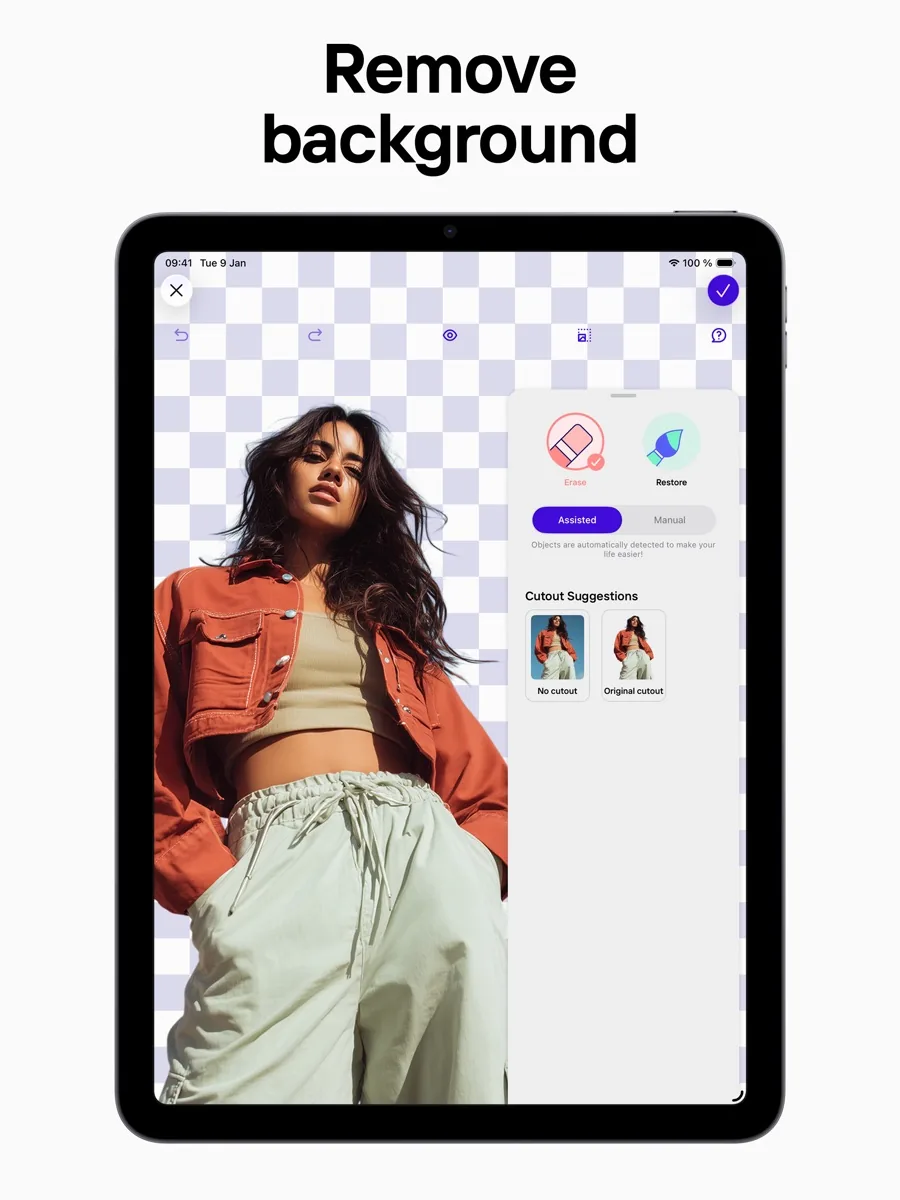
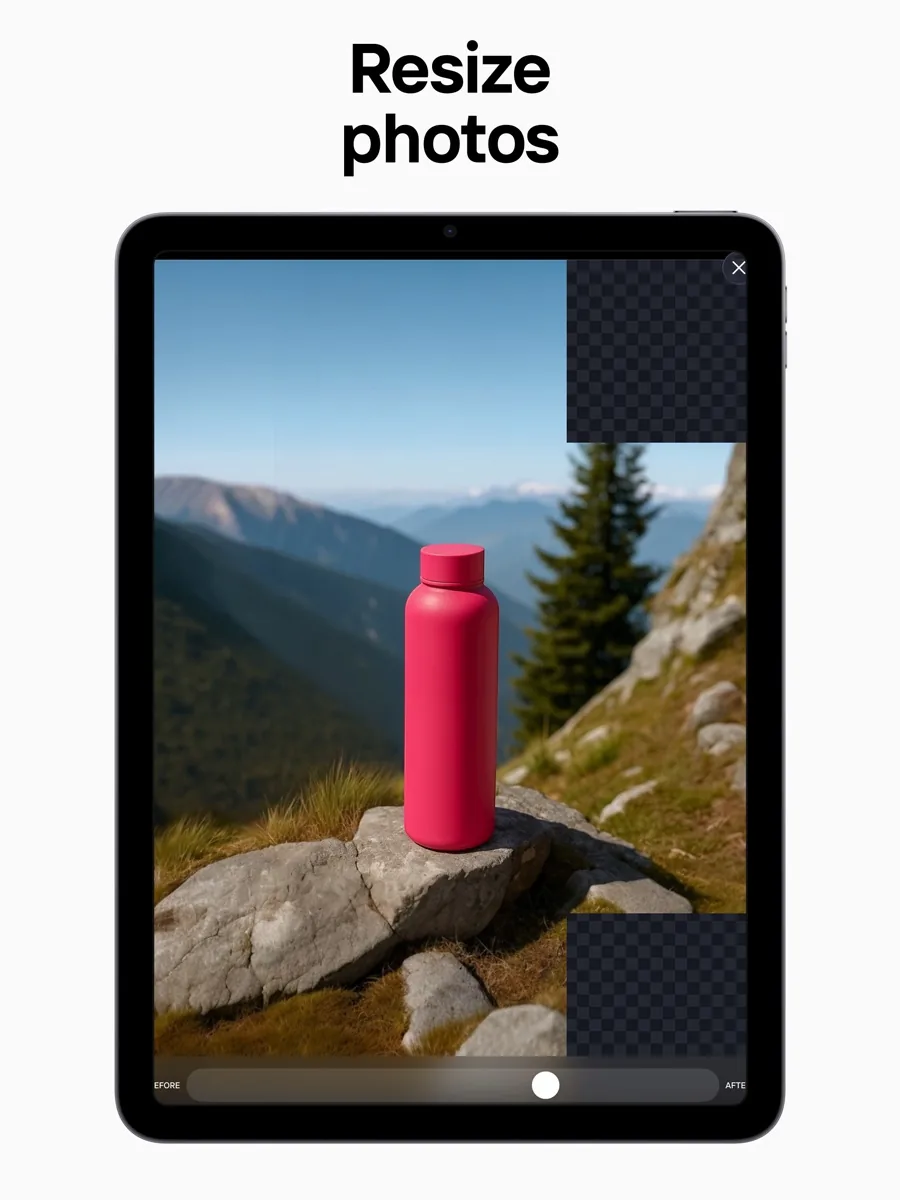
Photoroom is the most complete option for small sellers who want to go from a phone snapshot to a marketplace-ready image in a few taps. Its background removal is the core of the product and independent reviewers consistently rate it fast and accurate on well-lit photos. Around that core sit AI backgrounds, shadows, a resizer, templates, a Brand Kit and batch editing on the web. The Photoroom API lets a developer run the same cutouts and edits inside a store's own systems.
The trade-offs are real. The free account is licensed for personal, non-commercial use only, so a business needs a paid plan from day one. Paid plans run on AI credits, and one independent reviewer found those credits can run out quickly on heavy tools such as video. User reviews on Trustpilot are poor, with complaints that centre on billing, plan changes and support rather than the editing itself. If those risks are acceptable, Photoroom is the strongest all-round choice in this category.
What it is and who it is for
Photoroom is built by Photoroom SAS, a French company based in Paris, according to its privacy policy. It runs on iPhone, iPad, Android and in the browser. The product is aimed squarely at people who sell things online: marketplace sellers, small direct-to-consumer brands, resellers and the marketing teams of larger retailers.
The typical workflow is simple. You photograph a product on any surface, Photoroom removes the background, and you place the item on a plain colour, a template or an AI-generated scene with matching shadows and lighting. For fashion, Photoroom offers tools that put garments on a virtual model, lay them flat or create a ghost mannequin effect. For catalogues, batch mode applies the same edits across many images at once.
It suits you if you list products regularly, shoot on a phone and want consistent images without learning Photoshop. It suits you less if you are a professional retoucher who needs pixel-level control, or if you only need to remove a background once in a while.
Key features
Background removal and cleanup
The Background Remover is the feature Photoroom is known for, and the pricing page lists it among the unlimited core tools on paid plans, alongside Retouch, AI Product Fixer, AI Fill, AI Expand and an Image Enhancer. TechRadar's original review praised fast, effective cutouts but noted that results suffer with busy scenes, low contrast, dim lighting or low resolution. In plain terms: good source photos still matter.
AI backgrounds, shadows and scenes
Once a product is cut out, Photoroom can generate a scene around it. The plans page lists AI Backgrounds and AI Shadows presets on every paid tier, with adjustable AI shadows reserved for Enterprise. Product Staging, offered through the Image Editing API and the app, places items into lifestyle settings.
Fashion tools
Photoroom's batch mode page names Ghost Mannequin, Virtual Model, Recolor, Flat Lay, Beautify, Product Staging and Edit with AI as tools that can run across a set of images. The pricing page also lists AI Fashion Models from the entry paid plan.
Batch editing
Batch mode is where the time saving shows for sellers with dozens or hundreds of listings. Photoroom says it can apply advanced AI tools to up to 250 images at once in the web app. Photoroom's help article on plans places batch exports on paid plans, with higher batch limits on the top tier.
Brand Kit, templates and teams
Paid plans include a Brand Kit and shared Spaces, and the pricing page states teams can have up to 50 seats. The help centre mentions a library of more than a thousand templates on Pro.
Video and integrations
The middle and upper plans add a Video Generator, and the Max plan lists a Shopify integration. Zapier's roundup of AI image editors notes Photoroom connects to other apps through Zapier, so a new image in a database or drive can be sent for background removal automatically.
Developer API
The API comes in two parts: a Remove Background API and a broader Image Editing API covering relighting, shadows, text removal, expansion, upscaling and the fashion tools. Usage is bought as a monthly image allowance, and Photoroom says one Image Editing call counts as five background removal calls. A sandbox mode lets developers make free test calls that return watermarked results.
How much does Photoroom cost? Plans and pricing structure
Our page shows current prices from our own data, so here is the structure rather than the figures.
- Free: a free account exists with capped exports and limited AI generation. Photoroom's help centre states free accounts may be used only for personal, non-commercial purposes.
- Pro: aimed at solo sellers, with a monthly AI credit and export allowance and the unlimited core tools.
- Max: more credits and exports, the Video Generator and the Shopify integration. Photoroom labels it the most popular plan.
- Ultra: a larger allowance again, 4K image and video resolution and higher batch limits, sold in several capacity steps.
- Enterprise: custom allowances, adjustable shadows, single sign-on, an SLA and dedicated support.
Every paid plan can be billed monthly or yearly, and the yearly option is cheaper per month. TechRadar's more recent review reported a free trial on the paid tiers and reminded readers to cancel before it ends if they do not want to be charged. The API is priced separately from the app plans.
The credit model matters. Core edits are unlimited, but generative tools consume AI credits at different rates. TechRadar's reviewer found that high-resolution exports and video generation use a large share of a monthly allowance, so a seller who leans on those features should size the plan with care.
Is Photoroom safe? Privacy and security
For businesses, the API page states that Photoroom is SOC 2 Type 2 certified and GDPR compliant, and it targets 99.9 percent uptime on Enterprise accounts. Enterprise plans add single sign-on.
The privacy policy is clear about one point that buyers should notice: by using Photoroom you acknowledge that it processes the images you upload to improve, train and develop its products. You can opt out in account settings, though the policy says this does not undo processing that already happened, and that images selected for training are annotated without identifying information. Data may be transferred outside the European Economic Area through service providers under GDPR safeguards. If your product photos are confidential before launch, switch the training setting off before you upload anything.
What other reviewers found
- TechRadar's original review liked the speed of the cutouts and the realism of the generated backgrounds, and judged it easy for beginners. It marked it down for needing an internet connection, for struggling with low-contrast images and for fiddly manual masking.
- TechRadar Pro's later review, written with access to the top tier, found most of the AI tools worked very well but sometimes needed a request repeated, and felt the video generator was not yet up to the standard of the image tools.
- Zapier's guide to AI image editors places Photoroom among the leading options for ecommerce product images and highlights its automation links.
- On Trustpilot, the picture from paying users is much harsher: a low TrustScore from a few hundred reviews, with complaints about updates changing workflows, unexpected plan changes, credits running out and slow support. The positive reviews mostly praise the background removal itself.
Where they agree: the editing quality, especially cutouts and scenes, is strong, and the app is easy to learn. Where they differ: editorial reviewers judge the product, while user reviews judge the company, and the company scores worse. The practical lesson is to start on a monthly plan, watch your credit usage and keep records of any cancellation.
What could be better
- No commercial use on free. A seller cannot legitimately use the free account for listings, which makes the free tier a test drive rather than a starting plan.
- Credits are easy to burn. Video, 4K exports and heavy generative tools eat into allowances quickly.
- Cloud only. Every edit needs an internet connection.
- Source quality still matters. Low light, low contrast and cluttered scenes produce weaker cutouts.
- Customer experience. User reviews describe slow support and frustration with billing and plan changes.
- Training default. Uploaded images are used for model training unless you opt out.
Who should choose something else
If you only need a background removed a few times a year, a free built-in tool is enough: recent phone operating systems can lift a subject out of a photo, and many general design apps include a remover. If you need pixel-perfect masking for hair, glass or jewellery for print, a desktop editor with manual tools gives more control. If you are a large team that needs predictable invoicing and a named contact, talk to Photoroom about Enterprise or compare tools that sell on fixed seats rather than credits. And if your business cannot accept images being used for training, check that the opt-out is set before your first upload or pick a tool with a contractual no-training commitment.
Is Photoroom worth it? Bottom line
For a seller who shoots on a phone and lists products every week, Photoroom is worth it. The cutout quality, AI scenes, fashion tools and batch editing save real time, and the API gives growing stores a path to automation. It earns our top spot in AI product photography on the product. Go in with your eyes open on the company side: use a paid plan for anything commercial, choose monthly billing until you know your volume, and set the training opt-out on day one.
Frequently asked questions
Is Photoroom free to use?
Yes, there is a free account, but it comes with capped exports and limited AI generation, and Photoroom's help centre says free accounts are licensed only for personal, non-commercial use. If you plan to use the images in shop listings or ads, you need one of the paid plans. Paid tiers can be billed monthly or yearly, and our page shows the current prices.
Can Photoroom edit many photos at once?
Yes. Batch mode in the web app applies the same edits to a whole set of images, and Photoroom says advanced tools such as Ghost Mannequin or Virtual Model can run on up to 250 images at a time. Batch exports belong to the paid plans, and the top tier raises the batch limits further for larger catalogues and frequent product drops.
Does Photoroom use my images to train its AI?
By default, yes. Photoroom's privacy policy says it processes uploaded images to improve and train its products, with images annotated without identifying information. You can opt out in your account settings, but the policy says this does not reverse earlier processing. If your photos are confidential, change the setting before you upload anything and check it again after major app updates.
Does Photoroom have an API?
Yes. Photoroom offers a Remove Background API and a broader Image Editing API that adds relighting, shadows, scene staging, upscaling and fashion tools. Usage is bought as a monthly image allowance, separate from the app plans. Developers can test in sandbox mode, which returns watermarked results for free, and Photoroom states the platform is SOC 2 Type 2 certified.
What do I need for good results in Photoroom?
Good light and a clear subject. Independent reviewers found that cutouts are fast and accurate on well-lit, sharp photos but weaker with low contrast, dim lighting, low resolution or several possible subjects in the frame. Shooting a product against a plain surface near a window usually gives Photoroom enough edge detail to produce a clean cutout without manual masking.
Sources
- Pricing, Photoroom
- Photoroom API, Photoroom
- Batch mode, Photoroom
- What are Photoroom's plans?, Photoroom Help Center
- Free accounts and commercial use, Photoroom Help Center
- Privacy policy, Photoroom
- PhotoRoom review, TechRadar
- Photoroom AI photo editor review, TechRadar Pro
- The best AI image editors, Zapier
- Photoroom reviews, Trustpilot