
Our verdict
This YNAB review looks at You Need A Budget, the subscription app that has turned zero-based budgeting into something close to a movement. YNAB asks you to give every dollar you currently have a job before you spend it, and then to adjust the plan as life happens. It is not a passive tracker that tells you where your money went last month. It is a planning tool built around a specific method, and the app, the education and the community all push you to use that method.
That is why we rank YNAB so highly among budgeting apps for people who want to change how they handle money rather than simply watch it. Bank import, goal targets, a loan planner, shared budgets for up to six people and a long free trial are all strong. The trade-offs are just as consistent across every review we read: there is no free plan, the subscription is among the more expensive in the category, and the method has a real learning curve. If you want a dashboard that categorises spending automatically and asks nothing of you, YNAB is the wrong app.
NerdBible did not run a household budget in YNAB for this review. It is an editorial assessment based on YNAB's own pricing, features and security pages, its documentation of YNAB Together, and published reviews from Experian, FinanceBuzz, NerdWallet and Capterra users. Nothing here is financial advice; for decisions about debt, savings or investments, speak to a qualified financial professional.
What is YNAB and who is it for?
YNAB began as a spreadsheet and desktop program before moving to a subscription web and mobile service, according to its Wikipedia entry. Today it runs in a web browser and on iOS and Android, with offline use and sync between devices described on the features page.
The method rests on four rules, summarised in that same entry and taught throughout YNAB's own material: give every dollar a job, plan for true expenses that do not arrive every month, roll with the punches when you overspend, and gradually age your money so you are spending older income rather than this week's paycheck.
YNAB suits:
- Hands-on budgeters who are willing to check in several times a week and assign money deliberately.
- Households that budget together, since one subscription covers up to six people.
- People who have tried tracking apps and found they did not change behaviour, and want a method with structure and teaching behind it.
- Anyone working through irregular income or large annual bills, which the true-expenses approach is designed to smooth.
Key features
Zero-based budget and categories
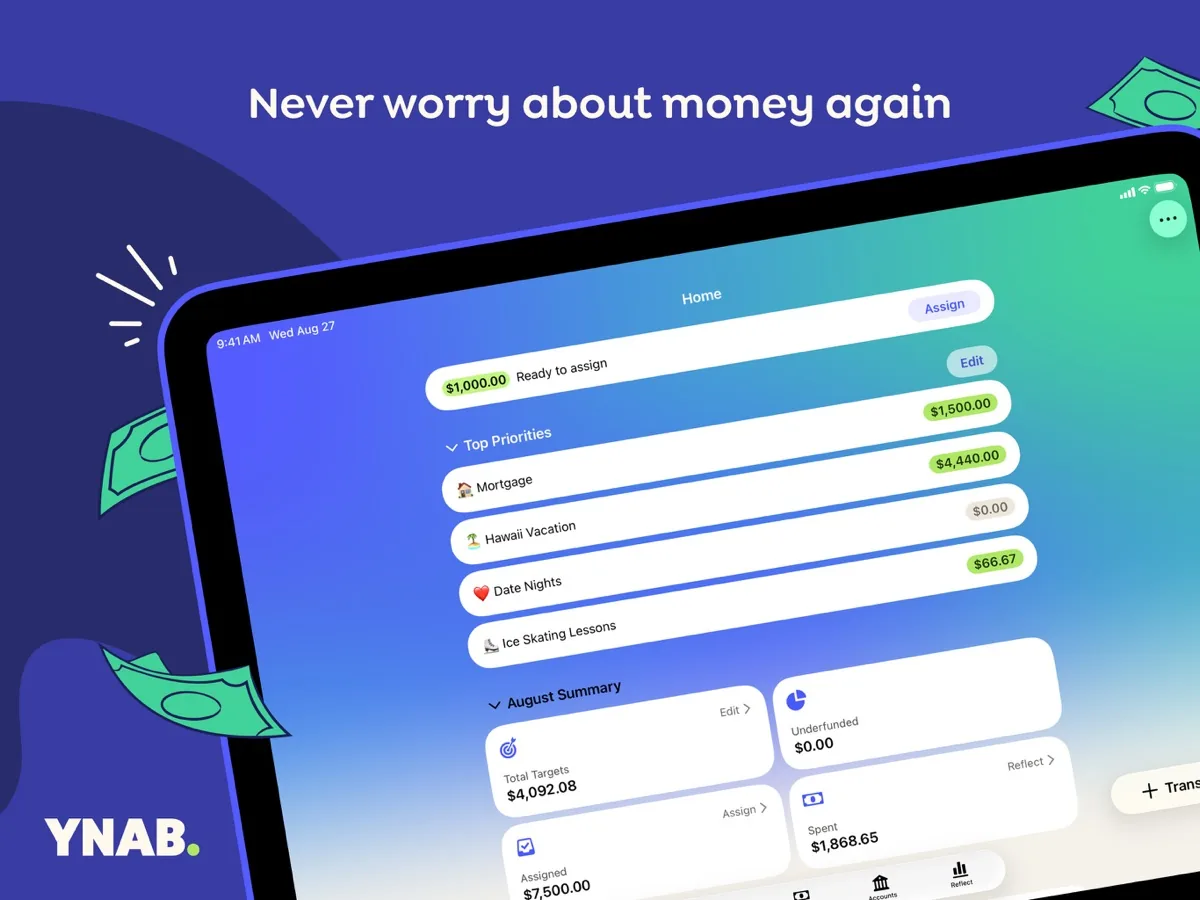
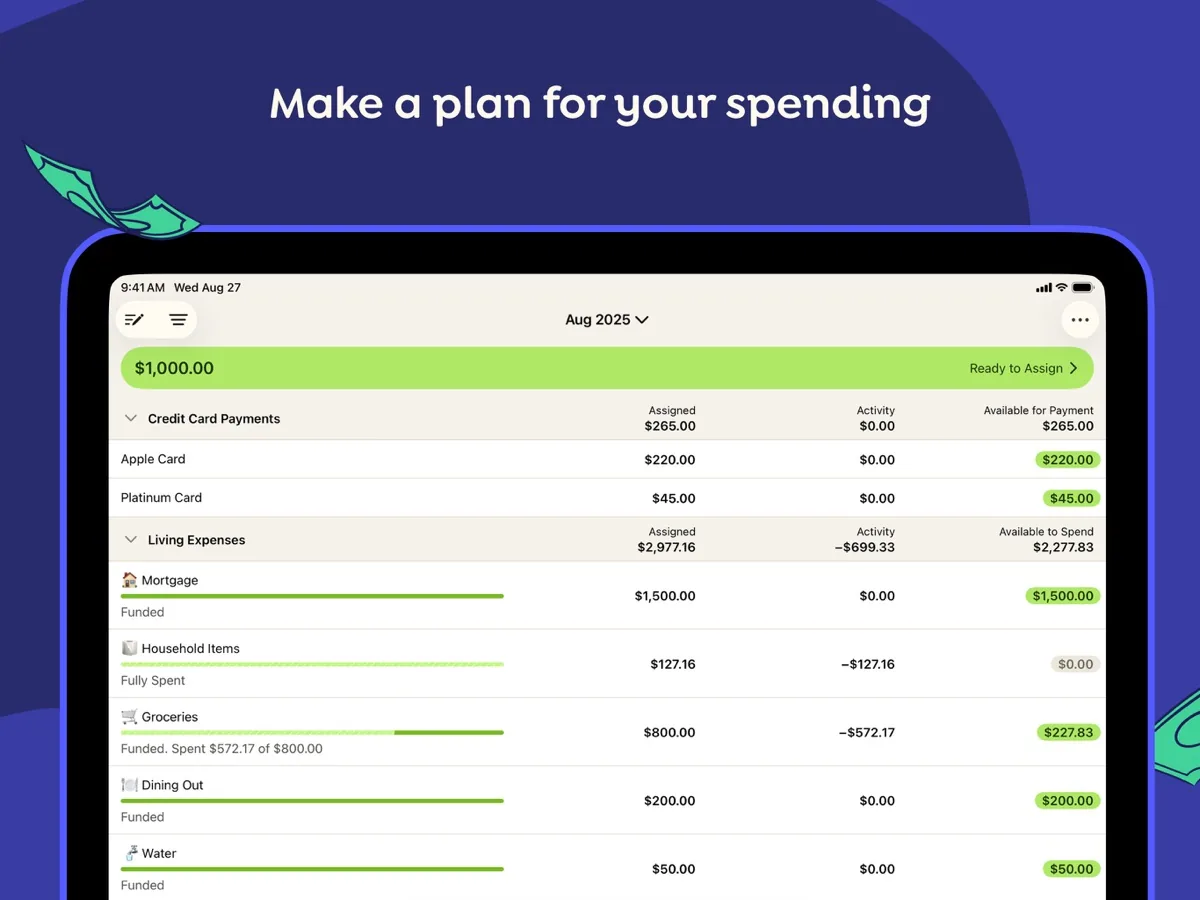
The budget screen shows money available to assign and the categories you assign it to. Category templates help new users get started, and the features page describes customisable views and mobile widgets for quick checks.
Direct Import from banks
YNAB can link bank and card accounts and import transactions automatically, including Apple Card. Its security page says it uses the regulated aggregators Plaid and MX for this, that the connection is read-only so YNAB cannot move money, and that your bank credentials go to the aggregator rather than being stored by YNAB. You can also enter transactions manually, which some YNAB users prefer because it keeps them engaged with every purchase.
Targets and goals
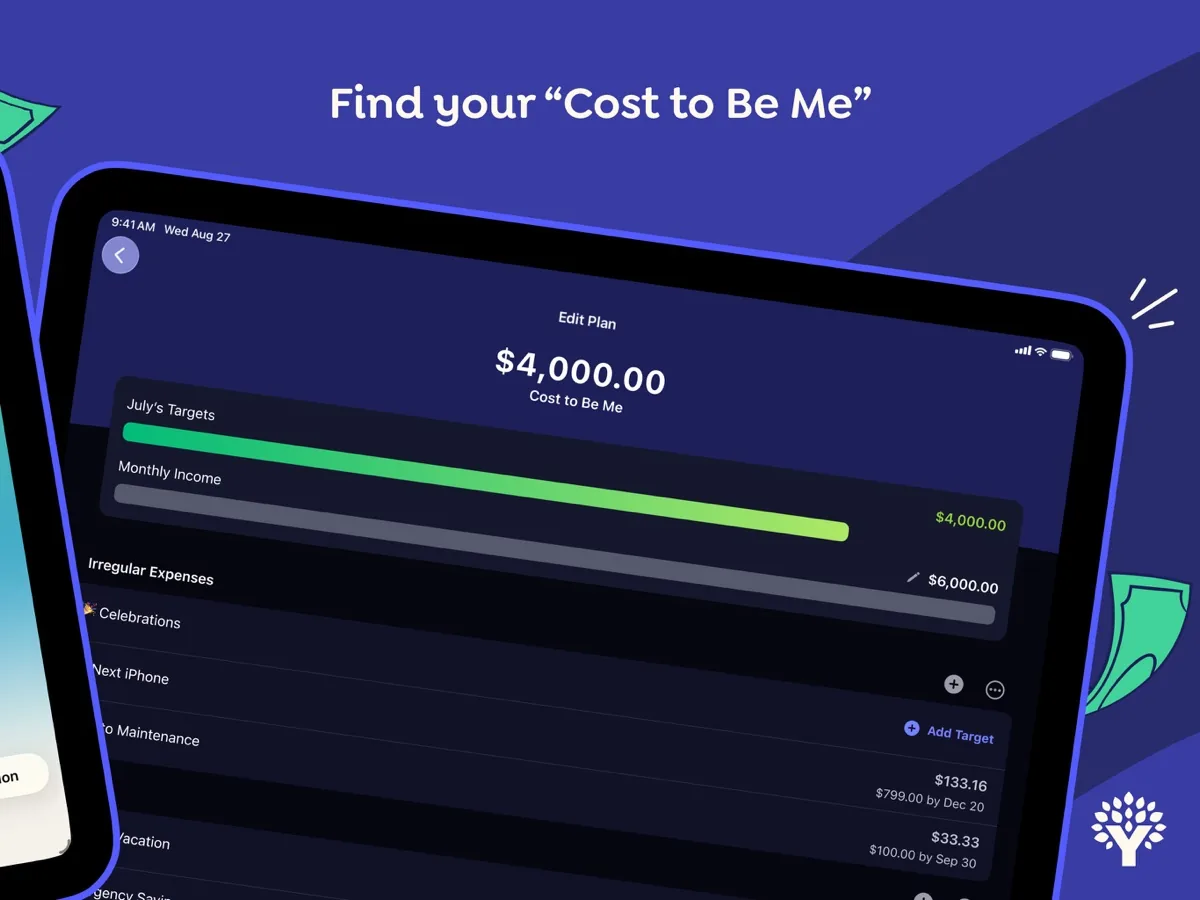
Targets let you set what a category needs, whether a monthly bill, a savings goal by a date or a running balance, and track progress visually.
Loan planner
The features page describes a loan tool that shows how much interest and time extra payments would save. It is a calculator rather than advice, but it makes trade-offs visible.
Reports
Spending breakdowns and a net worth report show trends over time. Reviewers describe the reports as useful but not deep, and there is no forecasting of future cash flow.
YNAB Together
The YNAB Together page explains that up to six people share one subscription, each with their own login. Members can keep their budgets private from each other, with one exception: the group manager, who pays and manages membership, can see and edit every budget in the group. That is worth knowing before you invite adult family members.
Education
Workshops, guides and an active community are a large part of what you pay for, and FinanceBuzz and Experian both highlight them as a reason the method sticks.
How much does YNAB cost?
Our product card shows the current price from our data. In structure, YNAB has no free plan. According to its pricing page, new users get a 34-day free trial with no credit card required when signing up directly, then choose monthly or annual billing, with annual working out cheaper per month. One subscription covers up to six people through YNAB Together, and college students can get a year free through YNAB's college program with proof of enrolment. Signing up through an app store may require payment details at the start of the trial.
Is YNAB safe?
YNAB's security page is more detailed than most in the category. The company says it is funded by subscriptions and does not sell financial data. It describes encryption in transit and at rest, password hashing, protection against brute-force attacks, code scanning, formal access controls and a public bug bounty programme. Its infrastructure runs on Heroku and Amazon Web Services, which hold SOC and ISO 27001 certifications, and the features page lists two-factor authentication. Deleting your account removes your financial data from YNAB's database permanently.
The bank link is read-only, which limits what an attacker could do with a compromised YNAB account, but as with any aggregator-based app, turn on two-factor authentication and review the accounts you connect.
How YNAB differs from a tracker or a spreadsheet
Most free budgeting tools, including the spending summaries many banks now build into their apps, look backwards: they sort past transactions into categories and show totals. YNAB looks forwards. Before a transaction happens, the money for it should already sit in a category, and when you overspend, the app asks you to move money from somewhere else rather than simply flagging a red number. A well-built spreadsheet can do the same thing, and many YNAB users started there, but it will not import transactions, sync across a household's phones or prompt you to cover an overspent category. What the subscription buys, in practice, is the automation and the habit-forming structure around a method you could in theory run by hand.
What could be better
- No free tier. After the trial you pay, and the price is near the top of the category.
- Learning curve. The method and its vocabulary take time; several reviewers say even experienced budgeters found it overwhelming at first.
- Ongoing effort. YNAB works because you engage with it. If you stop assigning and categorising, it stops being useful.
- No bill pay or bill tracking. You still need your bank or another tool to pay bills.
- Limited investment tracking. Investment balances need manual updates.
- Bank sync hiccups. Capterra users report connections that occasionally need re-authorising.
Who should choose something else
If you want a free app, YNAB is ruled out; your bank's built-in spending insights or a free tracker may be enough to see where money goes. If you prefer automatic categorisation and a summary once a month, a passive tracker suits you better than a zero-based planner. If you mainly need investment and net worth tracking, look at apps built for that. And if your budget is very simple, a spreadsheet can do the job without a subscription.
What other reviewers found
- Experian liked the transaction import, flexible goals and long trial, but said the cost, the learning curve and the lack of bill management make it best for motivated, hands-on budgeters.
- FinanceBuzz said YNAB is worth it for people who want to dig deep into their money, praised its education and family sharing, and warned that it is time-intensive and not ideal for beginners wanting something simple.
- NerdWallet summed it up as "involved and pricey, but it'll probably make you better with money."
- Capterra users rated YNAB very highly for its structure and support while flagging the steep start, occasional bank sync failures and shallow reporting.
Where the reviewers agree and disagree
There is near-universal agreement on two points: YNAB's method works for people who commit to it, and it costs more and asks more than rival apps. The difference between reviewers is mostly about who they are writing for. FinanceBuzz and Experian lean towards saying it is for people who already enjoy budgeting, while NerdWallet and many users frame it as the tool that turns non-budgeters into budgeters. For a buyer, the 34-day trial settles it: if you are still assigning money and checking in after the first month, the subscription is likely to pay its way in attention alone; if you have drifted away by week two, a simpler or free app fits you better.
Is YNAB worth it? Bottom line
YNAB is the most complete zero-based budgeting app we know of, with a coherent method, good education, family sharing, read-only bank import and a security page that answers the questions it should. It is also paid-only, priced at the top of the category and demanding of your time. Choose it if you want a system that changes how you plan, not just a record of where money went. For personal decisions about debt, savings or investment, YNAB is a tool, not an adviser; speak to a qualified financial professional.
Frequently asked questions
Is there a free version of YNAB?
No. YNAB has no free plan. It offers a 34-day free trial with no credit card required if you sign up directly on its website, and college students can get a year free through its college program with proof of enrolment. After the trial you choose monthly or annual billing, and one subscription can be shared with up to six people.
Is YNAB safe to link to my bank?
YNAB says it connects to banks through the regulated aggregators Plaid and MX, that the link is read-only so money cannot be moved through YNAB, and that it never stores your bank login. It describes encryption in transit and at rest, a bug bounty programme and two-factor authentication. You can also skip bank linking and enter transactions manually.
What is zero-based budgeting in YNAB?
Zero-based budgeting means assigning every dollar you have right now to a category until nothing is left unassigned. YNAB builds this around four rules: give every dollar a job, plan for true expenses, adjust when you overspend, and age your money over time. You budget only money you already have, not income you expect.
Can I share YNAB with my partner or family?
Yes. YNAB Together lets up to six people share one subscription, each with their own login. Members can choose which budgets to share with one another, but the group manager who pays for the subscription can always see and edit every budget in the group, which is worth considering before inviting other adults.
How long does it take to learn YNAB?
Reviewers consistently describe a learning curve because the method and terms differ from simple trackers. Many users need a few weeks to feel comfortable, which is one reason the trial lasts 34 days. YNAB offers workshops, guides and community support to help, and its features page highlights customer support as part of the subscription.