ADP review: our verdict
This ADP review looks at RUN Powered by ADP, the payroll and HR service ADP sells to small businesses, along with the wider ADP range a company can move into as it grows. ADP is one of the oldest and largest names in payroll. The company says it has been in business for more than 75 years, serves more than a million clients and operates in more than 140 countries. For a small employer, that history matters less than one practical question: will the software pay people correctly and on time, file the right forms, and still fit when the team doubles? On the evidence from ADP's own pages and from the independent reviews summarised below, RUN does those things well.
We rank ADP near the top of our payroll comparison and give it our "Best for Scaling" label. The reason is the upgrade path. A business can start on a basic RUN package, add HR support, time tracking and benefits administration as it hires, and later move to ADP Workforce Now or a professional employer organisation without changing provider. Few rivals can offer that range under one roof. The trade-offs are real, though: ADP does not publish its prices, many useful extras are sold as add-ons, and the cheapest packages leave out HR tools that some competitors include as standard.
NerdBible did not run payroll on ADP for this review. It is an editorial assessment built from ADP's product, security and company pages, its app store listing, and the published findings of independent reviewers.
What is ADP RUN and who is it for?
RUN Powered by ADP is ADP's online payroll platform for businesses with roughly 1 to 49 employees, according to the RUN product page. It handles the core of running payroll in the United States: calculating pay, deducting and filing federal, state and local payroll taxes, paying staff by direct deposit or check, and producing year-end forms. Higher packages layer HR services on top.
ADP sells several other products, and knowing where RUN sits helps when comparing it:
- Roll by ADP is a mobile, chat-driven payroll app for very small businesses. Its App Store listing describes running payroll by typing a request such as "Run my payroll", unlimited payroll runs, and live support through the same chat.
- RUN Powered by ADP is the main small-business product and the subject of this review.
- ADP Workforce Now is aimed at organisations from about 50 employees up to enterprises, according to the Workforce Now page, with modules for time and attendance, talent management, benefits and analytics.
- ADP TotalSource is ADP's professional employer organisation, a co-employment arrangement in which ADP takes on much of the HR and payroll administration.
RUN suits small employers who want payroll handled reliably with as little manual work as possible, owners who expect to hire steadily and would rather not switch platforms later, and businesses that value round-the-clock phone support for payroll problems. It suits less well a sole trader paying one or two contractors, who may find a simpler and cheaper app sufficient, and companies that want to see a full price list before talking to a sales team.
Key features
Payroll and tax filing
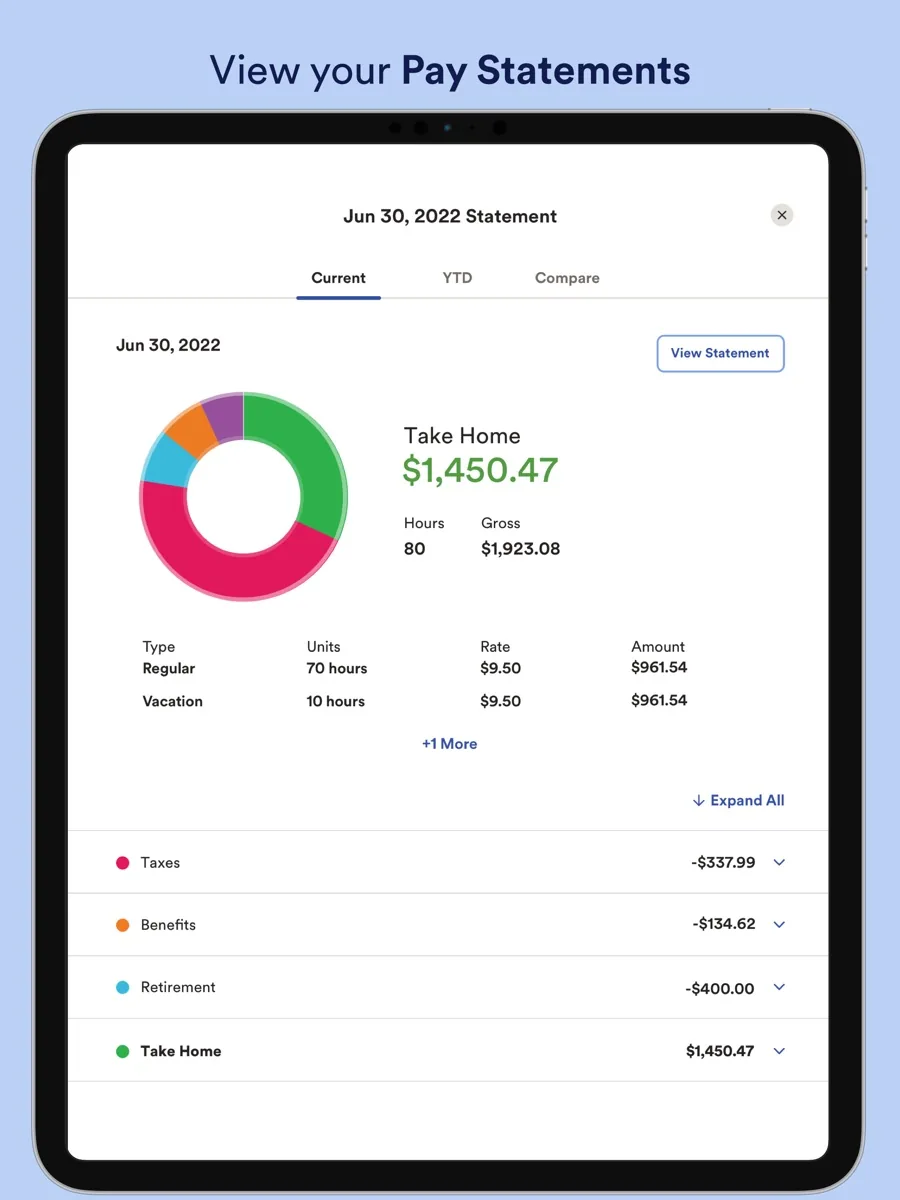
Every RUN package includes automatic calculation, deduction and filing of federal, state and local payroll taxes, according to ADP. The service creates and e-files W-2 and 1099 forms and covers all 50 states. Payment options include direct deposit, ADPCheck and the Wisely Direct pay card, which ADP describes as exclusive to its platform. ADP also highlights a feature it calls ADP Assist, which it says uses AI to flag likely errors before a payroll is submitted.
Employee records and self-service
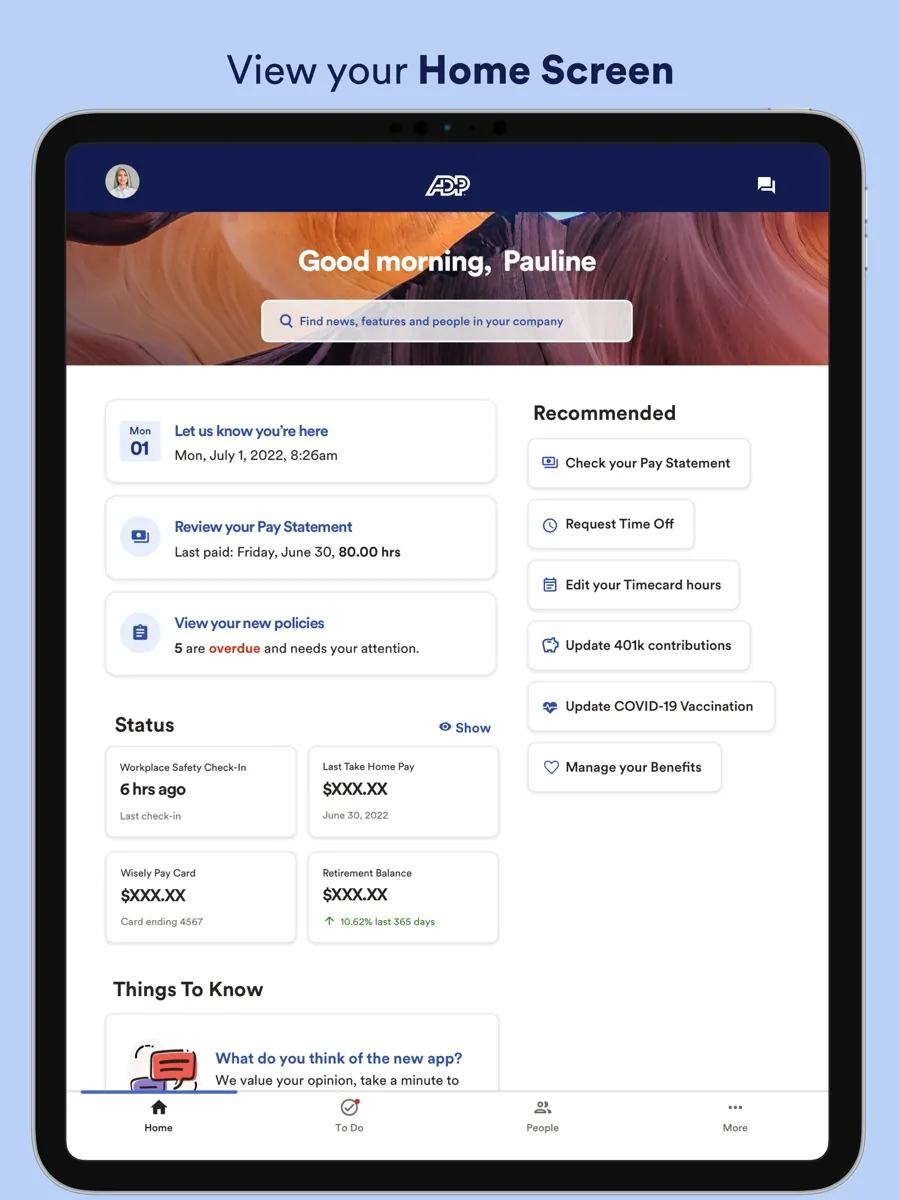
Employees get access to a self-service mobile app where they can see pay stubs and tax documents. PCMag singled out RUN's employee profiles as some of the most detailed it had seen, noting that they can hold information such as company property in an employee's possession, training and performance notes alongside pay and tax details. New hires can be invited to complete part of their own records, which cuts down on data entry.
HR tools
ADP lists onboarding, an employee handbook wizard, compliance training, time tracking, recruiting through a ZipRecruiter partnership, and benefits administration covering health insurance, retirement plans and workers' compensation. Not all of this is in every package. The entry package focuses on payroll and compliance, while the HR-heavy features sit in the two upper tiers.
Reporting
Reporting is one of RUN's clearest strengths in independent coverage. PCMag found that it offers more reports than any other payroll service in its price range and a custom report builder that lets you pick, order and save columns across payroll and HR data.
Integrations
RUN connects to accounting software, including general ledger exports to QuickBooks Online and Xero, and to Clover point-of-sale systems. ADP Marketplace offers further add-on apps. TechRadar noted that RUN does not expose an open API to small customers in the way ADP's larger platforms do, so integration options are narrower than on Workforce Now.
Mobile apps
Owners can run payroll, onboard workers, view employee records and pull reports from ADP's mobile apps. Independent reviewers rate them highly, which is useful if payroll needs to be approved away from a desk.
How much does ADP cost?
ADP does not publish prices for RUN on its website; you request a quote. What it does publish is the structure. There are four packages:
- Essential Payroll: payroll, tax filing and compliance basics for businesses that only need payroll done properly.
- Enhanced Payroll: adds state unemployment insurance management, a garnishment payment service and the ZipRecruiter integration. ADP labels it the most popular choice.
- Complete Payroll and HR Plus: adds basic HR support, such as the handbook wizard, HR tracking and training.
- HR Pro Payroll and HR: adds enhanced HR support and employee perks.
Prices typically combine a monthly base fee with a charge per employee, and some services, such as time tracking or extra HR tools, cost more on top. Our comparison page shows how we list ADP's pricing. Because the final figure depends on the quote, it is worth asking the sales team to itemise everything you will actually use, including setup, year-end forms and any add-ons, before you compare ADP with a provider that publishes flat prices. TechRepublic gives the same advice.
Is ADP safe?
A payroll provider holds bank details, salaries and tax identifiers for every employee, so security is not an optional extra. ADP's data security page says the company issues SOC 1 Type 2 and SOC 2 Type 2 reports for selected products and holds ISO/IEC 27001 and ISO/IEC 27701 certifications for selected services and locations. Those reports are available to clients under a non-disclosure agreement, so you need to ask for them. ADP also describes round-the-clock threat monitoring, critical incident response centres around the world, a formal incident lifecycle and an anti-money-laundering compliance programme.
PCMag notes that RUN supports multi-factor authentication. As with any payroll service, turn it on for every administrator account and limit who can change bank details, because payroll diversion fraud usually starts with a compromised login rather than a flaw in the provider's systems.
Customer support
ADP says RUN includes 24/7 payroll support from real people. TechRadar and PCMag both report that phone support for payroll is available around the clock on every package, with live chat on weekdays from early morning until late evening Eastern Time. The Complete and HR Pro packages add HR support by phone and email. PCMag pointed out that very few payroll services it reviewed offer all-hours phone support, which is a meaningful advantage when a payroll deadline goes wrong late in the day.
The weak point is consistency. TechRadar and TechRepublic both mention user complaints about slow responses or confusing phone menus, so the promise of constant availability does not always translate into a quick answer.
What could be better
- Pricing transparency. Every independent review we read criticises the lack of published prices. It makes comparison shopping harder than it should be.
- Add-on creep. Features that some rivals include as standard, such as time tracking, can cost extra. The quote you start with may not be the bill you end with.
- Flexibility at the small end. TechRadar found that RUN offers less customisation and fewer integrations than ADP's larger platforms, and no open API for small customers.
- Learning curve. TechRepublic notes that first-time employers can find ADP's software and reports harder to get used to than simpler rivals.
- Support speed. Availability is excellent on paper, but user reviews describe uneven response times.
Who should choose something else
If you run a very small business with a handful of staff and want the lowest, most predictable monthly bill, a service with published flat pricing will be easier to budget for. If your priority is a polished all-in-one experience with modern HR tools at the entry level, PCMag's current pick in this category is Gusto, which it favours for its interface and bundled HR features. If you only pay contractors, a dedicated contractor payment tool may be all you need. And if you have no plans to grow, ADP's main advantage, the path to bigger products, is worth less to you.
Payroll software automates calculations and filings, but it does not replace professional advice: for questions about your own tax position or employment obligations, speak to an accountant or employment attorney.
Is ADP worth it? The bottom line
For a small business that expects to grow, RUN Powered by ADP is one of the safest choices available. It handles payroll and tax filing comprehensively, its reports and employee records are among the best in its class, its mobile apps are strong, and phone support never closes. The ability to move up to Workforce Now or TotalSource without changing provider is a genuine long-term benefit. The costs are opacity and extras: you will need a sales conversation to learn the price, and you should read the quote line by line. If you can live with that, ADP earns its place near the top of our ranking.
What other reviewers found
- PCMag rated ADP RUN highly for its reports, detailed employee profiles, mobile apps and all-hours phone support, and recommended it for companies that plan to scale quickly, while giving its Editors' Choice to Gusto for a more accessible experience.
- TechRadar found RUN intuitive, with strong compliance features, but less flexible and less integrated than tools built for larger organisations, and noted that costs climb as modules are added.
- TechRepublic praised the breadth of ADP's range, from first hires to global payroll, and its well-reviewed mobile apps, but listed limited pricing transparency, add-on fees and a steeper learning curve as drawbacks.
- TechRadar also called the payroll experience easy to learn, saying the app "walks the user through the process" of a payroll run.
- Roll by ADP, the company's simpler chat-based app, is presented on its App Store listing as an option for the very smallest employers who want payroll on a phone.
Where reviewers agree and disagree
The outlets agree on the core: ADP's payroll engine, compliance coverage and mobile apps are excellent, and the company's biggest advantage is how far a business can grow without leaving it. They also agree on the main complaint, which is that ADP hides its prices and charges for extras. Where they differ is on who RUN suits best. PCMag sees it as the right pick for businesses that intend to scale, TechRadar sees it as best for smaller companies without in-house HR expertise and suggests growing firms shop around, and TechRepublic positions it as the middle step in a ladder of ADP products. For a buyer, the practical reading is this: choose RUN if growth and reliability matter more to you than the lowest price, and get an itemised quote before you sign.
Frequently asked questions
Is ADP good for small businesses?
Yes, for most small employers. RUN Powered by ADP is designed for businesses with roughly 1 to 49 employees and covers payroll, tax filing, year-end forms and optional HR tools. Independent reviewers rate its reports, employee profiles and mobile apps highly. The main drawbacks are that prices are only available by quote and that some features cost extra, so very small or cost-focused businesses should compare it with providers that publish flat prices.
Does ADP file payroll taxes automatically?
ADP says every RUN package automatically calculates, deducts and files federal, state and local payroll taxes, and creates and e-files W-2 and 1099 forms in all 50 states. You still need to give the system accurate information about employees, pay and locations. Software reduces mistakes and missed deadlines, but you remain responsible for the data you enter, so review each payroll before approving it.
Is ADP safe to use?
ADP states that it issues SOC 1 Type 2 and SOC 2 Type 2 reports for selected products and holds ISO/IEC 27001 and 27701 certifications for selected services, with reports available to clients under a non-disclosure agreement. It describes constant threat monitoring and global incident response centres. RUN supports multi-factor authentication, which every administrator should switch on to reduce the risk of account takeover.
What is the difference between ADP RUN and Roll by ADP?
Roll by ADP is a chat-based mobile app for the smallest businesses: you run payroll by messaging the app, and it focuses on the essentials. RUN Powered by ADP is the fuller platform, with four packages ranging from payroll only to payroll plus extensive HR support, a web dashboard, deep reporting and benefits administration. Businesses that expect to hire regularly usually find RUN the better long-term fit.
Does ADP offer 24/7 support?
ADP says RUN includes 24/7 payroll support from real people, and independent reviewers confirm phone support is available around the clock on every package. Live chat runs on weekdays across extended hours, and the upper packages add HR support by phone and email. User reviews describe response times as uneven, so plan payroll ahead of deadlines rather than relying on last-minute help.