
ClickUp review: our verdict
This ClickUp review looks at a work management platform that tries to replace several tools at once. Tasks, projects, documents, wikis, whiteboards, chat, forms, goals, time tracking, dashboards and an AI assistant all live in one workspace, and every piece can link to every other. For teams tired of copying information between a task tracker, a docs tool and a chat app, that is a genuinely useful idea, and ClickUp executes it with more depth than almost any rival.
It also has the most generous free plan of the major project management tools, which makes it easy to try with a real team before paying. The cost of all that capability is complexity. ClickUp has a steep learning curve, it rewards someone willing to spend time configuring it, and its AI features and higher usage limits sit behind add-ons and plan tiers that can push the real cost up. For teams that want one flexible hub and are prepared to set it up properly, it is excellent value. For teams that want something simple on day one, a lighter tool will feel better.
NerdBible did not run its own hands-on trial for this review. It is an editorial assessment built from ClickUp's own pricing, feature and security pages and from the published findings of independent outlets, credited and linked below.
What is ClickUp and who is it for?
ClickUp describes itself as a single workspace for projects, knowledge and communication. The ClickUp homepage lists projects, chat, AI agents, sprints, time tracking, calendar, docs, whiteboards, automations, dashboards and scheduling among its apps. It runs in the browser and as desktop apps for Windows, macOS and Linux, with mobile apps for iOS and Android.
It suits:
- Growing teams replacing several tools. Docs, chat and tasks in one place cut down on context switching and subscriptions.
- Teams with varied workflows. Marketing, product, operations and client work can each shape their own spaces, statuses, fields and views.
- Small teams on a budget. The free plan allows unlimited members, so a team can run real projects before deciding to pay.
- Organisations that need compliance. Enterprise customers can get SAML single sign-on, advanced permissions and HIPAA support.
Key features
Flexible views
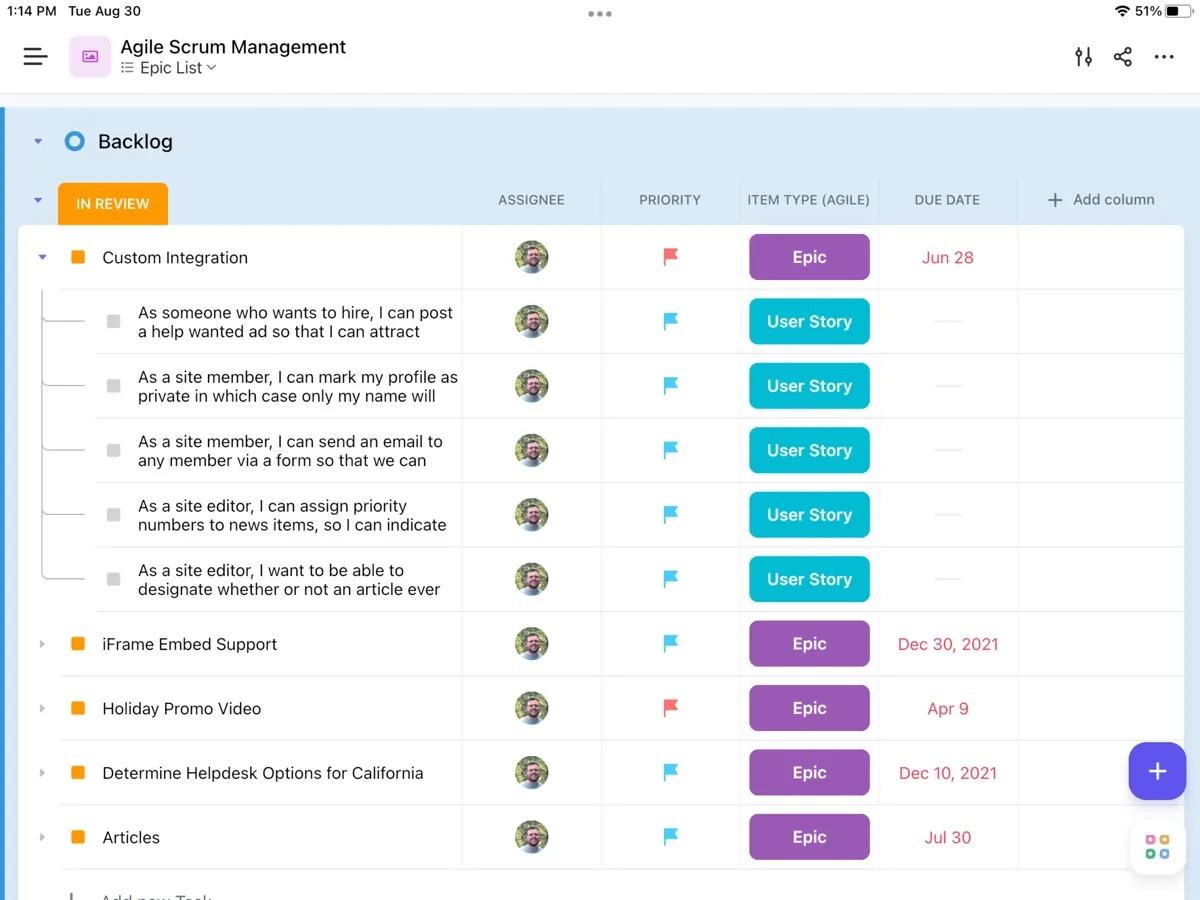
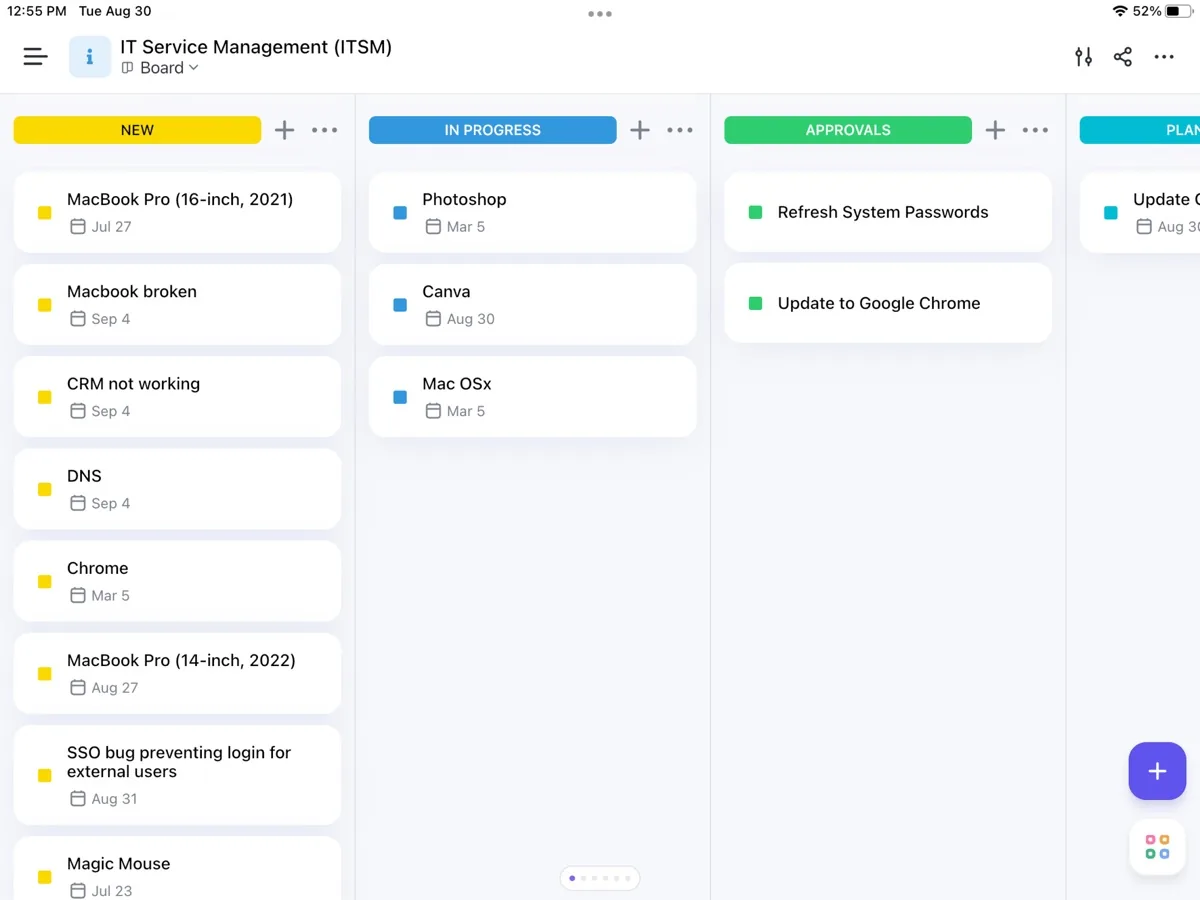
The ClickUp views page says you can switch between List, Board, Calendar and a dozen more views of the same work. Gantt charts handle dependencies and critical paths, Workload shows who is over or under capacity, Table view supports bulk editing with more than 15 custom field types, and Box view shows what each person is working on.
Docs, whiteboards and chat
The ClickUp Docs page describes documents and wikis that link directly to the tasks and sprints they describe, with real-time editing, inline comments, version history and the ability to turn any comment into a task. Whiteboards and chat sit in the same workspace, which ZDNET says removed the need for separate collaboration tools in its testing.
Automations and integrations
Built-in automations handle routine status changes, assignments and notifications, with monthly execution limits that rise by plan according to the pricing page. The integrations directory lists native connections to hundreds of apps, more than a thousand through third-party connectors, importers for Trello and Monday.com boards, and an open API.
ClickUp Brain
ClickUp's AI, branded Brain, is pitched on the ClickUp Brain page as an assistant that understands your tasks, docs and conversations, routes requests to different AI models and can take meeting notes. Usage runs on monthly AI credits shared across the workspace, with larger allowances on AI add-ons. In practice, AI summaries and drafting are useful extras rather than the reason to choose ClickUp, and the pricing page notes that free usage limits apply.
Goals and time tracking
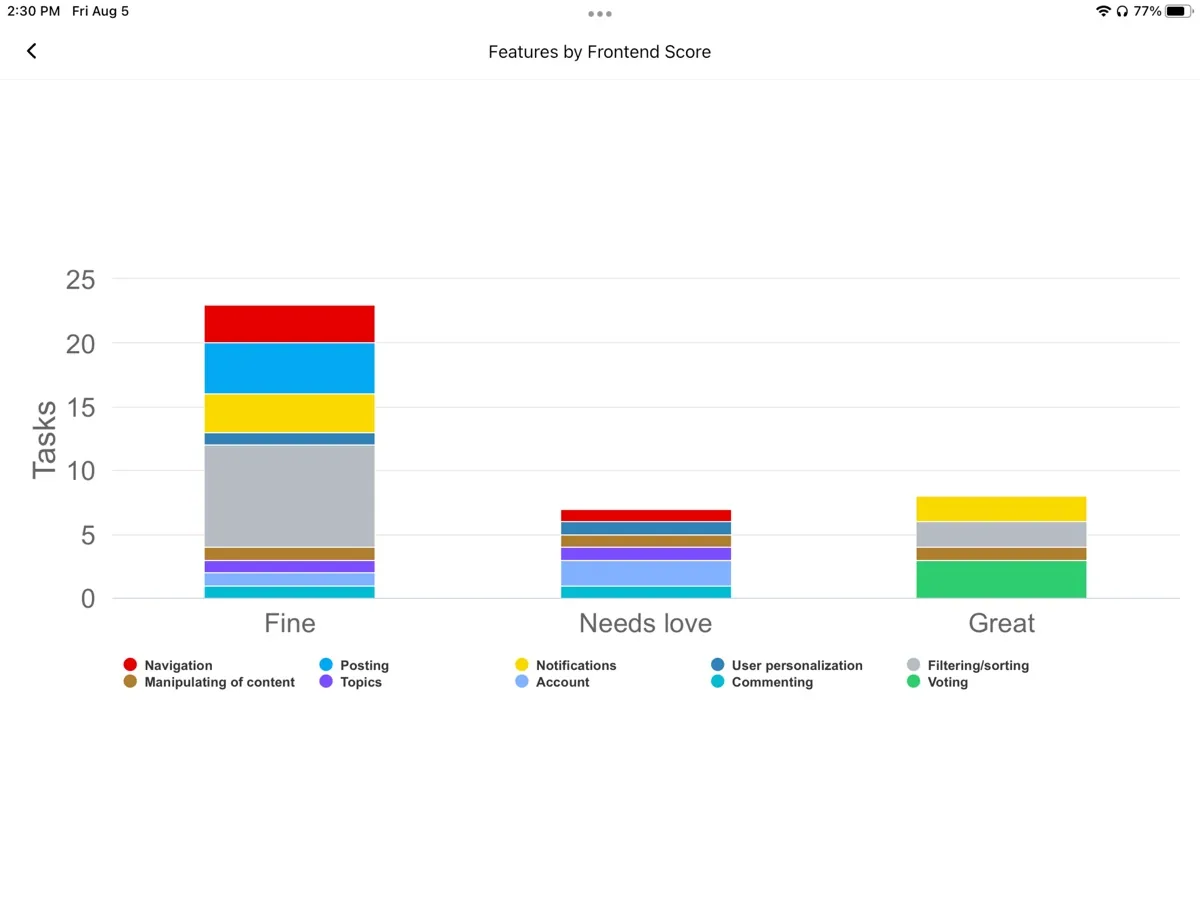
Goals connect day-to-day tasks to wider objectives, and native time tracking with estimates and timesheets is included on paid plans. ZDNET highlights the combination of goals and workload views as a strength for projects that span several departments.
How much does ClickUp cost? Plans and pricing structure
Current prices appear in our comparison above. According to the ClickUp pricing page, plans are billed per user, monthly or yearly:
- Free Forever: unlimited members and tasks, but tight limits elsewhere, including a small storage allowance, a low monthly automation quota and trial-only access to some features such as Gantt charts, dashboards and custom fields.
- Unlimited: unlimited storage, integrations, Gantt charts, custom fields and guests with permission controls.
- Business: adds advanced automations, more guest seats, Google single sign-on, workload management and higher limits.
- Enterprise: quoted by sales, with SAML single sign-on, SCIM provisioning, enterprise permissions and HIPAA availability.
- AI add-ons: sold separately on top of any plan, with monthly AI credits.
The pricing page also mentions discounts for nonprofits and education. One detail catches teams out: anyone from inside your organisation added to the workspace is billed as a paid user, while guests are meant for outside collaborators.
Is ClickUp secure?
The ClickUp security page says the platform is hosted on Amazon Web Services, encrypts data in transit with TLS 1.2 and at rest with AES-256, runs automated security testing and contracts third-party penetration tests. ClickUp says it holds SOC 1 Type 2, SOC 2 Type 2 and SOC 3 reports, ISO 27001 certification with related privacy and cloud standards, and ISO 42001 certification for its AI management system. Business customers can add single sign-on, and Enterprise customers can get SAML, SCIM and HIPAA support. For most organisations that is a solid baseline; regulated businesses should still request the reports from ClickUp's sales team before signing.
Support and getting started
The pricing page lists 24/7 support even on the Free Forever plan, and higher tiers add more hands-on help. PCMag describes an onboarding flow that walks new users through setting up a first space, followed by a checklist of introductory tasks with short videos, covering integrations, navigation and the AI assistant. TechRadar points to a large help centre, webinars and live training sessions as the main self-service resources.
Guest access is worth understanding before you invite clients. On the free plan, guests must be given full access with no permission controls. Paid plans add guests with permission controls, and the Business plan includes a set number of guest seats for each paid user. That makes ClickUp workable for agencies and consultancies that share projects with clients, as long as the plan matches how many outsiders you need to bring in.
What could be better
- Learning curve. PCMag, TechRadar and ZDNET all say the sheer number of features can overwhelm new users, and that teams need time to configure it well.
- Costs add up. PCMag warns that add-ons push up the price, and ZDNET points out that the fuller AI features cost extra per user.
- Free plan storage. The free tier's storage limit runs out quickly once teams attach files.
- Setup effort. TechRadar found initial setup more complicated than average users might expect.
- Feature sprawl. With so many modules, it is easy to switch on more than a team needs, which makes the workspace busier.
Who should choose something else?
Teams that only need simple task boards will find lighter tools quicker to adopt; ZDNET observes that more visual, simpler platforms are often picked up faster. Teams that already run their documentation in a dedicated wiki and their chat in a dedicated messenger may not benefit from consolidating. And organisations that want a tightly structured, opinionated process rather than a blank canvas may prefer a tool that makes more decisions for them.
Is ClickUp worth it? Bottom line
ClickUp offers more capability per dollar than almost any other work management platform, a free plan that is useful rather than a teaser, and enterprise-grade security credentials. It earns its place near the top of our project management ranking for teams that want one adaptable workspace. Plan a proper setup period, start with a few views and features rather than all of them, and check whether you need the AI add-on before you budget for it.
What other reviewers found
- PCMag rated ClickUp excellent, praising its feature set, document collaboration, automations and generous free plan, while warning that the range of tools can overwhelm and add-ons get expensive.
- TechRadar found the interface attractive and the platform versatile, but listed a steep learning curve and a complicated first setup as the main drawbacks.
- ZDNET praised its depth of customisation and competitive pricing, and observed that teams "either love it or don't".
Where the outlets agree and disagree
All three outlets agree on the shape of ClickUp: unusually powerful, very flexible, good value, and demanding to learn. They part ways on ease of use. PCMag and TechRadar both call the interface intuitive or attractive, while ZDNET stresses that teams need dedicated time to configure and train. Both can be true: individual screens are clear, but the overall system is big. They also differ on details that change often, such as trials and free plan limits. PCMag reports a 14-day trial on paid tiers, TechRadar says there is none, and both quote a different free storage figure from the one ClickUp's pricing page currently shows. For a buyer, the practical lesson is to start on the free plan with a small pilot team, confirm current limits on the pricing page, and only roll it out widely once someone owns the setup.
Frequently asked questions
Is ClickUp free?
Yes. ClickUp's Free Forever plan allows unlimited members and tasks at no cost, which makes it one of the most generous free plans among project management tools. It does limit storage and monthly automations, and some features such as Gantt charts, dashboards and custom fields are available only on a trial basis until you upgrade to a paid plan.
Is ClickUp hard to learn?
It can be. Reviewers at PCMag, TechRadar and ZDNET all mention a steep learning curve because ClickUp offers so many features and settings. Most teams do best by starting with a single space, two or three views and a simple status workflow, then adding docs, automations and dashboards gradually. ClickUp's onboarding checklist and help centre support that approach.
Does ClickUp include AI?
ClickUp includes its AI, called Brain, across plans with free usage limits, and sells AI add-ons that provide larger monthly credit allowances shared across the workspace. Brain can summarise tasks and docs, draft content, answer questions about your workspace and take meeting notes. Teams that rely on AI heavily should budget for the add-on rather than the base plan alone.
Is ClickUp secure enough for business use?
ClickUp says it is hosted on Amazon Web Services, encrypts data in transit and at rest, and holds SOC 2 Type 2 and ISO 27001 certifications, among others. Business plans add Google single sign-on, and Enterprise adds SAML, SCIM provisioning and HIPAA availability. Regulated organisations should request the latest audit reports from ClickUp before committing.
Can I move my projects from Trello or Monday.com to ClickUp?
Yes. ClickUp's integrations directory lists importers that bring Trello boards, cards and due dates, and Monday.com boards with owners and statuses, into a ClickUp workspace. It also connects with hundreds of other apps natively and more through third-party automation services, so most teams can migrate without rebuilding everything by hand.