
Our verdict
This monday.com review explains why it is the most adaptable work management platform in our project management ranking. It starts as a set of colourful boards that anyone can understand in minutes, and it grows into a system with automations, dashboards, timelines, AI tools and enterprise controls without forcing a team to switch products along the way. That combination of a gentle start and a high ceiling is why we rank it first.
It has trade-offs that matter. Paid plans are sold in seat buckets with a three-seat minimum, several features people assume are standard (automations, Gantt and timeline views, guest access) only arrive on the second paid tier, and costs climb as a team grows. If you know what you need before you pick a plan, monday.com is an excellent choice. If you choose the cheapest tier without checking, you may find the feature you wanted is one step up.
This is an editorial assessment based on monday.com's pricing page, help centre and Trust Center, and on the published findings of independent review outlets. NerdBible did not run its own hands-on tests.
What is monday.com and who is it for?
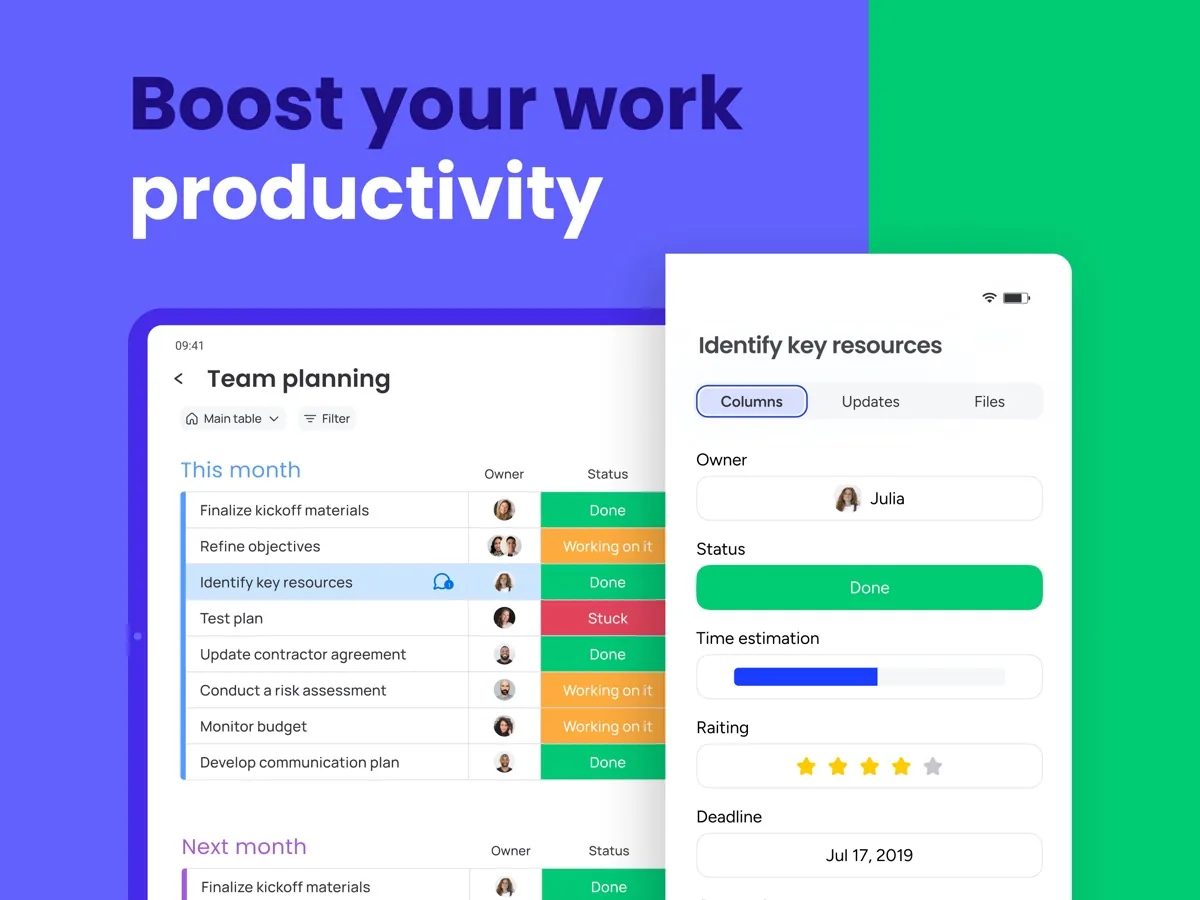
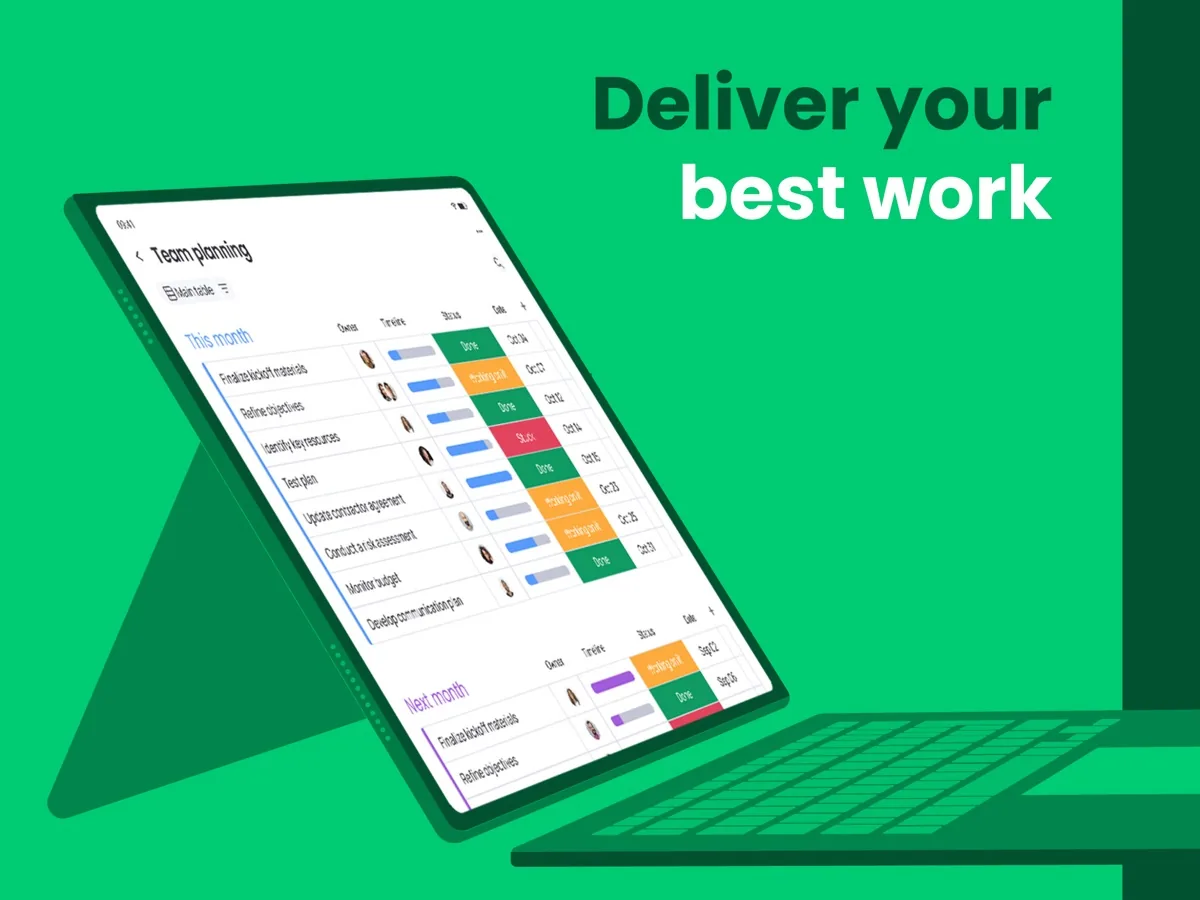
monday.com is a cloud platform for planning and tracking work. Everything lives on boards: rows are items (a task, a deal, a request) and columns hold whatever you want to track about them, such as owner, status, date, priority or budget. The same board can be shown as a table, a Kanban board, a calendar, a timeline or a Gantt chart, and dashboards pull figures from several boards into one view.
According to monday.com's plans and pricing article, the company sells four products built on the same platform: the AI work platform (general work and project management, the product this review covers), monday CRM, monday dev for software teams and monday service for ticketing. They can be bought separately or bundled, each on its own plan and seat count, but bundled products must share a billing cycle.
It suits:
- Small and mid-sized teams that want structure without a heavyweight project tool.
- Operations, marketing and agency teams that run repeatable processes (campaign launches, content calendars, client onboarding) and want automations to move work along.
- Managers who need dashboards across several teams' boards.
- Larger organisations that need permissions, security controls and data residency, which the Enterprise plan adds.
Key features
Boards, columns and views
The board is flexible enough to model most workflows, and monday.com offers more than 200 ready-made templates to start from. Per its plan types article, Free and Basic include Kanban, file and form views; timeline, Gantt and calendar views arrive on Standard. Forms are useful in their own right: you can turn a board into a form, share it, and each submission lands as a new item.
Automations and integrations
Automations are rule-based recipes such as "when status changes to Done, notify the manager" or "when a date arrives, move the item to another group". Integrations connect boards to tools such as Gmail, Slack, Microsoft Teams or a calendar. Both draw on a monthly allowance of actions: the pricing page lists 250 actions a month on Standard, 25,000 on Pro and up to 250,000 on Enterprise. The Basic plan has no automation or integration allowance at all, which is the single most important thing to know before choosing a plan. PCMag calls integrations and automation the area where monday.com shines.
Dashboards and reporting
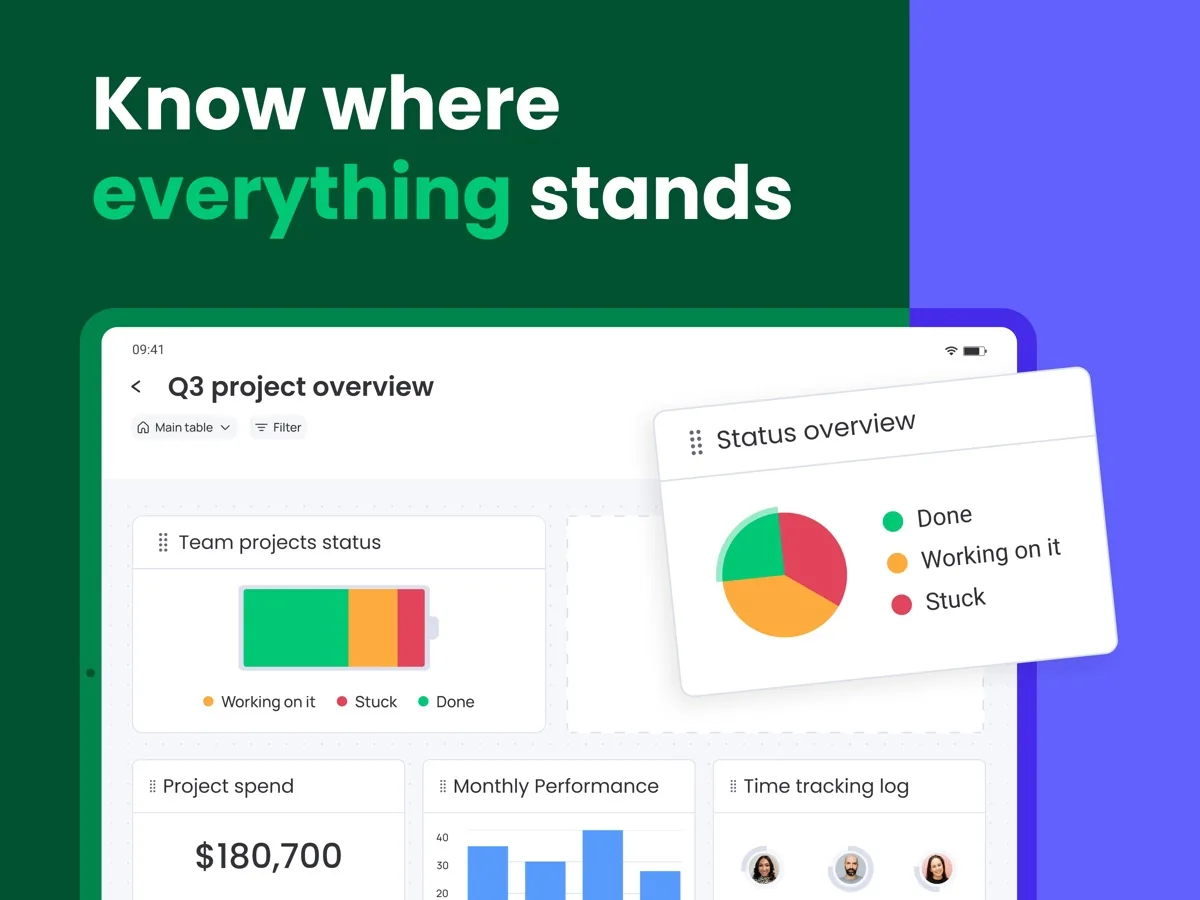
Dashboards combine widgets (charts, counters, workload, timelines) into one screen. The pricing page shows how far each one can reach: one board per dashboard on Basic, up to 5 on Standard, 20 on Pro and 50 on Enterprise. Pro also adds time tracking and advanced board views, which most reporting-heavy teams end up wanting. PCMag notes that dashboards suit straightforward tracking, while dedicated analytics tools go deeper.
monday AI
AI features start on the Basic plan; the Free plan has none. Each paid plan includes a monthly allowance of AI credits that grows with the tier, and the pricing page says more can be added at any time. The tools also grow with the tier: an assistant called Sidekick, AI agents and an app builder from Basic, a meeting notetaker and AI columns from Standard, and an AI workflow builder on Pro. The plan types article adds that every account gets a one-time trial allowance of AI credits.
monday.com's AI FAQ says the features run on models from providers including Anthropic, OpenAI and Google under zero data retention commitments, that its agreements prohibit using customer data for model training, and that AI processing follows your account's data region. It also says monday.com may access AI interaction data for up to 60 days to monitor and improve the service, and that admins can opt out by request. As with any AI feature, outputs need checking before you rely on them, and credit use is worth watching because heavier tasks cost more.
Guests and viewers
Viewers, who can see but not edit, are free and unlimited on paid plans. Guests, people from outside your email domain who can work on shared boards, are not available on Basic. According to monday.com's guest pricing article, on Standard every four guests count as one billed seat, so the first three are effectively free, and on Pro and Enterprise guests are unlimited. If you exceed your seat count, the account is upgraded automatically after two email warnings. If you work closely with clients or contractors, this alone can decide your plan.
Apps and support
monday.com has iOS and Android apps on every plan, including Free, and its help centre says its support team is available around the clock. Enterprise adds a dedicated success manager and a 99.9% uptime SLA.
How much does monday.com cost?
Current prices are shown on this page from our own data. The structure is:
- Free: up to two seats, up to three boards and three docs, a limited number of items (the plan types article says 200 to start), 500 MB of storage and basic views. It is a real free plan, not a trial, and suits a pair of people organising simple work.
- Basic: unlimited items and boards, unlimited viewers, 5 GB of storage and a starter AI allowance, but no automations, no guests and dashboards limited to one board.
- Standard: adds timeline, Gantt and calendar views, guest access, automations and integrations (250 actions a month), 20 GB of storage and broader dashboards.
- Pro: adds private boards and docs, time tracking, advanced views and columns, a much larger automation allowance, 100 GB of storage and unlimited guests. monday.com marks it as the most popular plan.
- Enterprise: custom pricing, portfolio and resource management, multi-level permissions, enterprise security and governance, a 99.9% uptime SLA and the largest automation allowance, with a minimum term of 12 months.
Two things shape the bill more than the plan name. First, bucket pricing: paid plans start at three seats and then go up in set groups, so a team of four buys five seats and a team of six buys ten. Second, billing cycle: monday.com says paying yearly saves 18% compared with monthly billing. Its pricing page adds that a yearly subscription cancelled within 30 days of payment is eligible for a partial refund of the remaining balance, and that discounted pricing is available for qualifying nonprofits.
New accounts start on a 14-day free trial of the Pro plan. The help centre says trials cannot be extended: at the end you either upgrade or move to the Free plan.
Is monday.com safe?
monday.com's Trust Center lists SOC 1 Type II, SOC 2 Type II and SOC 3 reports; ISO/IEC 27001, 27017, 27018 and 27032 certifications; CSA STAR; and HIPAA. It describes compliance programmes covering GDPR, Canada's PIPEDA, Brazil's LGPD, Japan's APPI and the Australian Privacy Act, and participation in the EU-U.S. Data Privacy Framework.
Its data security page says the platform is hosted across multiple Amazon Web Services availability zones with disaster recovery in other regions, that customers can choose hosting in the US, the EU or Australia, that traffic is encrypted with TLS 1.3 (TLS 1.2 at minimum) and stored data with AES-256 or better, and that credentials are hashed and salted. It also describes annual penetration tests by independent auditors. Advanced controls such as multi-level permissions, and the Guardian security add-on PCMag describes, sit on the Enterprise plan, so a smaller team gets the same certified platform but fewer admin controls. Any account can switch on multi-factor authentication.
What could be better
- Seat buckets. Paying for five seats when you have four, or ten when you have six, is the most common complaint about monday.com's pricing, and it is a fair one.
- Basic is thin. No automations, no guests and one board per dashboard. For most teams the realistic starting point is Standard.
- Cost at scale. More seats, a move to Pro for time tracking or private boards, extra AI credits and other monday products all add up.
- Action allowances. Busy automations can use up Standard's monthly allowance, which pushes teams towards Pro.
- Flexibility needs ownership. Someone has to design boards well, or a workspace becomes a sprawl of similar boards.
Who should choose something else
- Solo users and pairs with simple lists: the Free plan, or the task app built into your email and calendar suite, may be all you need.
- Small teams that want a generous free tier: PCMag notes that some rivals' free plans allow more collaborators.
- Software teams that live in an issue tracker: a developer-first tool, or monday's own dev product, will fit sprint work better.
- Teams of awkward sizes on a tight budget: compare the bucket you would have to buy with tools that bill per individual seat.
Is monday.com worth it?
monday.com is the project management platform we would put in front of most teams first. It is easy to adopt, genuinely flexible, well secured and backed by a long list of independent certifications, and its AI features come with clear data commitments. Read the plan grid carefully: buy Standard or Pro rather than Basic if you need automations, guests or timelines, and price the seat bucket your team actually falls into. Do that, use the 14-day Pro trial to build your real workflow, and it is very hard to beat.
What other reviewers found
- PCMag found monday.com approachable, with a modern interface, a wide choice of views and templates and excellent automations and integrations, but called the pricing unnecessarily complicated and the free plan too limited for serious business use.
- TechRadar liked the attractive interface, visual project tools and integrations, but warned that it gets expensive for large teams, lacks some advanced task tracking, and keeps features such as calendar views for pricier plans.
- TechRepublic gave it top marks for its clean interface, customisation and automation, while noting a steep learning curve for advanced features and that time tracking and automations are limited by plan tier.
Where the outlets agree: monday.com is easy to start with, attractive, highly customisable and strong on automation and integrations. All three, in different words, say the most useful features are spread across the higher tiers. Where they differ is on depth. TechRepublic rates it highly for advanced project management, while TechRadar and PCMag see it as better at keeping work visible than at heavy-duty tracking and analytics. For a buyer, that points to a simple test: map your real workflow during the Pro trial, check whether it needs anything beyond Standard, and price the seat bucket before you commit.
Frequently asked questions
Is monday.com free?
Yes, there is a permanent Free plan for up to two seats. It includes up to three boards, a limited number of items, 500 MB of storage, more than 200 templates and the mobile apps, but no AI features, automations or guests. It suits two people organising simple work. Larger teams need a paid plan, which starts at three seats, and every new account begins with a 14-day Pro trial.
Why does monday.com make me buy more seats than I need?
monday.com uses bucket pricing. Paid plans start at three seats and then rise in set groups rather than one seat at a time, so a team of four buys five seats and a team of six buys ten. Viewers are free and unlimited on paid plans, and on Standard every four guests count as one seat, so check how many people actually need to edit.
Which monday.com plan includes automations?
Automations and integrations start on the Standard plan, with 250 actions a month. Pro raises that to 25,000 actions a month, and Enterprise to as many as 250,000. The Basic plan has no automation or integration allowance at all. If moving work along automatically is a reason you are considering monday.com, Standard is the realistic minimum and Pro suits busy teams.
Can I get a refund from monday.com?
monday.com says that if you paid for a yearly subscription within the last 30 days and cancel your account, you are entitled to a partial refund of the remaining balance. Beyond that refund period it does not refund downgrades. Monthly plans can be cancelled to stop future charges. Use the free 14-day Pro trial to test your workflow before you pay.
Does monday.com use my data to train AI?
monday.com says no. Its AI FAQ states that its model providers work under zero data retention commitments, that its agreements prohibit using customer data for model training, and that AI processing follows your account's data region. It may access AI interaction data for up to 60 days to monitor and improve the service, and admins can opt out of that by request.
Sources
- Pricing, monday.com
- Plans and pricing for monday.com, monday.com Support
- Available plan types on monday AI work platform, monday.com Support
- Pricing for guests, monday.com Support
- AI FAQs, monday.com Support
- Trust Center, monday.com
- Data security, monday.com Trust Center
- Monday.com Review, PCMag
- Monday.com review, TechRadar
- monday.com Review: Pricing, Features, Pros and Cons, TechRepublic