
Our verdict
The short version of this SurveyMonkey review: it is still the most complete general-purpose survey tool for people who need to design a proper questionnaire and then analyse the answers without exporting everything to a spreadsheet. It has a deep question bank, hundreds of templates, branching logic, a built-in respondent panel and reporting that goes as far as statistical significance and crosstabs on the higher plans. It also has the reputation, security certifications and integrations that a business buyer expects. Its weaknesses are about money and limits. The free plan is a taster rather than a tool, the useful analysis features sit on annual plans, and the only monthly option is expensive with a monthly response cap. If you run surveys regularly and care about the quality of the results, it earns its place at the top of our list. If you need a quick form once a quarter, a free tool will do.
This is an editorial assessment based on SurveyMonkey's own pricing, plan comparison, security and help pages, and on reviews by PCMag, TechRadar and Zapier. NerdBible did not run its own survey campaign for this review. Two of the outlet reviews cited are older than the current plan line-up, so we use them for their judgement of the product's design and analysis, not for plan details.
What is SurveyMonkey and who is it for?
SurveyMonkey is an online survey platform. You build a survey in a browser or in its mobile app, send it by link, email, website embed or social media, and analyse the responses inside the product. It sits alongside sister products for forms and applications under the same company, and offers an Enterprise tier for larger organisations.
It is built for anyone who collects structured feedback: small businesses running customer satisfaction or Net Promoter Score surveys, HR teams running employee engagement surveys, marketers testing concepts, researchers and students who need a reliable questionnaire, and teams who want several people to build and analyse surveys together. It is less suited to someone who just needs a sign-up form, an RSVP or a simple poll, where a free form builder is easier and cheaper.
Key features
Templates, question bank and AI building
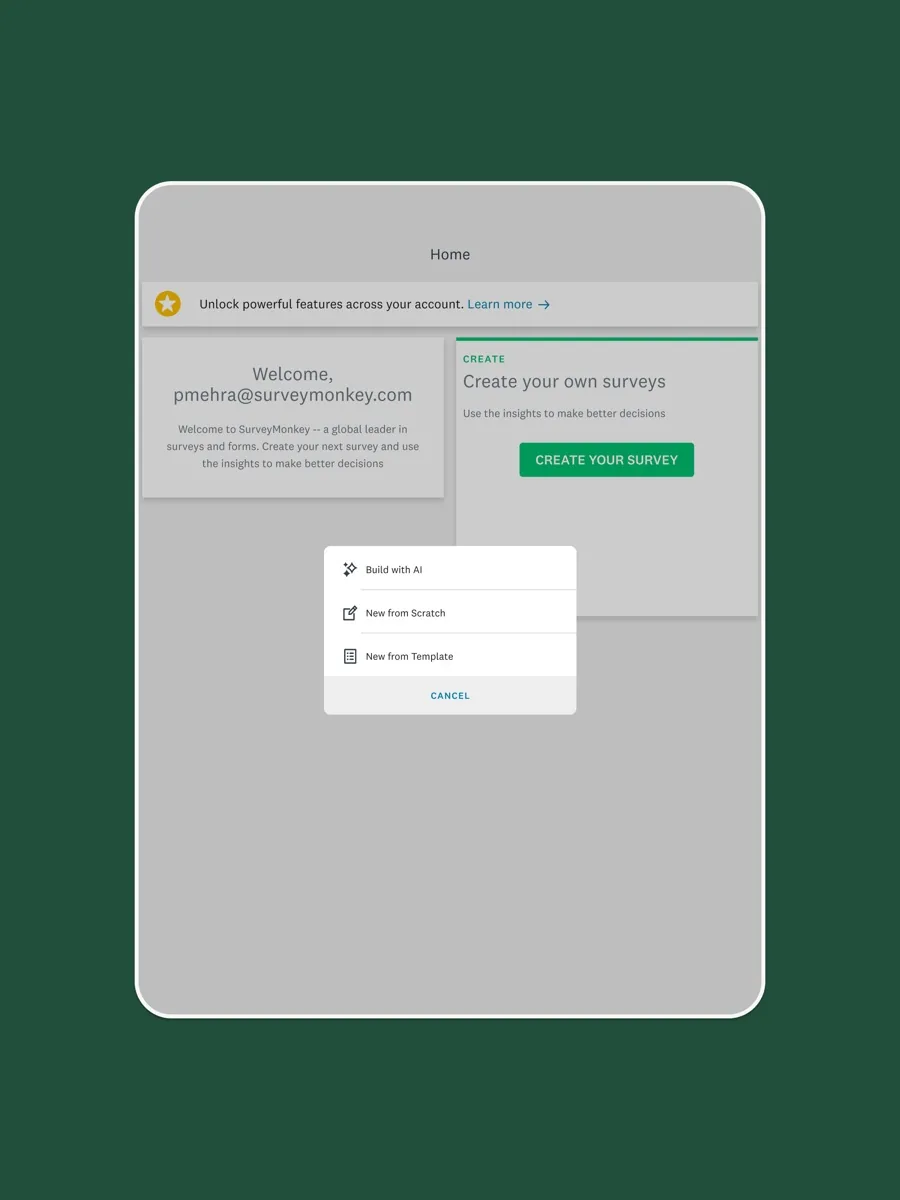
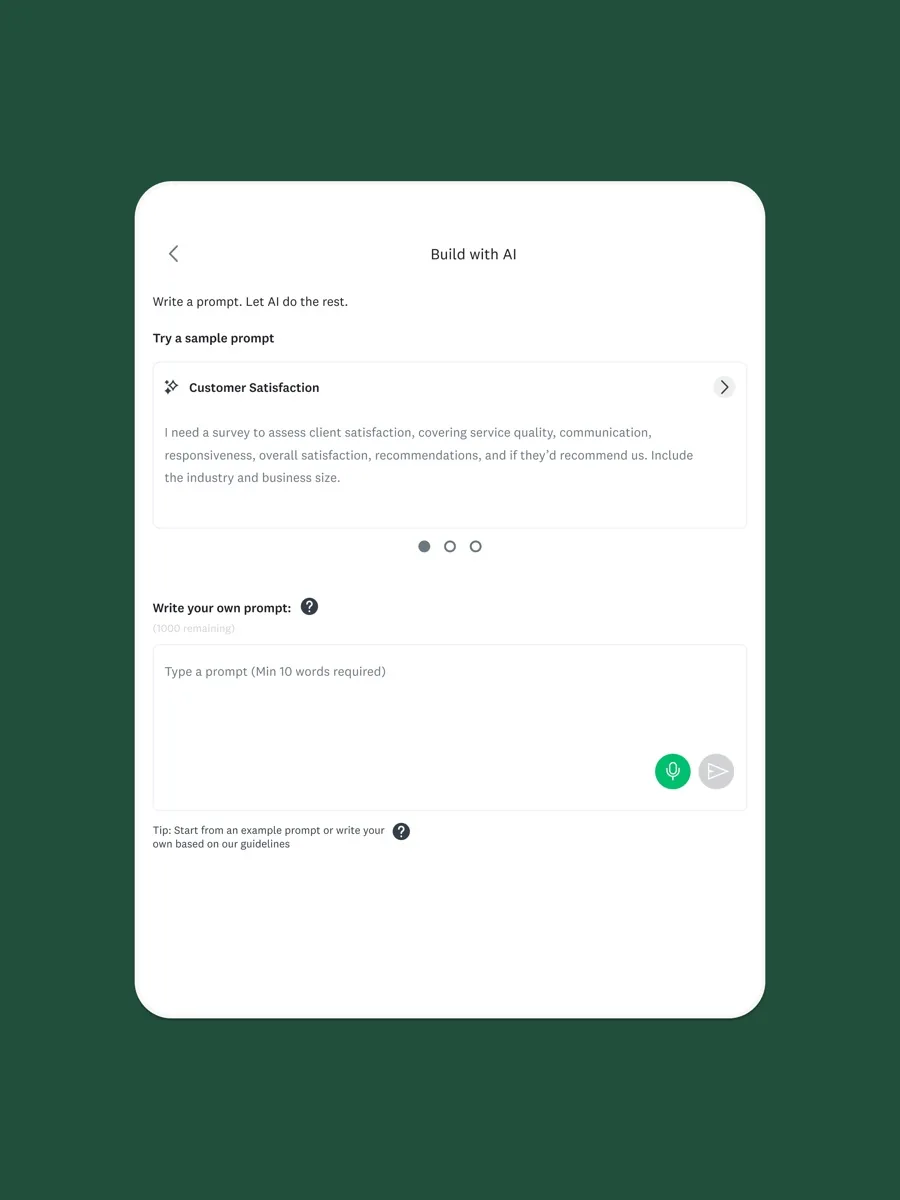
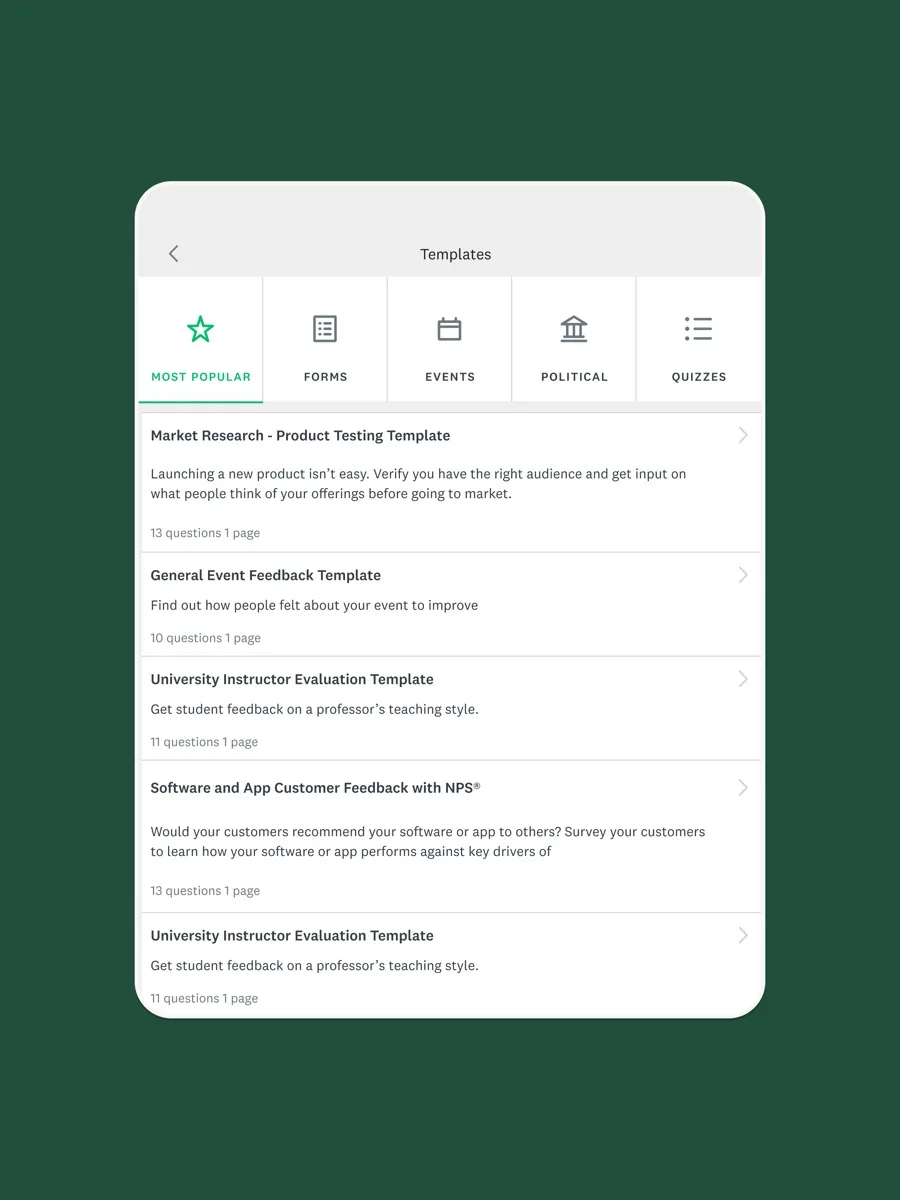
SurveyMonkey's pricing page lists more than 500 templates and its common question types on every plan, with advanced types such as matrix, Net Promoter Score and Best Worst Scale on paid tiers. Its question bank holds questions taken from real surveys, which PCMag found helpful for less experienced designers who struggle to phrase questions and answer choices well. Zapier highlights the Build with AI feature, which drafts a full survey from a short prompt that you then edit.
Logic and survey design
Skip logic, which sends respondents to a later question or page based on their answers, is available from the first paid plan. Advanced logic, A/B testing of questions, block randomisation and multilingual surveys appear on the higher tiers. Zapier singles out randomisation, which reduces order bias, as one of SurveyMonkey's strengths over basic form builders.
Analysis and reporting
This is where SurveyMonkey separates itself from free tools. Every plan includes basic charts. Paid plans add filtering, customisable dashboards, multi-survey analysis and data exports. The Advantage tier adds statistical significance testing and AI-assisted thematic analysis of open-text answers, and the Premier tier adds crosstabs. TechRadar called the reporting tools as impressive as the rest of the platform, noting that you can search free-text responses and drill down by how respondents answered other questions.
SurveyMonkey Audience and integrations
If you do not have your own list of respondents, SurveyMonkey Audience lets you buy responses from a panel targeted by demographic criteria, and even free users can access it. Zapier points to this as a reason to choose SurveyMonkey over basic tools. Paid plans connect to a large catalogue of integrations, and PCMag credits the product's large market share with attracting many of them.
How much does SurveyMonkey cost? Plans and pricing structure
Our page shows current prices from our own data, so here is the structure. The free Basic plan allows unlimited surveys of up to 10 questions each, but limits how many responses you can view per survey; SurveyMonkey's pricing page describes this as limited responses, and you need to upgrade to see the rest.
For individuals there are three paid plans. Standard Monthly is the only plan billed month to month, and it includes 1,000 responses per month, unlimited questions, skip logic, custom design and exports. Advantage Annual is billed yearly with 15,000 responses a year and adds advanced logic, payment collection, statistical significance and AI analysis. Premier Annual is billed yearly with 40,000 responses a year and adds white-label branding, block randomisation, multilingual surveys, crosstabs and phone support. Responses beyond your allowance are charged per response on paid plans.
Team plans are billed annually per user with a minimum of three full-access seats. Team Advantage includes 50,000 responses a year shared across the team, and lower-cost Analyst seats, sold in pairs, let colleagues view and analyse results with limited permissions. Enterprise is quoted on request.
Is SurveyMonkey secure? Privacy and data handling
SurveyMonkey's security statement says it holds ISO 27001 certification, hosts data in SOC 2 accredited data centres with round-the-clock monitoring, encrypts data at rest with AES-256 and encrypts data in transit. It says its main products are PCI DSS certified, and that SurveyMonkey Enterprise supports HIPAA compliance for organisations handling US health information. Anyone collecting sensitive data, especially health or employee data, should confirm which plan supports the controls they need before launching a survey, because features like HIPAA support and admin controls are tied to the Enterprise tier.
The respondent experience matters for data quality too. Respondents see SurveyMonkey branding unless you use a plan with white-label options, which is worth knowing if your brand needs to front the survey.
Auto-renewal, cancellation and refunds
SurveyMonkey's help centre says paid plans are subscriptions that auto-renew by default. You can cancel auto-renew at any time from Billing Details in My Account by choosing to downgrade to Basic, and you keep paid features until the end of the period you have paid for. SurveyMonkey does not automatically refund unused time when you cancel or delete an account, and says previous charges will not be refunded unless legally required. Consumers in the European Union who upgraded a new account within 14 days have separate cancellation rights under its EU policy. One detail matters a lot: when you downgrade, SurveyMonkey asks you to confirm that extra responses beyond the free allowance will be deleted, so export your data before your plan ends.
What other reviewers found
- PCMag rated SurveyMonkey 4 out of 5, judging it ideal for intermediate questionnaire designers, with praise for its question library, mobile monitoring and integrations, but criticising the lower tiers as poor value and the lack of display logic in its review.
- TechRadar found it extremely capable with strong reporting and a user-friendly design interface, but disliked how its pricing steers buyers towards annual plans and found the template-first design flow irritating at times.
- Zapier recommends SurveyMonkey over Google Forms for organisations that need advanced logic, A/B testing, randomisation and paid respondents, and recommends Google Forms for anyone with no budget or simple needs.
- Capterra's user reviews average 4.6 out of 5 across more than 10,000 verified reviews; users praise how beginner friendly the builder is and how quickly results appear, while the most common complaints are advanced features held back for higher plans and some slowness when editing complex logic.
The outlets agree that SurveyMonkey is easy to use and strong at analysis, and that its question resources help less experienced designers write better surveys. They also agree that the pricing model is its weak point, with the best features held back for annual plans. They differ mainly on who it is for. PCMag places it in the middle ground, good for intermediate users rather than research specialists, while Zapier treats it as the professional option against free tools. Both readings are right: for a business moving up from free form builders, SurveyMonkey is the natural next step, while dedicated research teams may compare it with specialist enterprise platforms. Note that the PCMag and TechRadar reviews are older than the current plans, so check the plan comparison for today's limits.
What could be better
- The free plan is restrictive. Ten questions per survey and limited visible responses make it a trial more than a working tool.
- Monthly billing is costly. The only monthly plan is far more expensive per month than the annual plans and has a monthly response cap.
- Key analysis sits high up. Statistical significance needs Advantage and crosstabs need Premier on individual plans.
- Response overages. Going past your annual allowance is charged per response.
- Downgrade deletes data. Responses above the free allowance are deleted when you downgrade unless you export first.
Who should choose something else
If you only need simple forms, polls or RSVPs, a free form builder such as Google Forms or Microsoft Forms covers that without limits on questions. If your organisation runs complex academic or market research with advanced quotas, panel management and statistical tooling, compare SurveyMonkey's Enterprise tier against specialist research platforms. If you need a survey for one month only, the monthly plan works, but a tool with cheaper short-term billing may suit you better. And if you want a conversational, one-question-at-a-time style for marketing forms, design-led form builders may give a more polished respondent experience.
Is SurveyMonkey worth it? The bottom line of our SurveyMonkey review
For regular survey users, yes. SurveyMonkey combines easy survey building, a large template and question library, solid logic, a respondent panel and analysis tools that most free products cannot match, backed by recognised security certifications. Buy the annual plan that includes the analysis you need, watch your response allowance, and export your data before any downgrade. For occasional, simple forms, start with a free tool instead.
Frequently asked questions
Is SurveyMonkey free?
There is a free Basic plan. It lets you create unlimited surveys with up to 10 questions each and share them by link, email, social media or website embed, but it limits how many responses you can view per survey and leaves out features such as skip logic and data exports. It works for testing the product or very small surveys, not for regular use.
Does SurveyMonkey have a monthly plan?
Yes, one. Standard Monthly is billed month to month and includes 1,000 responses per month, unlimited questions, skip logic, custom design and data exports. The Advantage and Premier individual plans and all team plans are billed annually. The monthly plan costs considerably more per month than the annual plans, so it suits short projects rather than ongoing use.
How do I cancel SurveyMonkey?
Log in, open My Account, go to Billing Details, choose Manage Subscription and select Downgrade to Basic. That cancels auto-renew, and you keep paid features until your paid period ends. SurveyMonkey does not refund unused time unless the law requires it, and responses beyond the free allowance are deleted on downgrade, so export your data first.
Is SurveyMonkey secure for business data?
SurveyMonkey says it holds ISO 27001 certification, uses SOC 2 accredited data centres, encrypts data at rest with AES-256 and encrypts data in transit, and that its Enterprise plan supports HIPAA compliance. For sensitive health, employee or customer data, confirm with SurveyMonkey which plan provides the admin and compliance controls your organisation needs before collecting responses.
Is SurveyMonkey better than Google Forms?
For analysis and survey design, generally yes: SurveyMonkey offers deeper logic, randomisation, a question bank, a paid respondent panel and statistical analysis on higher plans. Google Forms is free with no question limits and is enough for simple forms and internal polls. Zapier's comparison makes the same split, recommending Google Forms for zero budgets and SurveyMonkey for advanced needs.
Sources
- SurveyMonkey plans and pricing details, SurveyMonkey
- Individual plans, SurveyMonkey
- Security statement, SurveyMonkey
- Canceling or deleting your SurveyMonkey account, SurveyMonkey Help Center
- SurveyMonkey review, PCMag
- SurveyMonkey review, TechRadar
- Google Forms vs. SurveyMonkey, Zapier
- SurveyMonkey reviews, Capterra