

Our verdict
This Bitdefender review looks at Bitdefender Total Security, the suite most home buyers reach first, and at where the free and premium editions fit around it. The short answer: Bitdefender is one of the most consistently well-scored antivirus engines on the market, and Total Security wraps that engine in a large set of extras that cover Windows, macOS, Android and iOS from a single account. Independent labs keep giving it top marks for protection, the major review outlets keep recommending it, and the feature list is long enough that most households will not need a second security product.
It is not perfect. The bundled VPN is capped on a daily data allowance unless you move up a tier, several tools work only on Windows, some settings live in the desktop app while others live in the web dashboard, and one lab has measured a heavier system footprint than the marketing suggests. None of that undermines the core job, which is stopping malware and phishing, and that is the job Bitdefender does best.
NerdBible did not run its own malware tests for this review. It is an editorial assessment built from Bitdefender's product and policy pages, published results from the independent labs AV-TEST and AV-Comparatives, and the hands-on reviews of PCMag, TechRadar and Tom's Guide, each credited where it is used.
What is Bitdefender Total Security and who is it for?
Bitdefender is a Romanian security company. Its privacy policy names the data controller as Bitdefender S.R.L., headquartered in Bucharest, and says the company processes personal data under the EU General Data Protection Regulation. That matters for a product that sits deep inside your operating system and sends samples and telemetry to the vendor's cloud.
The Total Security product page describes the suite as multiplatform protection for Windows, macOS, Android and iOS, sold as an individual plan covering one account and five devices, or a family plan covering five accounts and up to 25 devices. Parental controls are included only on the family plan.
Total Security suits:
- Households with a mix of devices. One subscription covers Windows PCs, Macs, Android phones and iPhones, managed from the Bitdefender Central web console.
- People who want protection that runs itself. Bitdefender's Autopilot recommendations and its quiet default firewall are designed to make decisions without constant prompts.
- Anyone who banks and shops online on a Windows PC. Safepay, the isolated browser for financial sites, is one of the more useful extras.
It suits less well people who need a full, unlimited VPN as part of the bundle, Mac-only households who would pay for Windows tools they cannot use, and people happy with the protection already built into their operating system.
Key features
The Total Security page lists a long set of components. The ones most buyers will notice are these:
- Real-time malware protection. Bitdefender says the engine covers viruses, worms, trojans, ransomware, zero-day exploits, rootkits and spyware, with behaviour monitoring (Advanced Threat Defense) watching for suspicious activity.
- Multi-layer ransomware protection. A data-protection layer guards documents, photos and other files, and a Safe Files feature lets you list folders that only trusted applications may change.
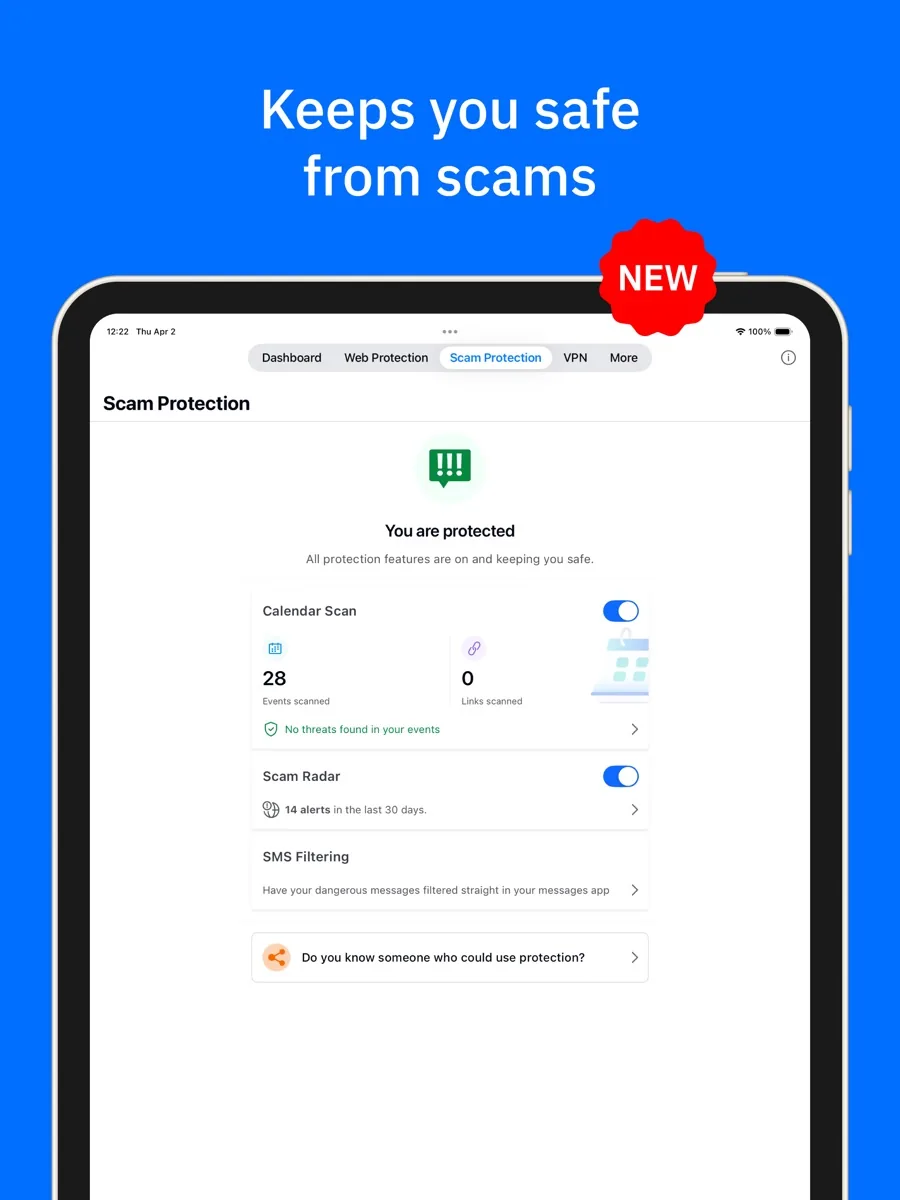
- Scam and phishing protection. The page says the suite blocks phishing pages and fake shops in real time, and recognises scams that arrive by text message or social media.
- Firewall. A privacy firewall on Windows that blocks incoming attacks and controls which programs use the network.
- Password manager. A cross-platform password manager is included with the suite.
- VPN with a daily allowance. Total Security includes a standard VPN limited to 200MB per device per day.
- Privacy tools. Anti-tracker browser extension, webcam protection that alerts you when an app tries to use the camera, and a microphone monitor.
- Safepay. A dedicated, isolated browser for banking and shopping that can now fill card details for you.
- Vulnerability scan and Rescue Environment. The suite checks for missing Windows patches and outdated software, and can reboot into a clean environment to remove rootkits that hide from Windows.
- OneClick Optimizer and Anti-Theft. Clean-up tools to free space and tidy settings, plus remote locate, lock and wipe for Windows laptops.
- Parental Control on family plans. Content filtering, daily time limits and routines such as Focus time and Bedtime, with unified reporting across devices.
If you only want the antivirus engine on a single Windows PC, Bitdefender also offers Bitdefender Antivirus Free. The vendor describes it as basic protection for Windows only, free with no time limit, with real-time detection and cleanup of existing infections. It drops the suite's extras but keeps the core engine, which makes it a reasonable choice for a spare PC or a cautious user on a tight budget.
How much does Bitdefender cost? Plans and structure
NerdBible shows current prices from our own data on this page, so here is the structure rather than the figures. Bitdefender's home range runs in three steps above the free edition:
- Total Security: the suite described above, with the capped VPN. Individual (five devices) or family (25 devices, five accounts, parental control).
- Premium Security: adds unlimited VPN traffic, which Bitdefender says covers more than 3,000 servers in over 100 countries, plus email protection that marks incoming mail as safe or unsafe, wider AI-based scam protection across email, chat and text, and identity protection features.
- Ultimate Security: Bitdefender's top tier, which reviewers describe as adding fuller identity protection on top of Premium.
Subscriptions are annual and renew automatically. Bitdefender offers a 30-day trial of Total Security and says the first 30 days after purchase are covered by a full refund if you change your mind. As with most security software, introductory pricing is typically lower than the renewal price, so check what the second year costs before committing.
Is Bitdefender good at stopping malware?
This is where Bitdefender earns its reputation. On the current AV-TEST results for Windows home users, Bitdefender Total Security holds the maximum six points in each of the three categories the lab scores: protection, performance and usability. Tom's Guide and TechRadar both cite earlier AV-TEST rounds with the same full score, so this is a consistent result rather than a one-off.
AV-Comparatives, the Austrian lab, publishes regular Real-World Protection, Malware Protection and Performance tests, and Bitdefender appears throughout them, including an anti-phishing certification for its consumer product. PCMag reports that Bitdefender earned the top Advanced+ rating in two of the three AV-Comparatives tests it tracks and the next level down in the third.
Where the picture is less tidy is system impact. TechRadar points to an AV-Comparatives performance test in which Bitdefender's impact score was among the poorest recorded, while AV-TEST gave it full marks for performance. In other words, how heavy Bitdefender feels may depend on what you measure and on your hardware.
Is Bitdefender safe and private?
Any antivirus needs deep access to your system and sends information about suspicious files to its maker, so the question is what the company does with it. Bitdefender's privacy policy says it collects only the personal data needed for the stated purposes, does not sell your data, and tries to anonymise or pseudonymise what it collects. It also says data may be hosted in the EU or in jurisdictions with adequate protection under GDPR rules, and that local subsidiaries may send some information to the parent company in Romania.
The bundled VPN deserves a caveat. On Total Security it is a convenience feature for public Wi-Fi rather than a full privacy service: the daily allowance runs out quickly for anything beyond email and browsing, and the full VPN requires Premium Security, Ultimate Security or a separate subscription. If a VPN is a priority, compare Bitdefender's bundle against a dedicated VPN before paying for the higher tier.
What could be better?
- The VPN cap. Every outlet reviewed here flags the daily VPN limit on Total Security. It is the most common complaint about the suite.
- Windows gets the most. Safepay, the firewall, the vulnerability scan, Rescue Environment, Anti-Theft and the optimiser are Windows features. Mac, Android and iOS users get a narrower toolset for the same subscription.
- Split management. TechRadar notes that the password manager, parental controls and other features are managed through the Bitdefender Central website rather than the desktop app, so you will move between the two.
- Parental control is basic. PCMag found the content filter was not fully effective and suggests most families use the controls built into their operating system instead.
- Upsells. Unlimited VPN, email scanning and identity features sit in higher tiers, and the app reminds you of them.
Who should choose something else?
If you use a single Windows PC, stick to well-known websites and keep your system updated, Microsoft Defender, which is built into Windows, provides a solid baseline at no extra cost, and Bitdefender's own free edition is another no-cost option. If you mainly need a VPN, a standalone VPN service will give you more for the money than Bitdefender's capped bundle. If you have only Apple devices, much of what you pay for in Total Security is Windows-only, so look at what the Mac and iOS apps include before buying the full suite. And if parental control is the main reason you are shopping, a dedicated parental control app or the free tools from Apple, Google and Microsoft will usually do more.
Bitdefender review bottom line: is it worth it?
For most households with more than one device, yes. Bitdefender Total Security combines lab-proven malware protection with a broad set of genuinely useful extras, from ransomware file protection to a hardened banking browser, at a structure that covers five or 25 devices. The weak points are known in advance: a capped VPN, a Windows-first feature set and a family filter that is not best in class. Go in knowing those and it is one of the safest choices you can make in this category.
What other reviewers found
- PCMag gave Total Security its Editors' Choice for entry-level suites, praising the sheer number of quality components, but noted that its own hands-on malware test scored Bitdefender lower than the labs did and that full VPN access needs a separate subscription.
- PCMag also found Bitdefender perfect in its phishing test and strong against real-world exploit attacks, while judging the bundled password manager adequate rather than a match for the best standalone apps.
- TechRadar called the suite a strong mid-range option with excellent protection, liked the anti-theft, anti-ransomware and safe shopping tools and the Android app, but warned it is poor value for a single device and limited if you need a VPN.
- TechRadar also highlighted conflicting performance data: a weak impact score from AV-Comparatives against a full performance score from AV-TEST.
- Tom's Guide gave Bitdefender its Editor's Choice, describing a clean interface without intrusive pop-ups and finding that full scans barely affected game frame rates or internet speeds on its test PC; it also cited a top AAA rating from the UK lab SE Labs.
Where they agree: all three outlets rank Bitdefender's malware protection among the best available, all three like the breadth of features, and all three flag the capped VPN on Total Security as the biggest drawback.
Where they disagree: performance. Tom's Guide saw almost no slowdown, AV-TEST awards full marks, yet AV-Comparatives measured a heavier footprint than many rivals. PCMag's own tests also landed below the labs on malware blocking. For a buyer, the sensible reading is that protection is excellent by any measure, while system impact varies by machine: use the 30-day trial on your own PC, especially if it is older, before you commit to a long plan.
Frequently asked questions
Is Bitdefender safe to use?
Yes. Bitdefender is an established security company based in Romania that processes data under EU GDPR rules, and its privacy policy says it does not sell user data. Its products are tested regularly by independent labs such as AV-TEST and AV-Comparatives, where Total Security currently holds top scores for protection. Like any antivirus it needs deep system access, so download it only from Bitdefender's own site or a recognised app store.
Does Bitdefender Total Security include a VPN?
It includes Bitdefender VPN with a daily limit of 200MB per device, which is enough for occasional use on public Wi-Fi but not for heavy daily use. Unlimited VPN traffic comes with Bitdefender Premium Security or Ultimate Security, or as a separate subscription. If a full VPN is your main reason for buying, compare those tiers with a dedicated VPN service before deciding.
How many devices does Bitdefender Total Security cover?
Bitdefender sells Total Security as an individual plan covering one account and five devices, or a family plan covering five accounts and up to 25 devices. Both plans work across Windows, macOS, Android and iOS, managed from the Bitdefender Central web dashboard. Parental Control is included only with the family plan, so choose that version if you need it.
Is the free version of Bitdefender good enough?
For a single Windows PC it can be. Bitdefender Antivirus Free uses the company's detection engine for real-time protection and malware removal, with no time limit. It does not include the firewall, ransomware file protection, Safepay, password manager, VPN or parental controls, and it is Windows only. If you want those extras or cover for phones and Macs, you need a paid plan.
Will Bitdefender slow down my computer?
Results differ by test. AV-TEST gives Bitdefender full marks for performance and Tom's Guide saw little effect on games or internet speed, but an AV-Comparatives performance test measured a heavier impact than many rivals. Newer computers are unlikely to notice much. On an older PC, use the 30-day trial to judge it on your own hardware before buying a longer plan.
Sources
- Bitdefender Total Security, Bitdefender
- Bitdefender Premium Security, Bitdefender
- Bitdefender Antivirus Free, Bitdefender
- Privacy Policy for Home User Solutions, Bitdefender
- Test antivirus software for Windows home users, AV-TEST
- Latest tests, AV-Comparatives
- Bitdefender Total Security review, PCMag
- Bitdefender Total Security review, TechRadar
- Bitdefender review, Tom's Guide