
This pCloud review assesses a Swiss cloud storage service best known for something almost no rival offers: the option to pay once for storage that lasts for the life of the account. pCloud International AG also sells monthly and annual plans, a family plan, business accounts and an optional client-side encryption add-on. We rank it third in our cloud storage comparison and call it our best value pick. What follows is an editorial assessment based on pCloud's own pricing pages and help centre and on the published findings of independent reviewers. NerdBible did not carry out hands-on testing for this review.
pCloud review: our verdict
pCloud is the strongest choice for people who want a large, private archive of photos, videos and documents and would rather stop paying a monthly storage bill. Its lifetime plans remove the recurring cost, its desktop app mounts your cloud as a virtual drive that does not fill your hard disk, and its optional zero-knowledge encryption is one of the better implementations in mainstream cloud storage. The trade-offs are real: that encryption costs extra, the interface feels plainer than Google Drive or Dropbox, and reviewers have long marked it down for collaboration. pCloud has recently added built-in document editors and photo tools to its premium plans, which narrows that gap, but if your work revolves around editing files together in real time, an office suite with storage attached is still the more natural home.
What is pCloud and who is it for?
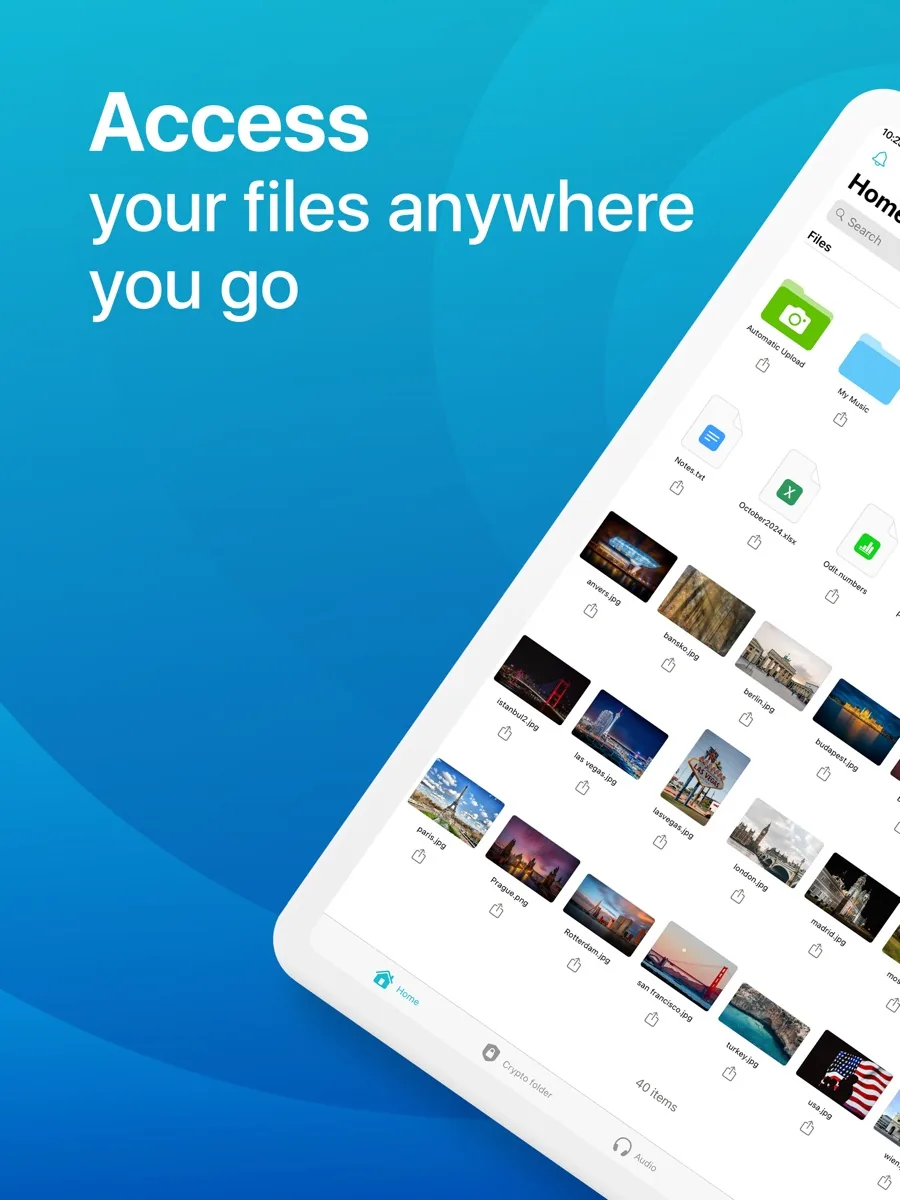
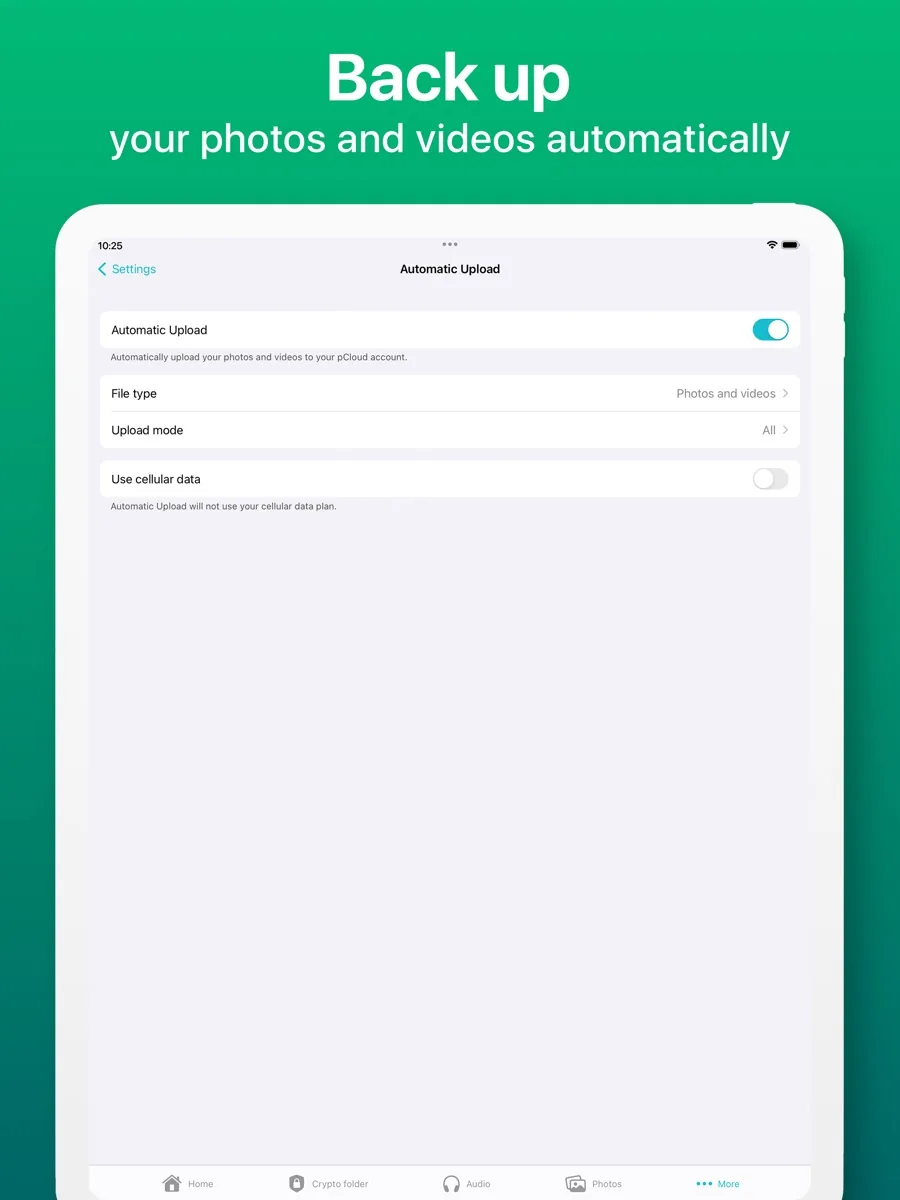
pCloud is a sync, backup and file sharing service with apps for Windows, macOS and Linux, plus Android and iOS and a web interface. The desktop program, pCloud Drive, adds a virtual drive to your file manager: your files appear as though they are on a local disk but live in the cloud, so they do not take up space on your computer unless you mark them for offline use. You can also sync specific local folders, back up your phone's camera roll automatically, and import content from other cloud services.
The service suits three kinds of buyer especially well. First, people with big personal media libraries who want a single place to keep them, with built-in music and video players in the web and mobile apps. Second, privacy-minded users who want the option of client-side encryption from a company governed by Swiss law. Third, anyone who does the maths on ten or more years of a storage subscription and prefers to pay up front. Families can share one lifetime purchase across up to five private accounts.
It suits less well the office team that lives in shared documents, comments and simultaneous editing all day. Those users are typically already paying for Microsoft 365 or Google Workspace, both of which bundle storage.
Key features
- Virtual drive and sync. pCloud Drive works much like a network drive, with offline access for selected files and automatic sync when you reconnect. Selective folder sync and block-level transfers, which only upload the changed part of a file, are described by reviewers.
- File history and recovery. The help centre explains three tools. Trash keeps deleted files for fifteen days on the free plan and thirty days on paid plans. Revisions lets you restore earlier versions of a file. Rewind shows your whole account as it was at a past date. An Extended File History add-on stretches all three to a year.
- Sharing. Share links can be password-protected and given expiry dates, folders can be shared with edit or view rights, and file requests let other people upload into your storage. Paid plans include branded share pages.
- Media. The web and mobile apps play audio and video directly, with playlists and a picture-in-picture video mode.
- pCloud Photos and pCloud Docs. pCloud's pricing page now lists both as included with every Premium plan. Photos adds timeline and map views and an optional AI grouping feature. Docs is described as six built-in editors for documents, spreadsheets, presentations, PDFs, plain text and markdown, with real-time collaboration in the browser and mobile app. The help centre confirms built-in editing on web and mobile, while the desktop app relies on whatever software you have installed.
- Backups from elsewhere. You can copy files in from other cloud storage services and some social platforms.
How much does pCloud cost? Plans explained
Prices appear on our page from our own data, so here is the structure in plain terms.
Free. The help centre says a new account starts with 2 GB, and you can unlock up to 10 GB by completing the beginner's tutorial and inviting friends. The free tier has shorter file history and lower sharing limits than paid plans.
Individual plans. Three storage tiers, named Premium, Premium Plus and Ultra, are sold monthly, annually or as a single lifetime payment. Larger tiers come with more shared-link traffic each month.
Family. Lifetime only, for the plan owner plus four people. Each member gets a private space, nobody can see anyone else's files, and the owner manages how much storage each person receives.
Business. Per-user subscriptions billed monthly or annually, with a one-month free trial, access controls, activity tracking and client-side encryption for teams. The help centre notes that business users can share folders without the daily limit that applies to free and premium accounts.
Add-ons. pCloud Encryption is sold separately for personal accounts, again monthly, annually or for life. Extended File History is a further paid add-on. The pricing page carries a fourteen-day money-back guarantee.
A lifetime plan is a bet on the company's future. pCloud has been operating for more than a decade and says over 24 million people use it, but lifetime here means the life of the account and of the service, not yours. Weigh that against the savings.
Is pCloud safe? Privacy and security
pCloud says files travel over TLS/SSL and are stored with 256-bit AES encryption in certified data centres, and that the company is governed by Swiss privacy law. Since the files themselves sit in data centres, it is worth knowing where: the help centre states that pCloud offers two data regions, the European Union and the United States, chosen when you register. Moving between regions later is a paid service, allowed once every three months, and temporarily interrupts shared folders.
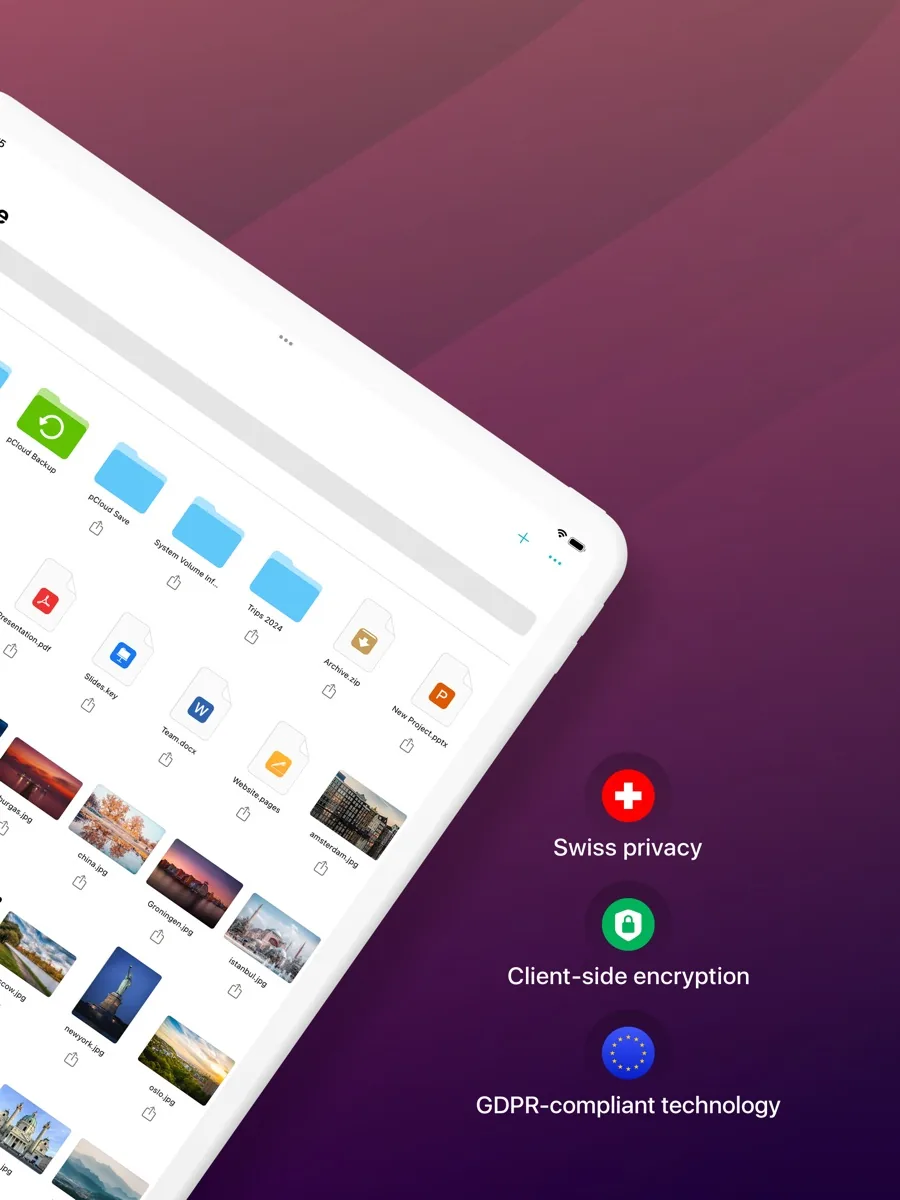
Standard storage is encrypted, but pCloud holds the keys, which is normal for cloud services. For files you want nobody else to read, pCloud Encryption creates a Crypto folder where files are encrypted on your device before upload. The company describes this as zero-knowledge: it cannot see the type, contents or size of those files, and it cannot recover them if you lose your passphrase. pCloud has publicised a cash-prize hacking challenge against this system that, it says, nobody won. PCMag noted one practical weakness: the locked Crypto folder is still visible, and opening it in a web browser widens the exposure compared with using the desktop app.
Two-factor authentication is available by text message or an authenticator app, with one-time recovery codes. Turn it on.
What could be better
- Encryption is not included. The feature that makes pCloud attractive to privacy-minded buyers is a separate purchase on personal plans.
- Interface polish. Several reviewers describe the web app as functional but dated, and Tom's Guide found moving files between folders clumsier than on rivals.
- Collaboration has lagged. Independent reviews written before pCloud Docs launched found no built-in editor and weak collaboration. The new editors address this on paper, but they are new and have not yet been widely assessed.
- Version history is web only. Revisions and Rewind work in the browser, not in the desktop or mobile apps.
- Support channels. Tom's Guide found support limited to email and a web form, with replies taking a couple of days.
- Free space has conditions. The headline free allowance has to be unlocked with tasks; the guaranteed starting amount is smaller.
Who should choose something else
If you already pay for Microsoft 365 or Google One, you probably have enough storage bundled in and better document collaboration than pCloud offers. If you want end-to-end encryption on everything by default rather than in one folder, a zero-knowledge provider built around that model is a better fit. If you only need to keep a few gigabytes of documents, a free tier from any major provider is enough. And if a large one-off payment would stretch your budget, monthly storage from a bigger company spreads the cost.
Is pCloud worth it? Bottom line
For long-term personal storage, pCloud is one of the best-value options available, which is why it holds our best value award. The lifetime plans, the virtual drive and the optional client-side encryption are a combination few competitors match. Go in knowing that encryption is extra, that the apps feel more utilitarian than Google's or Dropbox's, and that a lifetime plan is a long-term bet on the company. If those trade-offs suit you, it is easy to recommend.
What other reviewers found
- TechRadar rated pCloud highly for value, security and the way it handles media files, but found the interface a little aged and pointed out that full client-side encryption costs extra for personal users.
- Tom's Guide liked the media players and the Rewind feature but called the pricing structure confusing, found support slow, and judged that the lack of collaboration tools and an in-built editor made pCloud hard to recommend over Google Drive or Dropbox.
- PCMag called it a "very reasonable service", crediting fair pricing, wide device support and the local encryption option, while finding it less integrated with the operating system and less feature-rich than its Editors' Choice picks.
All three outlets agree on the fundamentals: pCloud is good value, works on every major platform, handles media well and has a credible encryption option that costs extra. They disagree mainly on how much the missing collaboration features should count. Tom's Guide treats them as a deal breaker, TechRadar and PCMag as a trade-off. Note too that these reviews predate pCloud Docs, which pCloud now lists as included with its Premium plans, so the collaboration criticism may be partly out of date. For a buyer, the practical reading is that pCloud is a storage and archive product first. If that is what you need, the critics' reservations matter less; if you need a shared workspace, they matter more.
Frequently asked questions
How much free storage does pCloud give you?
According to pCloud's help centre, a new account starts with 2 GB of free storage. You can unlock up to 10 GB at no cost by completing the beginner's tutorial, which includes steps such as installing the apps, and by inviting friends to join. Free accounts keep deleted files and older versions for fifteen days, compared with thirty days on paid plans, and have lower sharing limits.
Is pCloud's lifetime plan really lifetime?
A lifetime plan is a single payment for storage that stays on your account for as long as the account and the service exist, with no renewal charges. It is not tied to your own lifespan, and it depends on pCloud continuing to operate. The company has been running for more than a decade. If you are uneasy committing a large sum to one provider, the monthly or annual plans give the same features with less risk.
Is pCloud encryption included?
Standard pCloud storage is encrypted in transit and at rest, with pCloud managing the keys. Client-side, zero-knowledge encryption, where files are encrypted on your device and pCloud cannot read or recover them, is a separate add-on for personal accounts called pCloud Encryption, sold monthly, annually or for life. Business plans include client-side encryption for teams.
Where does pCloud store my data?
pCloud says it offers two data regions, the European Union and the United States, and you pick one when you register. All your files and personal data are then stored in that region. You can move to the other region later, but it is a paid service, allowed once every three months, and shared folders and Rewind history are affected during and after the move.
Can pCloud replace Google Drive or Dropbox?
For storage, sync, backup and sharing, yes. pCloud covers all major platforms and adds lifetime pricing and optional client-side encryption. For team collaboration, reviewers have historically preferred Google Drive and Dropbox. pCloud now lists built-in document editors with real-time collaboration in its Premium plans, but these are new, so heavy collaborators should try the free tier first before switching.
Sources
- pCloud Pricing: Lifetime and Subscription Plans, pCloud
- pCloud Encryption: Zero-Knowledge Client-Side Security, pCloud
- pCloud Family Plan, pCloud
- Plan Details, pCloud Help Center
- File Recovery and History: Trash, Revisions, Rewind, Extended File History, pCloud Help Center
- File Editing, pCloud Help Center
- Choosing and Changing Data Regions, pCloud Help Center
- Two-Factor Authentication (2FA), pCloud Help Center
- pCloud cloud storage review, TechRadar
- pCloud cloud storage review, Tom's Guide
- pCloud Review, PCMag