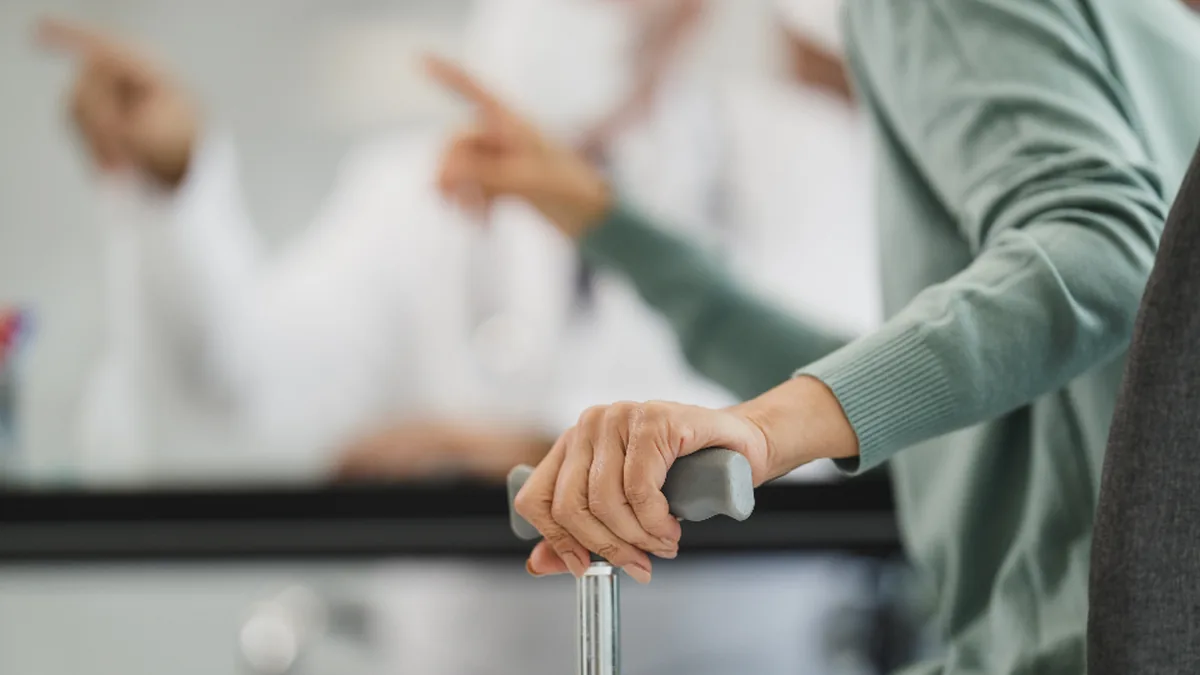
Buying a medical alert system for a parent or grandparent is usually prompted by a fall, a near miss, or a worried phone call that went unanswered. The decision feels urgent, and the market is crowded with pendants, wristbands, smartwatches and base stations that all promise help at the press of a button. This guide explains how the main types differ, what fall detection can and cannot do, how monitoring works, and which contract terms to read before you sign. It also covers when a cheaper option, or none at all, may be enough.
Start with the person, not the product
Falls are common in later life. The US Centers for Disease Control and Prevention says more than 14 million older adults, about one in four people aged 65 and over, report falling every year, and that falls are the leading cause of injury in that age group. The National Institute on Aging advises older adults to keep a charged phone with them, arrange daily contact with a family member or friend, and lists emergency response systems, a button on a necklace or bracelet that calls for help, as another option. Some smartwatches, it notes, do the same.
Before comparing devices, answer a few questions with your relative, not for them:
- Where do they spend their time? Mostly at home, or out walking, shopping and driving?
- Will they wear it? A device in a drawer does nothing. Comfort, appearance and whether it can be worn in the shower matter more than features.
- Can they use it under stress? Think about memory, eyesight, hearing and dexterity. A single large button is easier than a touchscreen menu.
- Who should respond? A professional monitoring centre, family members, or both?
It is also worth asking their GP or doctor about fall risk itself. The NIA recommends telling a doctor about any fall, even a painless one, because it can reveal medication, eyesight or other problems that can be treated. An alarm summons help after a fall; it does not prevent one.
The wearing problem, and why it matters most
The strongest evidence about alarms is uncomfortable for anyone selling them. A prospective study of people aged over 90 in Cambridge, England, published in the BMJ, found that among those who fell, 80% were unable to get up without help after at least one fall, and 30% had lain on the floor for an hour or more. Lying on the floor for a long time was strongly associated with serious injury, hospital admission and moves into long-term care. Call alarms were widely available to participants, yet they were not used in most of the falls that led to a long lie. Participants and carers gave reasons ranging from feeling the alarm was irrelevant to them, to concerns about independence, to practical difficulties.
The lesson for buyers is that acceptance and habit matter as much as the hardware. Involve your relative in choosing, pick something they are happy to wear all day, and practise pressing the button together. The study's authors also recommended that older people be taught strategies for getting up from the floor, something a physiotherapist can help with.
In-home systems versus mobile systems
In-home base stations
The traditional system is a base unit with a loudspeaker and microphone, plus a pendant or wristband button. Pressing the button connects the base unit to a responder, who speaks through the base unit. Range is limited to the home and sometimes the garden. These systems suit someone who rarely goes out alone, and they are often the simplest to use.
In the UK, check how the base unit connects. The phone network is moving from analogue landlines to digital ones, and the government's telecare guidance warns that some analogue telecare devices are not digitally compatible or do not perform as reliably on digital networks and may need to be upgraded. It advises anyone who uses telecare, or knows someone who does, to contact their landline provider first. Many UK councils run their own telecare services; GOV.UK has a tool to find a local provider.
Mobile systems
Mobile alarms use a mobile network and usually GPS, so they work away from home. They suit people who walk, shop or drive alone. The trade-offs are battery life, which means daily or near-daily charging, and dependence on mobile coverage where your relative lives and travels. Ask the provider which network the device uses and check coverage at the address.
Smartwatches
Some smartwatches can call emergency services after a hard fall. Apple, for example, says its watch alerts the wearer after detecting a hard fall and, if the wearer is motionless for about a minute, calls emergency services and notifies emergency contacts. Apple also says the watch needs cellular, satellite or Wi-Fi calling to reach emergency services, and that a GPS-only model needs a nearby iPhone. A smartwatch can be a good choice for someone who already likes and charges one; it is a poor choice for someone who will not.
What fall detection can and cannot do
Automatic fall detection uses motion sensors to recognise the pattern of a fall and call for help even if the wearer cannot press the button. It sounds like the answer to the BMJ study's findings, and for some people it helps. But no vendor can promise it catches every fall. Apple states plainly that its watch "cannot detect all falls" and that high-impact activity can trigger a false alarm. Slow slides from a chair or bed, the kind common in frail older people, are harder to detect than a sudden drop.
Practical points to check:
- Is fall detection included, or an extra monthly charge?
- What happens after a detected fall: a countdown, a voice prompt, an automatic call?
- How are false alarms handled, and is there any charge for them?
- Does the device still need to be worn in the bathroom, where many falls happen, and is it rated for water?
Treat fall detection as a backup to the button, not a replacement for it.
Monitoring: who answers the call
Professionally monitored systems route alerts to a call centre staffed around the clock, which can speak to your relative, call family or neighbours on a contact list, or send emergency services. Unmonitored devices call a list of family numbers or emergency services directly and usually have no monthly fee.
An unmonitored device can be enough if family live nearby and reliably answer their phones. A monitored service makes more sense if relatives are far away, work shifts, or might miss a call at night. Ask any provider where its monitoring centre is, whether it is staffed 24 hours a day, what languages responders speak, and how long it typically takes to answer. Make sure the contact list includes someone with a key, or consider a key safe, so responders are not delayed at a locked door.
Contracts, fees and sales tactics
Medical alert systems are usually sold as a monthly service. Before signing, get answers in writing to these questions:
- What is the monthly fee, and what does it include (fall detection, GPS, extra buttons)?
- Is there an up-front equipment or activation charge?
- Is there a minimum term, and what does it cost to cancel early?
- Is there a trial period, and who pays to return the equipment?
- What happens to the contract if your relative moves into care or dies?
Be wary of unsolicited calls. The US Federal Trade Commission and the Florida Attorney General sued an operation that, according to the FTC, made at least a billion robocalls pitching supposedly "free" medical alert systems, falsely claimed endorsements from groups such as the American Heart Association, and then held people to monthly fees and cancellation penalties. The FTC later sent more than $1.8 million in refunds to consumers. A device that a stranger says someone has already bought for your relative is a red flag. Hang up and research providers yourself.
When something simpler is enough
Not everyone needs a paid system. A relative who is mobile, mentally sharp and always carries a phone may be well served by a daily check-in call with family, emergency contacts set up on their phone, and the fall detection already built into a smartwatch they own. Someone who lives with a partner may only need a button for the bathroom. Equally, a person with memory problems may not remember to press any button, and might be better served by a conversation with their doctor or local social care team about wider support.
A short checklist
- Talk to your relative about where they go, what they will wear and who should respond.
- Ask their doctor about fall risk and how to reduce it.
- Choose in-home, mobile or smartwatch based on their routine, not on features.
- Check coverage or landline compatibility at their address.
- Treat fall detection as a backup, and ask how false alarms are handled.
- Read the contract for minimum terms and cancellation fees before signing.
- Practise using it together, and check it works every month.
This guide is general consumer information, not medical advice. For questions about a specific person's health or fall risk, speak to their doctor or another qualified clinician.