
Our verdict
This Qustodio review covers the parental control app we rank first because it does the broadest set of jobs on the broadest set of devices from one dashboard. Qustodio filters websites, blocks apps, enforces daily time limits and schedules, shows where your child is, and on Android can log calls and texts, a feature most rivals have dropped. It runs on Windows, Mac, Android, iPhone, Chromebook and Amazon Fire tablets, so a family with a mix of devices can manage them all in one place.
It is not perfect, and the gaps matter. Apple restricts what any third-party app can do on iPhone, so Qustodio on iOS is noticeably less capable than on Android: there is no panic button, app control covers only supported apps, and call and message monitoring needs a one-time setup through a parent's computer. Determined teenagers can sometimes get around web filtering, and the full feature set requires a paid plan. For most families who want one tool across several devices, it is still the strongest all-round option we know of.
NerdBible did not install Qustodio on test devices for this review. It is an editorial assessment built from Qustodio's plan page, help centre and privacy policy, guidance from the American Academy of Pediatrics, and the published findings of independent review outlets.
What is Qustodio and who is it for?
Qustodio is made by Qustodio Technologies, a company based in Barcelona, Spain, according to its privacy policy. You install a parent app on your own phone or use the web dashboard, and install the Qustodio kids app on each device your child uses.
It suits:
- Families with a mix of devices. One dashboard covers phones, tablets, laptops and Chromebooks across Android, iOS, Windows and macOS.
- Parents of younger children and pre-teens. Content filtering, time limits and schedules are where Qustodio is strongest.
- Android households that want call and text visibility. Few competitors still offer this.
It suits less well families who only use Apple devices and are happy with Apple's free Screen Time, and parents of older teens who mainly want alerts about worrying conversations rather than broad controls.
Key features
Web filtering and app blocking
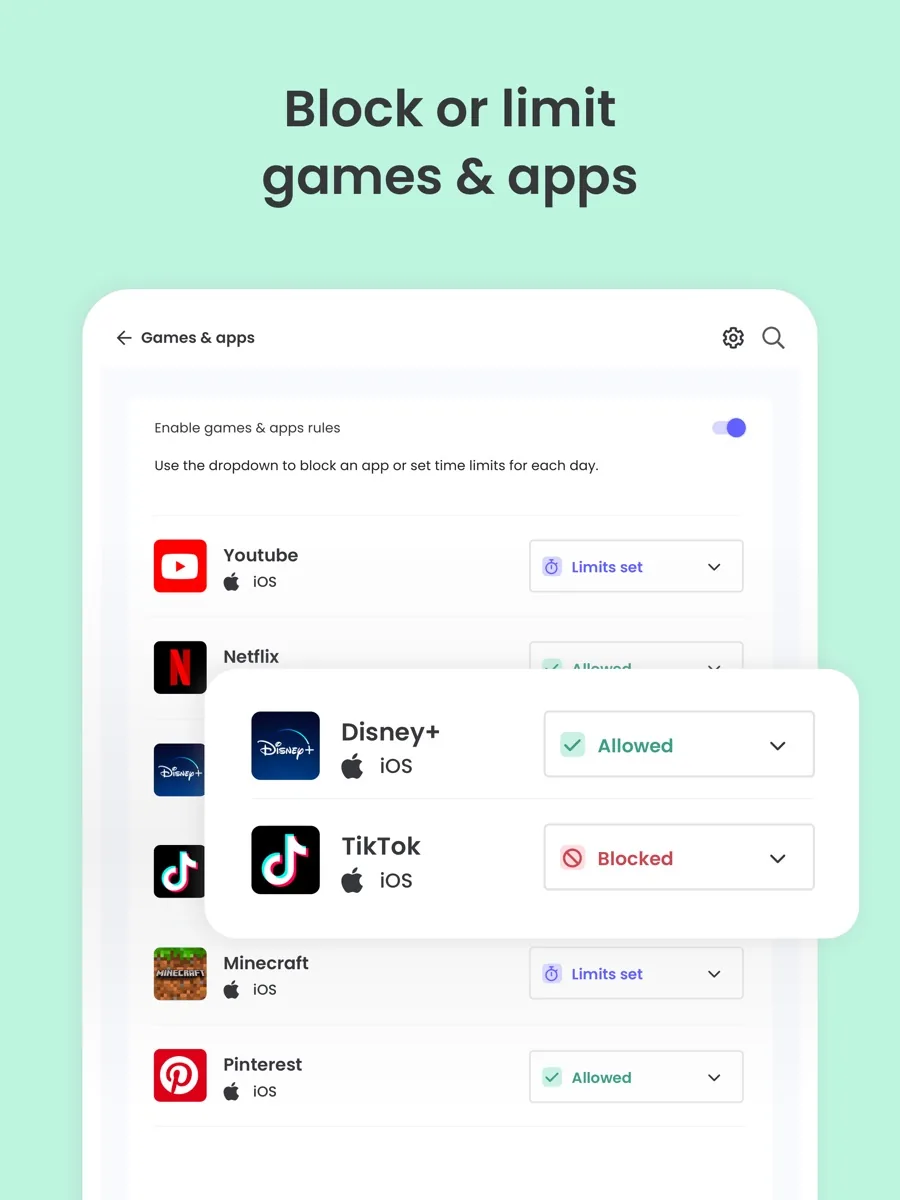
Qustodio filters websites by category, lets you allow or block specific sites, and blocks or time-limits individual apps. Its help centre notes that unsupported browsers are blocked by default, which closes one common workaround.
Screen time limits and routines
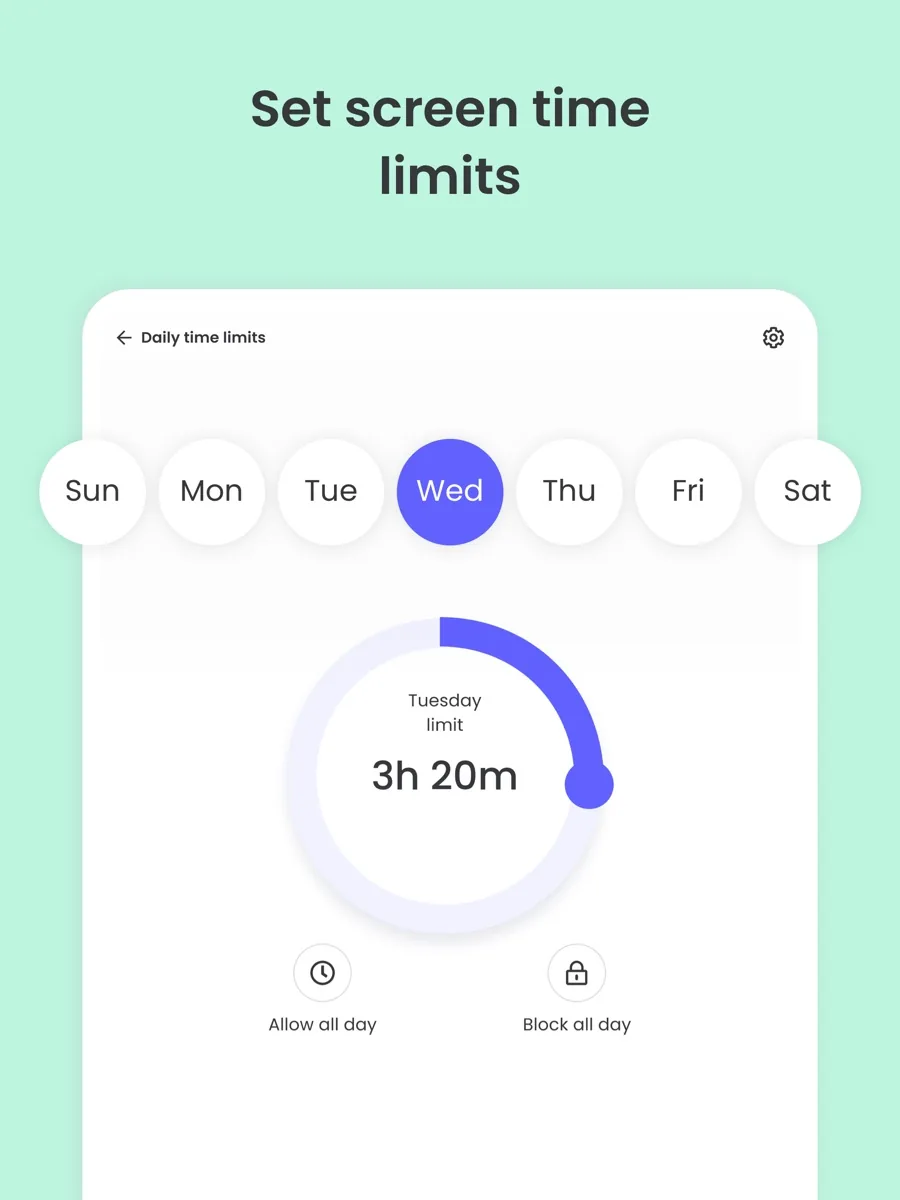
You can set daily time allowances and schedules, for example no games after bedtime, and pause the internet on a device. Independent reviewers consistently rate the time-limit controls as comprehensive.
Location tracking and the panic button
Location works on Android and iOS, including places you can be alerted about. The panic button, which sends an alert with the child's location to trusted contacts, is available on Android phones only, and Qustodio is clear that it does not contact emergency services.
Calls, messages and AI alerts
On Android, Qustodio can log calls and read SMS. On iPhone, its help article on iOS calls and messages explains that monitoring needs a one-time setup with the parent's Mac or Windows computer and a cable. Qustodio's social monitoring is a set of AI alerts that flag concerning topics such as bullying or self-harm in supported chat apps, with a snippet of the conversation, rather than a full feed of your child's social media.
YouTube monitoring
Qustodio can show YouTube viewing in the app and website on mobile, but only the YouTube website on Mac and Windows, according to its YouTube help article.
Reports and dashboard
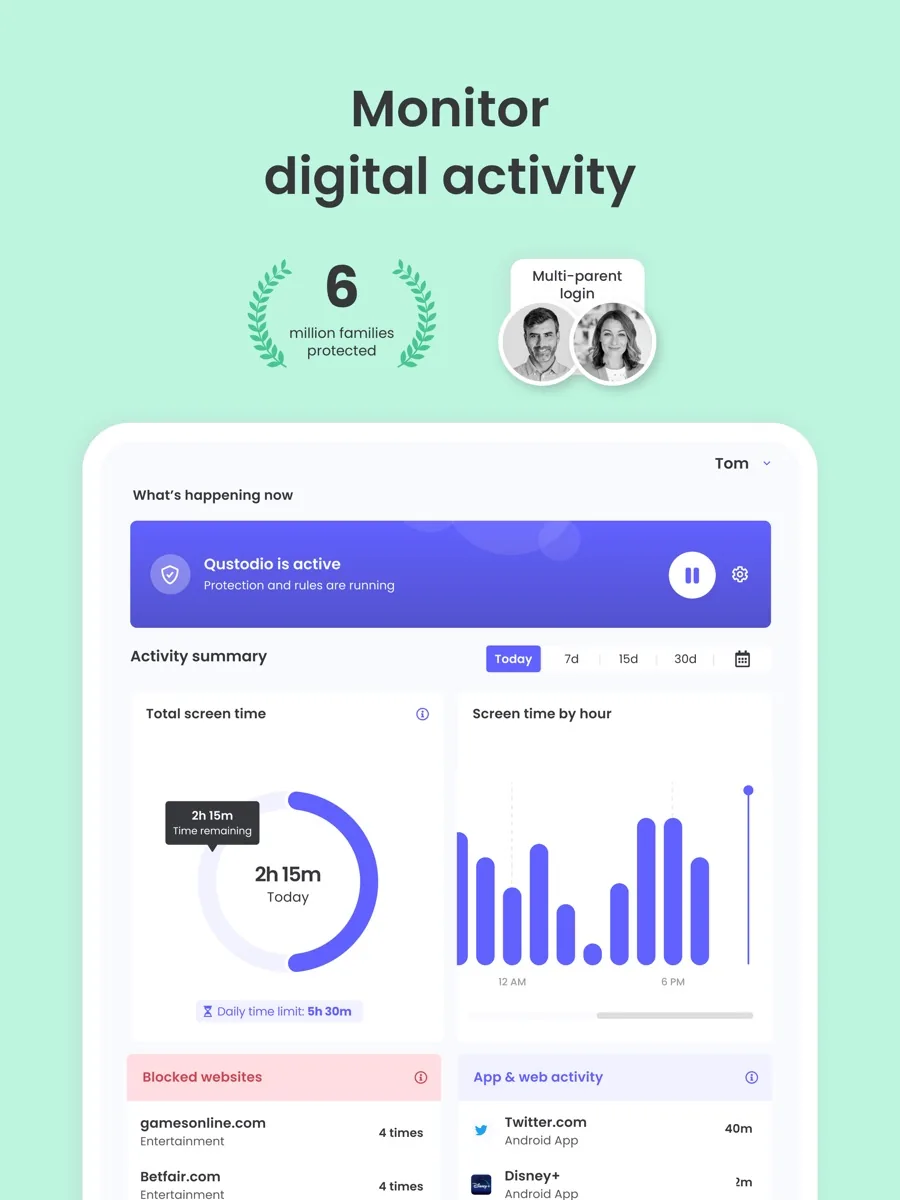
A timeline and daily or weekly reports show what each child did, which apps they used and which sites were blocked. Several outlets rate the web dashboard as clear and well designed.
How much does Qustodio cost? Plans and pricing structure
Our product card above shows current prices. In structure, the plans page lists two paid tiers billed annually, both with a 30-day money-back guarantee:
- Premium Basic: covers up to five devices with the core feature set.
- Premium Complete: unlimited devices, YouTube monitoring and the Care Plus premium support package.
There is also a free account limited to one child device with basic features, and a Premium trial, according to Qustodio's help article on device limits. The free account is useful to see how the app works, but most families will need a paid plan.
Is Qustodio safe? Privacy, platforms and limits
Qustodio's website privacy policy names the Barcelona company as data controller, refers to European data protection law and says it does not sell or pass lists of personal data to third parties. The data the service itself collects about your child's activity is covered by separate service terms, which we could not locate on the public site, so read them in the app before you sign up.
Supported systems, per the system requirements page, include recent versions of iOS, Android, Windows and macOS, Chromebooks with the Play Store and Amazon Fire tablets on standard profiles. Linux is not supported. The Android versus iOS comparison sets out exactly which features are reduced on iPhone, which is worth reading before you buy if your child uses one.
Monitoring software is a tool, not a parenting plan. The American Academy of Pediatrics encourages families to agree rules together with its Family Media Plan, and most child safety experts recommend telling children what is monitored and why, especially as they get older.
How setting up Qustodio works
Setup happens in two places. As a parent, you create an account and manage everything from the Qustodio parent app or the web dashboard. You then install the Qustodio kids app on each device your child uses and link it to that child's profile, granting the permissions the app asks for. On Android those permissions are extensive, because the app needs them to see app use and filter traffic. On iPhone, the app works within Apple's rules, and if you want calls and messages you also connect the child's phone to your own computer once to sync, as Qustodio's iOS help article describes.
Two practical points are worth planning for. First, count devices before choosing a plan: a family with two children, each with a phone, a tablet and a school laptop, already exceeds the lower tier's limit. Second, decide early how open you will be. Qustodio's kids app is visible on the device, and older children will notice it, so explaining what is monitored and why tends to avoid the cat-and-mouse games that follow when a teenager discovers restrictions on their own.
What could be better
- A weaker iPhone experience. No panic button, limited app control and computer-based setup for calls and messages.
- Filtering can be bypassed. Reviewers report that a VPN or other workaround can defeat web filtering.
- Android sideloading. Full call and text monitoring on Android requires installing a version of the app from outside the Play Store.
- Cost for larger families. Unlimited devices and YouTube monitoring are only on the top tier.
- Not a social media monitor. Alerts cover concerning topics in some chat apps, not full feeds.
Who should choose something else?
If your family uses only Apple devices, Apple's built-in Screen Time is free and covers the basics. Android families can start with Google Family Link at no cost. If your main worry is what an older teen is seeing and saying on social media, an alert-focused service such as Bark may suit you better. And if your child is old enough that monitoring would damage trust, a conversation and a family media plan may achieve more than any app.
What other reviewers found
- PCMag found Qustodio easy to manage with thorough time controls and broad platform support, but considered it expensive, noted that a VPN could get around the web filter, and pointed out that Android call and text monitoring needs sideloading. PCMag has since stopped rating third-party parental control apps.
- Tom's Guide credits Qustodio with wide platform support and rare call and text logging on Android, and marks it down for a reduced feature set on iOS, unreliable web filtering and a relatively high price.
- TechRadar calls it a fairly complete package with AI alerts, app limits, detailed filtering and scheduling and a free plan, and faults its limited social media monitoring and small geofencing radius.
All three outlets agree on breadth: Qustodio covers more devices and more controls than most rivals, and its dashboard is easy to use. They also agree that iPhone users get less. They disagree on value and filtering: TechRadar sees the paid plans as reasonable, while PCMag and Tom's Guide call them expensive, and only some reviewers found filtering unreliable. For a buyer, the takeaway is that Qustodio is the best fit for mixed-device families and Android users, and that iPhone-only families should check the comparison page and weigh Apple's free tools first.
Is Qustodio worth it? Bottom line
Qustodio earns its top place by covering nearly every device a family owns and offering the widest set of controls from one dashboard, including call and text logging on Android that few rivals still provide. Its limits are mostly set by Apple and by the nature of filtering, which no app can make bulletproof. Start with the free account or the trial, check which features work on your child's devices, and use the 30-day money-back guarantee if it does not fit.
Frequently asked questions
Does Qustodio work on iPhone?
Yes, but with fewer features than on Android. Apple limits what third-party apps can do, so on iPhone there is no panic button, app control covers only supported apps, and monitoring calls and messages requires a one-time setup with the parent's Mac or Windows computer. Web filtering, time limits and location work on both platforms.
Is there a free version of Qustodio?
Qustodio offers a free account that covers one child device with basic features, plus a trial of Premium. The free account is a reasonable way to see the dashboard and filtering in action, but features such as call monitoring, more devices and YouTube monitoring need one of the two paid annual plans.
Can Qustodio read my child's text messages?
On Android, Qustodio can log calls and show SMS content with a paid plan, though full monitoring requires installing a version of the app from outside the Play Store. On iPhone, calls, SMS and iMessage can be monitored after a one-time sync through the parent's computer. Qustodio also offers AI alerts on concerning topics in some chat apps.
Can kids get around Qustodio?
Some can. Independent reviewers have reported that a VPN or similar workaround can defeat web filtering, and no parental control app is impossible to bypass. Qustodio blocks unsupported browsers by default and alerts parents to some changes, but talking with your child about the rules remains the most reliable protection.
Does the Qustodio panic button call emergency services?
No. The panic button is available on Android phones only, and it sends an alert with the child's location to trusted contacts you choose. Qustodio states that it does not contact emergency services, so children should still know how to call local emergency numbers directly.
Sources
- Qustodio Premium plans, Qustodio
- How many devices can I protect, Qustodio Help Center
- System requirements, Qustodio Help Center
- Android vs iOS features, Qustodio Help Center
- Monitor calls and messages on iOS, Qustodio Help Center
- Panic Button, Qustodio Help Center
- YouTube monitoring, Qustodio Help Center
- Privacy Policy, Qustodio
- Family Media Plan, American Academy of Pediatrics HealthyChildren.org
- Qustodio review, PCMag
- Qustodio parental control app review, Tom's Guide
- Qustodio review, TechRadar