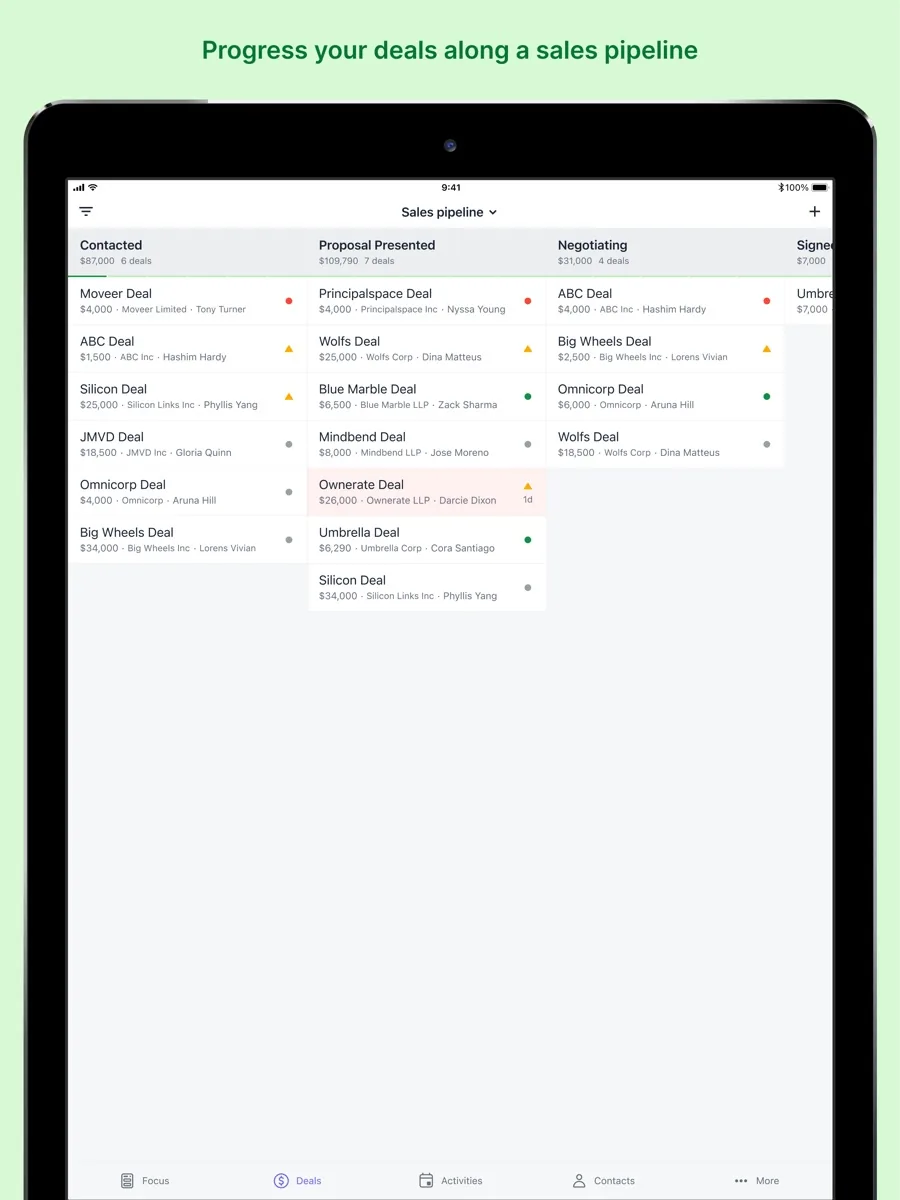
This Pipedrive review covers what the CRM does well, how its plans are structured, how it protects your data and where independent reviewers think it falls short. Pipedrive is a sales CRM built around one idea: a visual pipeline where every deal is a card you move from stage to stage until it is won or lost. It is aimed squarely at salespeople and sales managers rather than marketing or service teams, and that focus explains most of what people like about it and most of what they miss.
NerdBible has not run its own hands-on trial for this article. It is an editorial assessment based on Pipedrive's pricing page, its knowledge base, and the published findings of independent review outlets, all linked where they are used. Pipedrive's main website blocked our requests, so its pricing page is cited from a recent public archive copy.
Pipedrive review: our verdict
Pipedrive is one of the easiest CRMs for a sales team to adopt. The pipeline view makes sense on the first day, setup is guided, and the Growth plan adds the email sync and automations that most small sales teams need. It ranks highly with us for sales teams because it stays focused on the job of closing deals. The trade-offs are cost as you add seats and features, an entry plan without automations, and marketing and project tools that are sold as add-ons. Teams that want an all-in-one marketing, sales and service platform should look elsewhere; teams that just want to sell more, more consistently, will find Pipedrive hard to beat for ease of use.
What Pipedrive is and who it is for
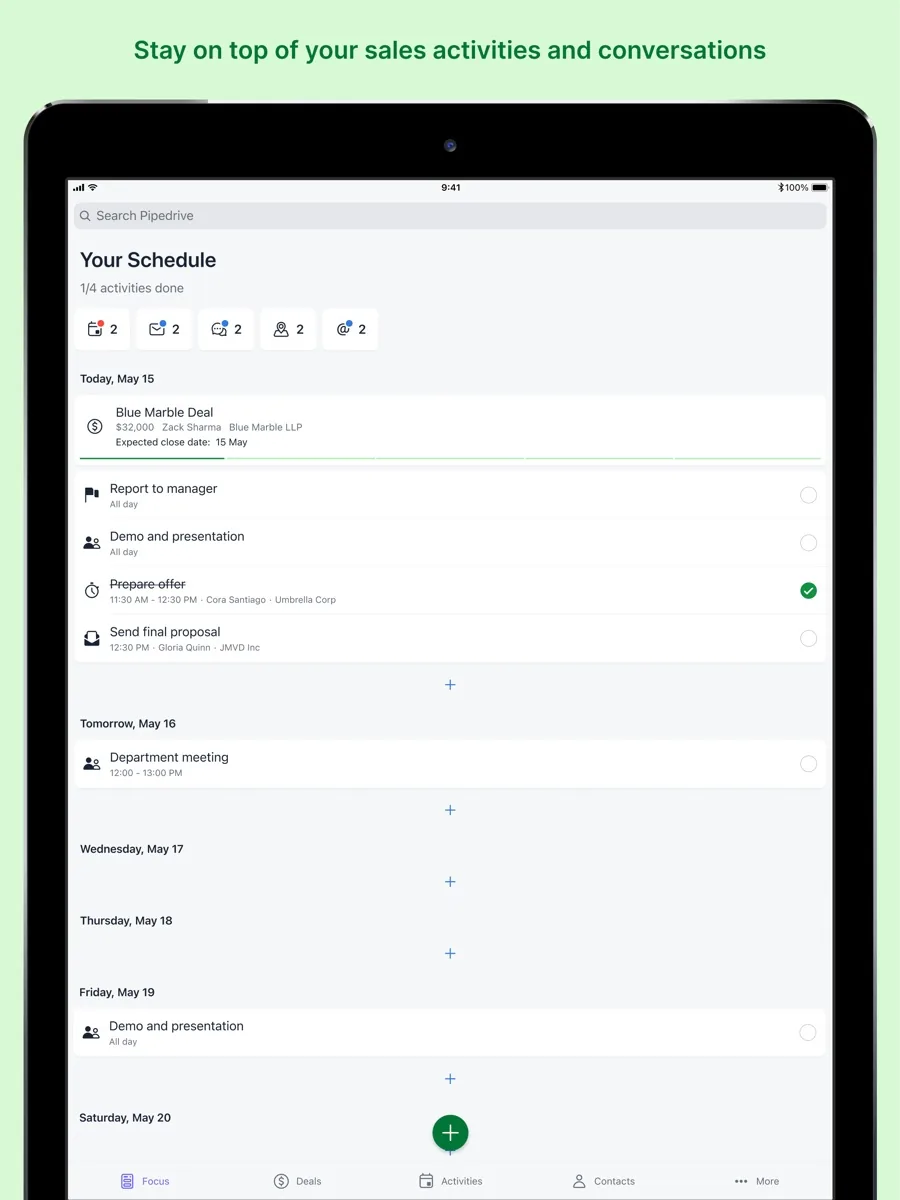
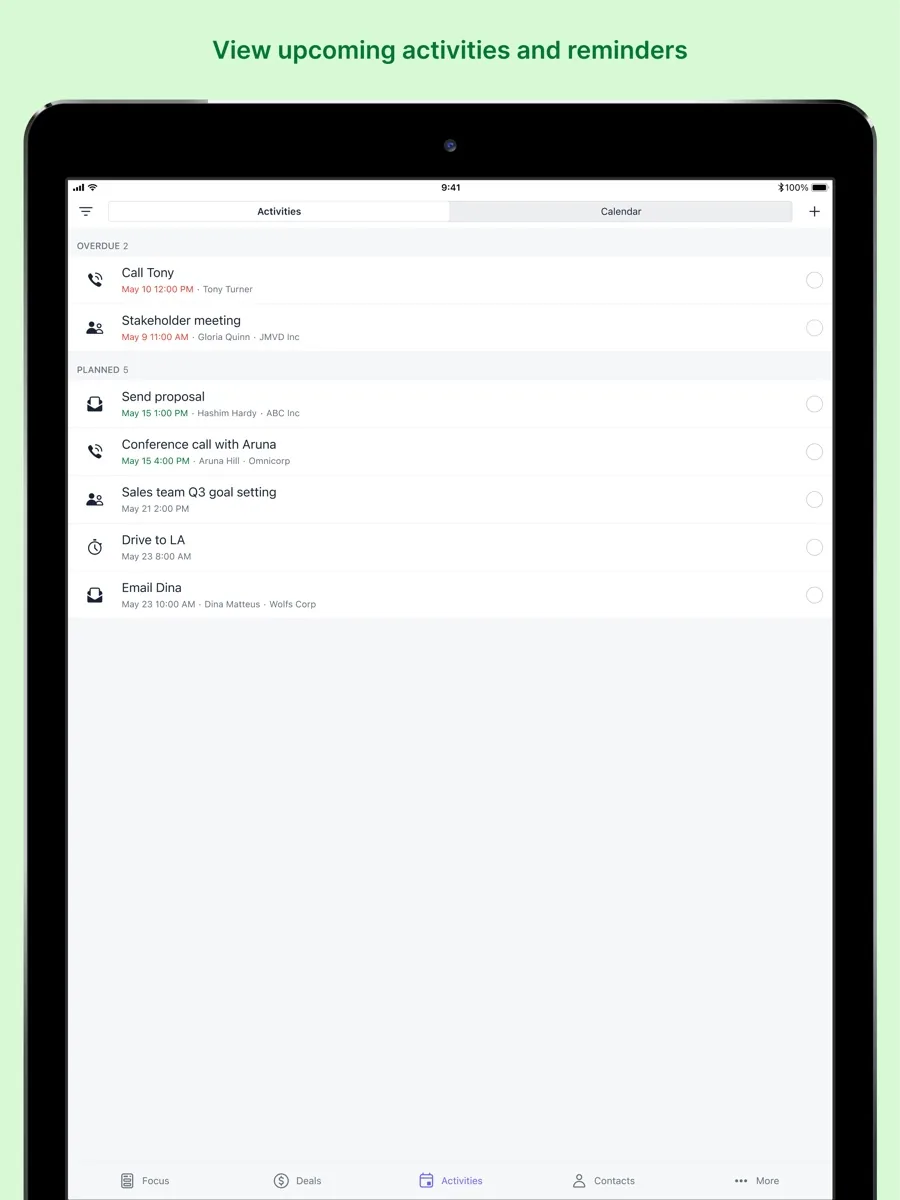
Pipedrive organises your leads, deals, contacts, organisations and activities around one or more pipelines. Each pipeline has stages you define, and each deal has a value, an owner, expected close date and a trail of emails, calls, notes and scheduled activities. The design nudges reps to always have a next step on every deal, which is the habit most sales coaching tries to build.
It is a strong fit for:
- Small and mid-sized sales teams that need structure without a long implementation project.
- Founders and first sales hires moving off spreadsheets.
- Agencies, consultancies and B2B service firms with a clear, repeatable sales process.
It is less suited to companies that want one platform for marketing automation, customer service tickets and sales together, or to very large organisations with complex territory and approval structures.
Key features
Visual pipeline and activity management
Every plan includes lead, calendar and pipeline management in one workspace, according to Pipedrive's pricing page. Reviewers consistently single out the pipeline view as the product's best feature, and the guided setup means a small team can be working in it quickly.
Email sync and tracking
The Growth plan adds full email sync with Gmail, Outlook or a company mail server, bulk email, and open and click tracking. Premium adds shared team inboxes, syncing several email accounts at once, and AI tools that write, summarise and reply to emails.
Automations and sequences
From Growth upwards, Pipedrive automates repetitive tasks and multi-step workflows, and lets you build sequences of personalised emails and follow-ups to nurture deals. PCMag found the automation builder straightforward, but also noted that the base tier does not support automations at all, which is worth knowing before you choose Lite.
AI and meeting intelligence
The pricing page lists AI-powered report creation from text prompts on every plan and a meeting intelligence tool called Pipedrive Nova that prepares a brief before meetings, transcribes calls and suggests CRM updates afterwards. TechRepublic also describes an AI Sales Assistant that spots patterns and suggests next actions. As with any AI feature, treat the suggestions as prompts for a human decision rather than instructions.
Lead generation, scoring and documents
Premium adds lead capture and routing through LeadBooster, custom lead scoring, company data enrichment, quotes, proposals and contracts with built-in e-signatures, plus formula fields and pipeline-specific required fields. Ultimate adds phone and email data enrichment and a sandbox account for testing workflows safely.
Integrations
Pipedrive says it connects with more than 500 apps, including Zapier, Zoom and Lemlist, and supports importing from spreadsheets or another CRM.
How much does Pipedrive cost?
Our page shows current prices from our own data. The structure is four plans, priced per seat, with monthly or annual billing and a discount for paying annually:
- Lite: pipeline, lead and calendar management, AI report creation, integrations and meeting intelligence.
- Growth: adds full email sync and tracking, automations and nurturing sequences, subscription and forecast reports, a meeting scheduler and contact timeline.
- Premium: adds lead generation and routing, scoring and enrichment, AI email tools, contracts and e-signatures, and deeper customisation and permissions.
- Ultimate: adds account security rules and alerts, phone and email enrichment, a sandbox account and extended phone support hours.
There is no free plan, but every tier has a 14-day free trial with no credit card required, and you can invite colleagues to the trial. Optional add-ons cover LeadBooster, Projects, Campaigns for email marketing, Web Visitors tracking and Smart Docs. Pipedrive says implementation is free above a certain annual spend. Factor add-ons in when comparing quotes, because they are where the total cost tends to grow.
Is Pipedrive secure?
Pipedrive's knowledge base describes permission sets that control what users can do, visibility groups that control what deals, contacts and products each user can see, and pipeline-level visibility that can hide whole pipelines from certain groups. The number of visibility groups grows with the plan: Lite and Growth get a simple owner-or-everyone choice, Premium adds customisable groups, and Ultimate allows an unlimited number.
Two-factor authentication is available through an authenticator app or an email link, and the knowledge base notes that it cannot be used at the same time as single sign-on, so companies choose one approach. Ultimate adds security rules such as password requirements, IP and time-based access restrictions and alerts for suspicious account activity. For a team handling customer data, turning on 2FA or SSO from day one is the most useful step.
What could be better
- No automations on Lite. The cheapest plan is fine for a solo seller but misses the feature that saves a team the most time.
- Cost rises quickly. PCMag felt similar features and support are available elsewhere for less, and TechRadar noted that many advanced features sit on costlier plans.
- Marketing is an add-on. Email campaigns and lead capture tools cost extra, and TechRadar and TechRepublic both describe marketing automation as limited.
- Reporting depth. TechRepublic found reporting and customisation limited for complex sales processes.
- Support varies. TechRadar described support quality as inconsistent, and Business.com notes that phone support is reserved for the higher tiers.
Who should choose something else
If you need marketing automation, a help desk and a CRM under one roof, an all-in-one suite will save you stitching tools together. If your budget is close to zero, CRMs with genuinely free plans will cover basic contact and deal tracking. Enterprises with complex territories, approvals and heavy custom reporting will likely outgrow Pipedrive's model. And if your team does not run a defined sales process, the pipeline will not create one for you.
Is Pipedrive worth it?
For sales-led small and mid-sized businesses, yes. It is quick to learn, encourages good follow-up habits and gives managers a clear view of the pipeline. Choose Growth if you want automations and email sync, and only move to Premium when lead routing, scoring or e-signatures will clearly pay for themselves.
Bottom line
Pipedrive does one thing very well: it helps salespeople keep every deal moving. That focus makes it easy to adopt and pleasant to use, and it is why we rank it among the best CRMs for sales teams. Use the free trial with your real pipeline, check which add-ons you actually need, and you will know within two weeks whether it fits.
What other reviewers found
- TechRadar praised the intuitive visual pipeline and regular AI updates, but flagged limited marketing automation, inconsistent support and advanced features held back for pricier plans.
- PCMag liked the guided setup, tutorials, customisable workflows and straightforward automation builder, but thought the price climbs fast and that competitors offer similar tools for less.
- Business.com picked it as its best CRM for sales automation and liked its customisation and prospecting tools, while noting it is built for sales teams rather than other departments.
- TechRepublic rated the pipelines and AI email tools, but pointed to the lack of a free version, limited reporting for complex processes and lead tools that need add-ons.
- EmailToolTester found the AI Sales Assistant genuinely useful for spotting patterns and drafting emails, and also listed the missing free plan as a drawback.
Where they agree: the pipeline is excellent, setup is easy and the product is built for salespeople. Where they differ: PCMag sees it as expensive for what you get, while Business.com rates its value highly, and opinions on reporting range from adequate to limited. For a buyer, that means Pipedrive is worth it when ease of adoption is the priority, and the plan and add-on choices decide whether it stays good value as you grow.
Frequently asked questions
Does Pipedrive have a free plan?
No. Pipedrive does not offer a permanent free plan. Instead, every paid plan comes with a 14-day free trial that does not require a credit card, and you can invite colleagues to join the trial account. That is usually enough time to import a sample of real deals, set up your pipeline stages and see whether your team will actually use it.
Which Pipedrive plan includes automations?
Automations start on the Growth plan. According to Pipedrive's pricing page, Growth adds workflow automations and email nurturing sequences, along with full email sync and tracking. The entry-level Lite plan covers pipeline, lead and calendar management but does not include automations, a gap PCMag also highlighted. Most teams with more than one or two sellers will want Growth or above.
Is Pipedrive good for marketing?
Only partly. Pipedrive is built for sales, so email marketing campaigns, website visitor tracking and lead capture forms are sold as add-ons rather than included in the core plans. Several reviewers describe its marketing automation as limited. If marketing campaigns are central to your growth, compare Pipedrive plus add-ons against all-in-one platforms before deciding.
Is Pipedrive secure?
Pipedrive offers permission sets, visibility groups, pipeline-level visibility controls and two-factor authentication through an authenticator app or email link, with single sign-on as an alternative. The Ultimate plan adds security rules such as password requirements, IP and time restrictions and suspicious activity alerts. Enabling 2FA or SSO for every user is the simplest way to protect customer data.
Is Pipedrive easy to learn?
Yes, and that is one of its main selling points. Reviewers consistently praise the visual pipeline, the guided setup and the tutorial videos, and Business.com found the learning curve much gentler than broader CRMs. Most of the effort goes into defining your pipeline stages and activity rules well, which is work that pays off in any CRM you choose.
Sources
- CRM Pricing Plans, Pipedrive (archived copy of pipedrive.com/en/pricing)
- Security features in Pipedrive, Pipedrive Knowledge Base
- 2FA: two-factor authentication, Pipedrive Knowledge Base
- Pipedrive CRM review, TechRadar
- Pipedrive CRM Review: Competent Contact Management, Pricey Automations, PCMag
- Review and Pricing for Pipedrive CRM for Sales Automation, Business.com
- Pipedrive Review: Features, Pricing, Pros & Cons, TechRepublic
- Pipedrive CRM Review, EmailToolTester